What should you look for when buying?
Start with your main priority: the placement of your stereo pair, the connections on your sources, the space available or whether you can keep using an existing amplifier.
| What matters |
What to check when buying |
Who is this important to? |
| Stereo image from your listening spot |
Check whether the speakers are intended to be used as a pair and can be positioned in a similar way on either side of your listening spot. |
If I want to hear voices and orchestra as distinct elements in the space, I need two suitable places for the speakers and careful positioning. Around 36% of consumers put the stereo image from their listening spot first. |
| Connecting audio sources |
Check the audio outputs on your sources against the inputs on the specific model, and allow for any adapters you may need. |
If I switch between streaming and an existing audio source, I want to be able to connect each one without needing an incompatible connection. Around 29% of consumers prioritise compatibility with their sources. |
| Space in the living room |
Measure both places where you plan to position the speakers and compare them with the dimensions of the model you’re considering. |
If space is limited, I need to be able to fit two speakers without losing sight of how they’ll be positioned around my listening spot. Around 21% of consumers focus primarily on the space they need. |
| Existing hi-fi system |
Check whether you have an amplifier and whether it’s suitable for passive speakers. Also compare everything included in the box. |
If I want to keep using my amplifier, I need to know whether it’s compatible with the passive speakers and my sources. Around 14% of consumers prioritise continuing to use their existing hi-fi system. |
Speakers and systems at Joybuy
This selection includes compact speakers and stereo or hi-fi systems for different sources and space requirements. For each model, check that the connections, what’s included and the set-up are right for your listening spot.
 No image available
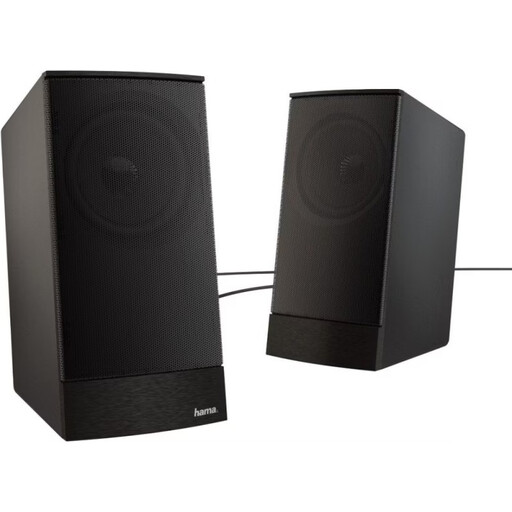
Hama Sonic LS-208 PC speakers
An option if your audio source has a compatible 3.5 mm output and you have room for two compact speakers.
- Active 2.0 speakers
- 3.5 mm audio input
- Rated power: 8 W; frequency range: 100–20,000 Hz
- Dimensions per speaker: 75 × 95 × 158 mm; external power supply
View at Joybuy
 No image available
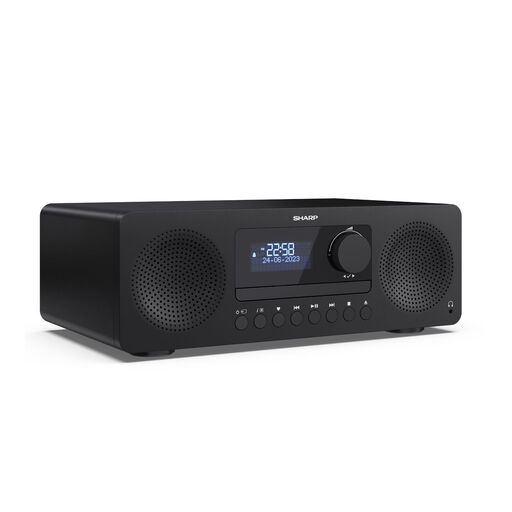
SHARP XL-B720D Tokyo DAB+ all-in-one hi-fi system
A good fit if you’re looking for an all-in-one system with built-in speakers and several listed playback options, rather than a separate amplifier.
- CD, Bluetooth 5.3, USB and AUX
- Built-in speakers; stereo sound according to the product description
- Audio output: 150 W according to the product description
View at Joybuy
 No image available
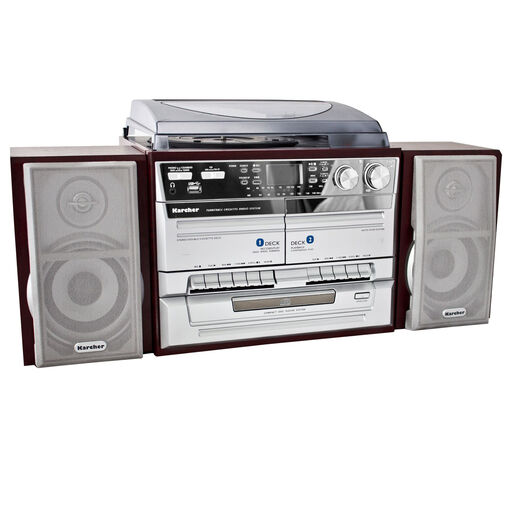
Karcher KA 320 compact system
A possible choice if you’re looking for a system with two separate speakers and built-in playback options for several types of source.
- Two separate speakers
- CD player and turntable
- Other listed playback options: cassette, radio, USB and SD card
View at Joybuy
 No image available
CS116 PC speaker set with RGB lighting, 2-piece
Worth considering if you have room for two small wired speakers and your source has a compatible audio output.
- Wired set with two speakers
- USB-A power supply and separate audio cable for the source
- Dimensions per speaker: approximately 7.2 × 7.3 × 6.5 cm
View at Joybuy
 No image available
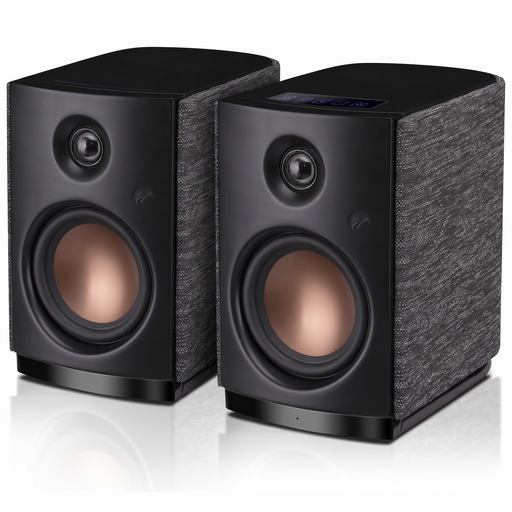
HiVi-Swans OS-10 active hi-fi stereo speakers
An option if you want to compare active bookshelf speakers with Bluetooth or a compatible AUX source.
- Bluetooth 5.0 and AUX input
- 4-inch woofer
- 62 W RMS according to the product name
View at Joybuy
Frequently asked questions
How should I position two speakers in a small living room?
Position the speakers as symmetrically as possible on either side of your listening spot, and angle them towards you. Genelec explains that reflections and uneven positioning can affect the stereo image when using stereo monitors; its advice doesn’t guarantee room correction in every living room.
Can I add a second speaker to a single Wi-Fi speaker later to create a stereo pair?
It depends on the model. Sonos explains how to create a stereo pair from two Era 100 speakers; for other models, make sure to check whether they can be paired as left and right speakers.
Can I use the Sonos Era 100 over Bluetooth straight away?
No. According to Sonos, you must first set up the Era 100 on a Wi-Fi network before using it over Bluetooth. Make sure you also have a suitable power socket and have planned where to position it.
How do I connect a CD player to a Sonos Era 100?
For a CD player with an analogue audio output, Sonos lists a separately sold Line-In or Combo Adapter. Before you buy, check which audio output your CD player has and whether the adapter is compatible.
What do I need for passive bookshelf speakers?
Passive speakers need a suitable amplifier or receiver. Check that its connections work with your audio sources and that the specific combination is suitable for the speakers. If you don’t already have an amplifier, you’ll need to include a suitable one in your complete system.


