What to look for when buying
Wired lavalier
A good fit if: you’re mainly recording the seated narrator and the connection, power supply and cable length suit your device.
Consider: there’s no wireless connection, so movement is limited. And a single microphone won’t automatically make the interviewer’s voice equally clear.
Wireless kit with two transmitters
A good fit if: both people should wear their own microphone or need to move around, and the receiver is compatible with your recording device.
Consider: the number of transmitters, channel mode, power supply and wireless conditions all need to suit the specific kit. Local recording depends on the model.
Lavalier with a body-worn recorder
A good fit if: having a standalone recording of the narrator is a priority for a conversation that may be difficult to repeat.
Consider: with the Zoom F2, you’ll need to manage recording, batteries, the memory card and transferring the files afterwards. A device with one lavalier won’t automatically record both voices separately.
For oral history in a home studio, first decide whether you want to record one voice or both voices separately. Then check that the connection and recording setup work with your device. The Oral History Association stresses the importance of informed consent, while the University of Leicester’s audio guide recommends checking the microphone’s position and attachment in practice.
| Priority |
What to check before buying |
Who is this important to? |
| Clear narration |
Check the clip and attachment; make a test recording with the intended clothing in the actual room, then listen back. |
If I mainly want to understand the narrator clearly, I’ll pay attention to microphone position and clothing noise. Around 33% of consumers put clear narration first. |
| Both voices in the conversation |
Check how many transmitters are included in the specific kit and whether the recording device can save the channels you need. |
If you want to capture both the story and the interviewer’s questions, you’ll need a solution for both voices. Around 25% of consumers give this priority. |
| Connection to an existing device |
Check whether it’s TRS or TRRS, and match the microphone input and required plug-in power to the specific device and microphone. |
If I want to keep using my existing recording device, the lavalier needs to be compatible with it. Around 25% of consumers consider device compatibility their top priority. |
| Standalone recording backup |
Check storage and power, deliberately start local recording, then play back a saved test file. |
For a story that may be difficult to repeat, I want to be able to check the recording process and verify the file. Around 17% of consumers prioritise a standalone recording backup. |
Matching products at Joybuy
This selection includes wired lavalier microphones for existing recording devices, as well as wireless kits for two-voice interviews or an additional local backup.
 No image available
SYNCO S8 lavalier microphone
For a seated narrator, provided the recording device is compatible with the connection.
Described as a lavalier with a clothing clip and 3.5 mm connection; an adapter kit is also listed. Smartphones, PCs, laptops and cameras are specified as compatible devices.
Joybuy
 No image available
Moman MS1X(C), 2TX and 1RX
With two transmitters for an interview where each person needs to wear their own microphone.
USB-C connection for compatible Android devices. Local backup recording to a TF card is described; the card isn’t included.
Joybuy
 No image available
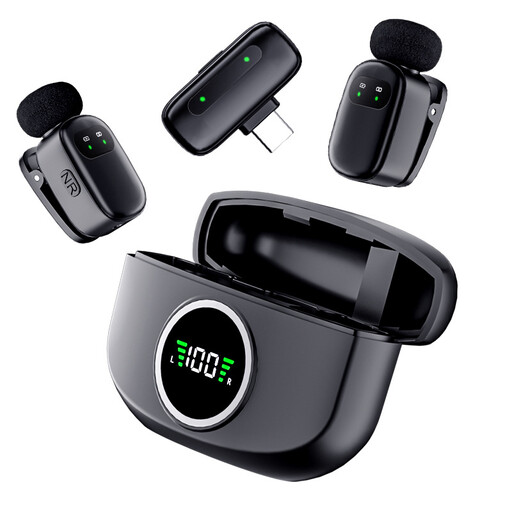
The Verbex K21 dual microphone
For interviews using two microphones, provided the recording device is compatible with the Type-C interface.
Described as a wireless dual microphone with a Type-C interface.
Joybuy
 No image available
Moman M1CXT, USB-C, 2TX and 1RX
For interviews with two people wearing microphones, using a compatible USB-C recording device.
Described as a wireless lavalier microphone with two transmitters and one receiver; a compatible recording device is required.
Joybuy
 No image available
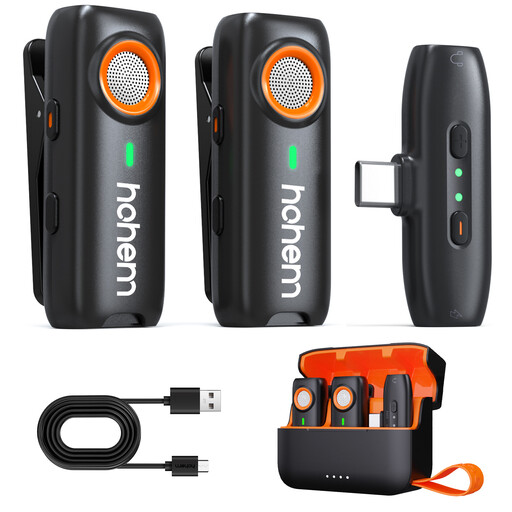
hohem wireless lavalier microphone with TF backup
For wireless interview recording when a local backup fits your planned setup.
Local recording to a TF card is described; the card isn’t included.
Joybuy
Frequently asked questions
Do I need permission to record a private oral history interview?
Under § 201 StGB, recording another person’s words spoken in private without authorisation is a criminal offence. Before you begin, make sure the narrator agrees to being recorded. Consent to recording doesn’t automatically mean consent to sharing or publishing the recording later. The Oral History Association recommends documenting informed consent.
Can I use any wireless lavalier microphone in Germany without checking anything else?
No. The applicable conditions depend on the specific frequency band and the kit’s technical specifications. In its notice Vfg. 37/2026, dated 15 April 2026, the Federal Network Agency lists permitted frequency bands and the technical and operating conditions for wireless microphones. Before use, check that the specifications of the version you’ve chosen comply with the applicable conditions.
How should I attach and test a lavalier before a longer interview?
Attach it around the lapel and listen to a test recording at a normal speaking volume, wearing the clothes you plan to use. The University of Leicester’s audio guide notes that placing the microphone too close to or too far from the mouth, as well as friction against clothing and the cable, can affect the recording.
What steps are involved in recording separately to a recorder?
With the Zoom F2, you’ll need a suitable microSD card and two AAA batteries. Afterwards, you’ll need to transfer and back up the file. Plan a test recording, too, and check that you can play back the saved file.
Can I connect the RØDE smartLav+ directly to a Wireless GO II transmitter?
Not without a suitable adapter. RØDE specifies a TRRS connection for the smartLav+ and a TRS microphone input for the Wireless GO II transmitter. As an example, the manufacturer recommends a TRRS-to-TRS adapter such as the SC3.


