What should you look for?
For oral history projects, preparation includes choosing suitable microphone positions and planning how to store recordings afterwards, as highlighted by Oral History in the Digital Age and the Oral History Association.
| Consideration |
What to look for when buying |
Who it matters most to |
| Capturing both voices |
Check the distance between seats, how long each person will speak and how many suitable inputs you need; test both voices separately. |
If both people will speak at length, I want to record each voice close to its own microphone and adjust the levels separately. Around 36% of consumers put clear recording of both sides of the conversation first. |
| Echo and background noise |
Record a test with the ventilation running and from both usual seating positions, then listen back through headphones. |
If echo or ventilation noise is audible, I want to check before the interview that both seating positions still produce clear speech. That’s why around 29% of consumers prioritise intelligibility despite room noise. |
| Connection and setup |
Compare USB and XLR connections, the number of inputs you need, and the right recording setup for your computer or recorder. |
If I want to get started on my computer without extra equipment, a suitable, straightforward connection is important to me. Around 21% of consumers prioritise a simple recording setup. |
| Monitoring and storage |
Check the headphone socket and how it works with your intended connection, as well as your recording and storage plan. |
If I want to catch quiet passages during the conversation and store the recording in an organised way afterwards, I plan for monitoring and storage too. Around 14% of consumers prioritise these tasks. |
Microphones and sets at Joybuy
This selection includes microphones for close-range speech recording and wireless sets. Before buying, check that the microphone positions and connection suit your interview setup.
 No image available
FIFINE K688CTW dynamic USB/XLR microphone with boom arm
For recording one main speaker at close range, when a microphone with USB and XLR connections and a boom arm suits your setup.
The product title also lists a mute button, volume control and headphone socket; an XLR cable isn’t included.
View at Joybuy
 No image available
FIFINE AM8 dynamic USB/XLR microphone with desktop stand
For a fixed speech-recording setup at a desk, if you want to use a USB or XLR connection.
The product title lists a desktop stand and headphone socket. According to the product description, the RGB lighting and function buttons are only active over USB; an XLR cable and boom arm aren’t included.
View at Joybuy
 No image available
DJI Mic Mini 2S (2 TX + 1 RX + Charging Case)
This set may suit two microphone positions, as long as the receiver works with your recording device.
The product title lists two transmitters, one receiver and a charging case. Check the receiver connection and test both positions before the interview.
View at Joybuy
 No image available
Dynamic USB/XLR microphone set with desktop stand
For a fixed setup to record one main speaker, if a desktop stand and USB or XLR connection suit your plans.
The product title also lists a gain control and mute button. The product description includes USB and XLR cables and adapters.
View at Joybuy
 No image available
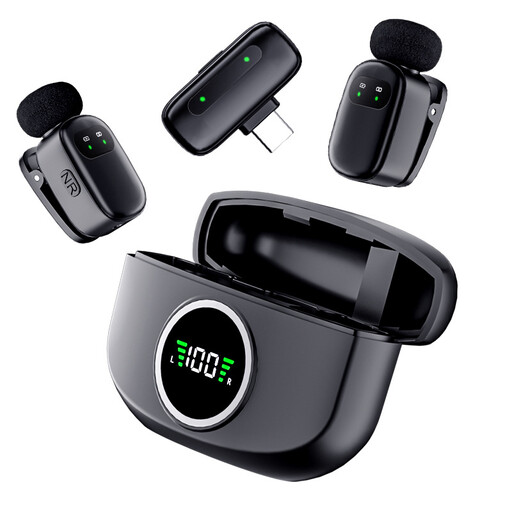
Verbex K21 wireless dual microphone
For an interview with two microphone positions, provided the Type-C receiver works with your recording device.
The product title describes a wireless dual microphone for recording and interviews with a Type-C connection. Test the complete signal path in advance.
View at Joybuy
Frequently asked questions
Is one microphone enough for the interviewer and interviewee?
You can find out by testing it from both people’s usual seating positions. If both will speak at length, two closely positioned microphones with separate inputs are a more controllable starting point. Sharing one microphone may work if both voices remain clear in the test recording.
How should you position a microphone in a small booth?
Point it towards the speaker according to its pickup pattern, then listen to a test recording with the ventilation running. For the PodMic USB, RØDE specifically recommends a distance of around 5–10 cm; this isn’t a universal guideline for other models.
What do you need to connect an XLR microphone to a computer?
To record on a computer with an analogue XLR microphone, you’ll need a suitable recorder, audio interface or mixer with the right connections. Also check that the number of inputs, cables, mount and headphones suit your recording plan.
Can you record an oral history interview in Germany without permission?
Under Section 201(1) of the German Criminal Code (StGB), recording another person’s privately spoken words without authorisation is an offence. Before you start, make sure you’re entitled to record. Processing personal data also requires a legal basis under Article 6 of the GDPR. If you rely on consent, it must meet data protection requirements. Discuss the recording, storage and planned access with the interviewee.


