What should you look for when buying?
For an oral history interview in a small booth, your priorities will mainly depend on the seating arrangement, how you plan to edit the recording and how you intend to store the files.
| Requirement |
What to check when buying |
Who it matters to |
| Clear speech |
Record from the planned distance and both seating positions, then listen back to the file. Check whether the recorder or microphone can be positioned securely. |
If I want to know whether both voices will remain clear despite possible room reflections, I first check the actual setup. Around 33% of consumers put speech clarity first. |
| Separate voices |
Check whether the exact model really records the voices you want on separate tracks, and which microphones or connections are needed. |
If the voices are at different levels or need to be edited separately, keeping the recordings separate is crucial. Around 27% of consumers give the greatest weight to separate voices. |
| Archival files |
Check that the required format, recording time available in that format, transfer method and backup arrangements all suit the project. |
If I want to pass interviews on and keep them for the long term, I choose file formats to match the archiving plan. Around 20% of consumers prioritise keeping and sharing suitable files. |
| Uninterrupted recording |
Check the storage media, power supply, recording indicator and playback of a test file on the specific model. |
For longer conversations, I want to make sure in advance that the storage and power supply are ready for the planned session. Around 20% of consumers focus on making the process simple and reliably prepared. |
Joybuy products for voice recording
The Joybuy recorders featured here are compact voice recorders with built-in microphones. Before using one in a booth, check that it captures both seats clearly and that the file format, export options and recording conditions suit your project.
 No image available
PLAUD Note Pro Voice Recorder, 64 GB
Could be suitable for longer blocks of conversation using its built-in microphones; test how it records both seats in the actual booth.
64 GB of internal storage, four MEMS microphones and up to 30 hours of continuous recording.
Before buying, check that the file format and transfer method suit your archiving plan.
Joybuy
 No image available
Mobvoi TicNote Lite AI Voice Recorder, 4 GB
A compact recorder with a built-in microphone system; make a test recording to check that both voices are clear from each seat.
4 GB of storage and a triple-microphone system.
Before archiving, check the available file format and transfer method.
Joybuy
 No image available
Mobvoi TicNote Standard AI Voice Recorder, 64 GB
Could be worth considering for longer recording sessions with multiple microphones; only a test with both voices will show whether it suits your seating arrangement in the booth.
64 GB of storage, a triple-microphone system and a stated recording time of 20 hours; Wi-Fi and Bluetooth are also listed.
If you plan to archive the recording, check the file format and transfer method.
Joybuy
 No image available
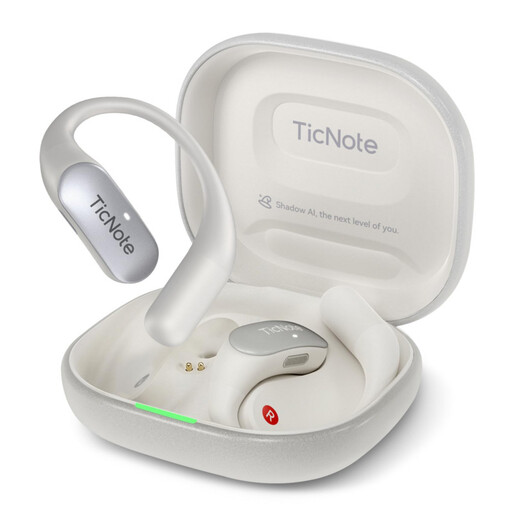
Mobvoi TicNote Pods 4G AI Voice Recorder, 32 GB
Once set up, one-button recording can make it easy to get started; first check that the microphone system captures both voices in your seating arrangement.
32 GB of local storage, a dual-microphone array and a stated battery life of 5 hours.
The listing describes direct 4G cloud uploads. Before using it with interview data, check how the data will be processed and what legal basis applies to your specific purpose.
Joybuy
 No image available
32 GB AI Voice Recorder with Case
Could be suitable for longer conversations using its built-in microphone system; test speech clarity from both seats before the interview.
32 GB of storage, a four-microphone array and a stated battery life of 30 hours.
Check that the recording format and file transfer meet your project’s requirements.
Joybuy
Frequently asked questions
What’s a useful test when choosing a recorder for a small booth?
Set up the recorder and seats as you plan to for the interview, ask both people to speak, then listen back to the test file. Shure points out that a microphone can’t reliably separate direct sound from room reflections after recording, so microphone position matters more than the recording format alone.
When are separate audio tracks useful?
Separate tracks are an option if you want to control voices independently or edit them separately later. Zoom describes the H2essential as having separate front and rear tracks; check whether the specific model supports your intended seating arrangement.
Do I need to record an oral history interview in WAV rather than MP3?
Not necessarily. First, check the requirements of the archive or project you have in mind. The Oral History Association recommends a widely used uncompressed format such as WAV or Broadcast WAV for interview files. This is professional guidance, not a general legal requirement.
Can I record a non-public interview in Germany without the narrator’s knowledge?
Not without authorisation: under section 201 of the German Criminal Code (StGB), recording another person’s non-public speech without authorisation is a criminal offence. Establish that you have authorisation before you begin, and separately discuss how the file may be kept or made accessible later as part of an oral history project.
Does permission to make an audio recording cover every subsequent use of personal data?
No. You must identify the appropriate legal basis for processing personal data for each purpose. If consent under the GDPR is used as the legal basis, it must be freely given, informed and specific, among other requirements. The appropriate legal basis for archiving or publication must be considered separately.


