For listening to orchestral recordings at your desk, choose a pair of speakers that will fit sensibly in your listening position and match the outputs of your music source. An active system doesn’t need a separate amplifier; passive bookshelf speakers are worth considering if you already have a suitable amplifier. Also check whether the product is sold as a pair or as a single monitor, and which connections the specific model has.
Which options are right for you?
Orchestral music fans with a dedicated desk setup
If you want to pick out the spatial arrangement of different instrument groups from your usual listening position, plan to place one speaker on each side. Similar heights, angles and reflection conditions can all matter for stereo imaging. Genelec notes that similar reflection conditions for a stereo pair are important.
Listeners with limited desk space
First, check whether you have room for two speaker cabinets and their cables alongside your monitor and work materials. Compact desktop systems and small nearfield monitors can differ in how they need to be positioned and the connections they offer.
Listeners with an existing hi-fi amplifier
If you want to keep using your amplifier, compare its specifications with the requirements of the passive speakers and check that you can position them suitably. ELAC lists a nominal impedance of 6 Ω and a recommended amplifier power of 20–120 W for the Debut 3.0 DB53.
What should you look for when buying?
When choosing speakers for orchestral recordings, first check how they’ll fit around your listening position and how you’ll connect your audio source. Then you can narrow down the right option for your desk.
| What matters to you |
What to check when buying |
Who is this especially important for? |
| Stereo imaging and positioning |
Room for two speakers at a similar height, angled towards your listening position, with as similar reflection conditions as possible on the left and right. |
If I want to pick out the spatial arrangement of different instrument groups from my usual seat, I’ll position both speakers accordingly. Around 33% of consumers prioritise clear stereo imaging. |
| Desk space and listening distance |
Check the available width and depth on both sides, and compare your intended listening distance with the specifications for the specific model. |
If I have limited space on my desk, I want to know whether both speaker cabinets will fit. Around 27% of consumers put available space first. |
| Connecting to computers and other sources |
Compare the outputs on your computer or audio interface with the documented inputs on the speaker. |
If I want to play music directly from my computer or use other devices I already own, I need the right inputs on the specific model. Around 20% of consumers prioritise connection compatibility. |
| Amplifier and complete system |
For passive speakers, check amplifier compatibility. Also check whether the product is sold as a pair or as a single monitor. |
If I want to keep using my existing equipment or put together a complete stereo system, I’ll count all the components I need. Around 20% of consumers first consider their existing amplifier and the complete system. |
Avoid common buying mistakes
-
Assuming a single nearfield monitor is a complete stereo pair
Genelec lists one monitor per package for the 8020D. So a single unit won’t meet your needs if you want two separately positioned speakers.
Check what’s included and plan to buy two suitable units for stereo.
Also allow for the signal and power connections you’ll need for both monitors.
-
Assuming “active” means “has the right connection for my computer”
Inputs vary by model. Edifier lists Bluetooth, line-level, optical and coaxial inputs for the R1280DBs; ADAM Audio specifies USB-C and analogue TRS inputs for the D3V.
Check that your source’s outputs match the inputs on the specific speaker.
Depending on the connection, you may need an additional adapter or another connection solution.
-
Comparing passive and active options by looking at the speakers alone
Passive speakers such as the ELAC Debut 3.0 DB53 need a suitable amplifier; an active system such as the ADAM Audio D3V has amplification built in.
Compare all the components you’ll need for a complete stereo system, and check that your amplifier is suitable for the passive model.
-
Choosing compact speakers without checking how they’ll fit
The size of the cabinet alone won’t tell you whether you can position two speakers suitably around your listening spot. When discussing monitor placement, Genelec highlights the importance of similar reflection conditions on the left and right for stereo imaging.
Decide where the speakers could go and where you’ll sit before checking the cabinet dimensions.
Key brands at a glance
ADAM Audio
The active D3V desktop system is designed to connect to a computer or analogue sources.
- ADAM Audio lists USB-C and analogue TRS inputs for the D3V.
- For connecting a subwoofer, ADAM Audio Support describes using an external audio interface and the analogue TRS inputs; USB-C alone doesn’t support this connection.
Edifier
According to the manufacturer, the active R1280DBs stereo bookshelf speaker pair has inputs for several conventional sources.
- Edifier lists Bluetooth, line-level, optical and coaxial inputs, as well as a subwoofer output.
- A USB audio input isn’t listed for this model. The stated total output of 42 W RMS is a manufacturer specification, not an independent sound comparison.
KEF
The LSX II LT is an active stereo system for computers and other sources, suited to those who want extra connections or network features alongside USB-C.
- KEF lists USB-C, HDMI ARC, an optical connection and streaming features.
- Remember to allow for the connection between the two speakers when planning their placement. Sound descriptions on the product page are the manufacturer’s claims.
Genelec
The 8020D is a compact active nearfield monitor, sold individually.
- Genelec lists the dimensions and specifies one monitor per package.
- For a stereo pair, you’ll need two monitors and the right connections. Claims about neutral sound reproduction are the manufacturer’s own, not an independent comparison in your room.
ELAC
The passive Debut 3.0 DB53 bookshelf speaker pair needs a suitable amplifier.
- ELAC lists a nominal impedance of 6 Ω and a recommended amplifier power of 20–120 W for this model.
- Check these specifications against your particular amplifier. The manufacturer’s sound descriptions aren’t an independent listening comparison.
Speakers at Joybuy
This selection includes speakers for your desk that can connect to a computer or other music sources. For each model, check the listed inputs and whether its design suits the way you want to position it.
 No image available
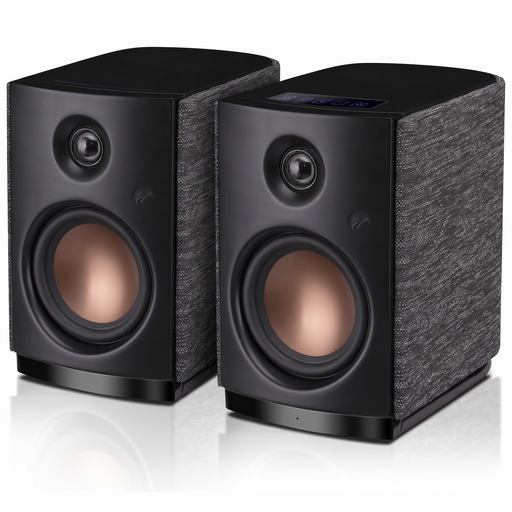
HiVi-Swans OS-10, Black
Described as active stereo bookshelf speakers for your desk. Check that the listed inputs match the outputs on your music source.
Bluetooth 5.0 and AUX; 4-inch woofer; 62 W RMS according to the product title.
Joybuy
 No image available
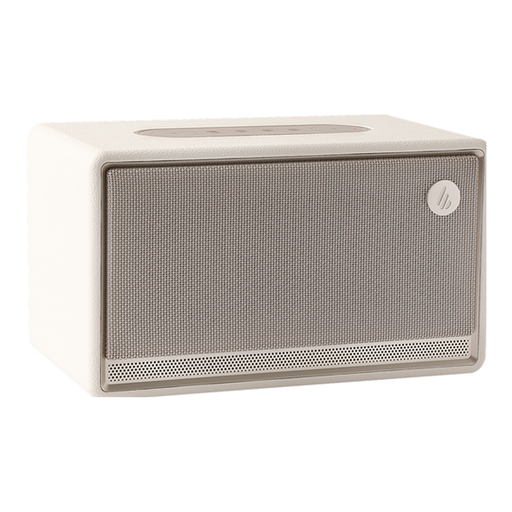
Edifier ES300, Ivory
Described as a tabletop speaker. Check that its design suits the arrangement you want for your listening position.
Bluetooth 5.3, plus USB and AUX inputs according to the product description.
Joybuy
 No image available
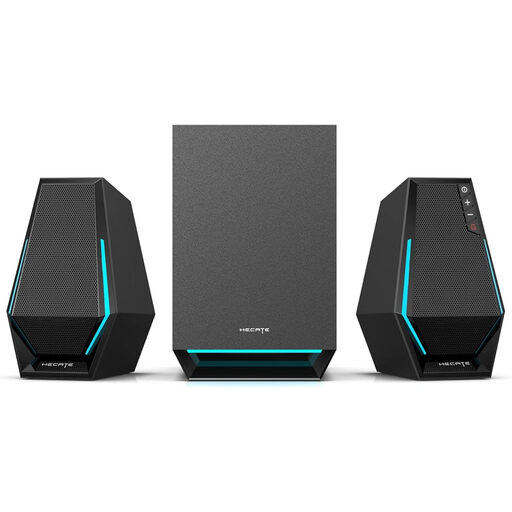
Edifier Hecate G1500 MAX 2.1
The system includes two satellite speakers and a subwoofer. Check that you have room for all the components on your desk.
USB, Type-C and AUX inputs according to the product description; Bluetooth 5.3 according to the product title.
Joybuy
 No image available
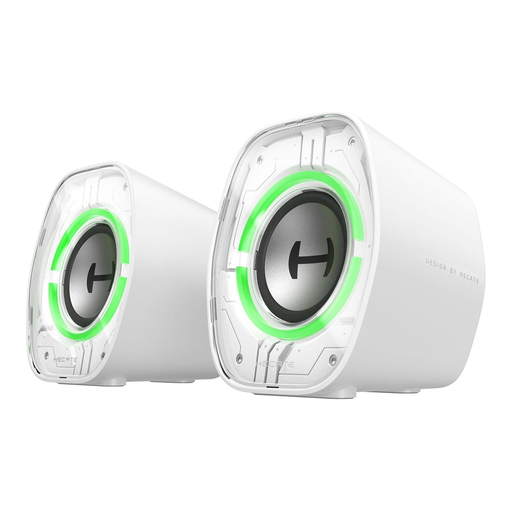
Edifier G1000 II, White
Described as desktop speakers. Check that the inputs match your computer or other sources.
2.5-inch full-range drivers according to the product description; USB-C, USB-A, AUX and Bluetooth connection options.
Joybuy
 No image available
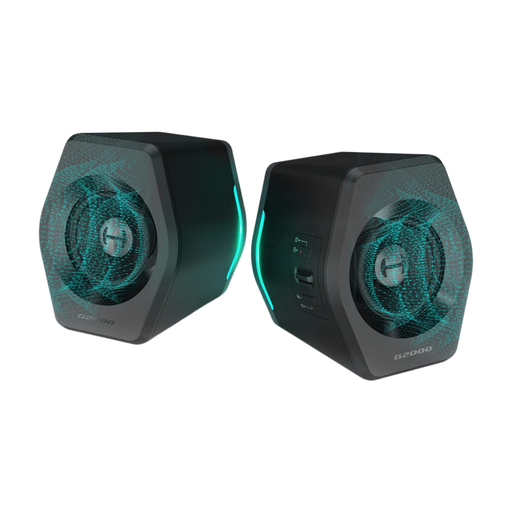
Edifier G2000, Black/Gold
Described as active speakers for computers and laptops. Check that the connections match your source.
32 W according to the product title; USB audio, Bluetooth and AUX connection options according to the product description.
Joybuy
Frequently asked questions
How should I position two speakers for orchestral recordings at my desk?
Angle both speakers towards your listening position and aim for a similar height and similar reflection conditions on the left and right. Genelec describes these similar conditions as important for accurate stereo imaging, but they can’t guarantee a particular sound in every home office.
Do I need an amplifier for passive bookshelf speakers?
Yes. Passive speakers need a suitable amplifier. ELAC lists a nominal impedance of 6 Ω and a recommended amplifier power of 20–120 W for the Debut 3.0 DB53; check these specifications against your particular amplifier.
Is one Genelec 8020D a stereo pair?
No. Genelec lists one 8020D per package. For a stereo pair, you’ll need two monitors and should allow for the right signal and power connections.
Can I simply connect a subwoofer to the ADAM Audio D3V via USB-C?
Not via the direct USB-C signal path described by ADAM Audio. ADAM Audio Support describes connecting a subwoofer using an external audio interface and the D3V’s analogue TRS inputs.


