
Lieferung heute & morgen

Qualitätsgarantie

Willkommens-Angebote freischalten: KOSTENLOSE Lieferung | Bis zu 80 % RABATT | Kostenlose 30-Tage-JoyPlus-Testphase
App herunterladen
Finding original Canon ink cartridges might seem straightforward: choose a colour, order a pack and fit the cartridge. In practice, it’s easy to buy the wrong one because model numbers look similar, ink types vary and yield information can be confusing. This is particularly true with older Canon printers: a cartridge that looks similar may fit mechanically, but might not be designed for your printer electronically or technically.
Canon uses separate cartridge ranges, including PGI, CLI and PG. A PGI-550PGBK, for example, cannot automatically be replaced with a CLI-551M or CLI-581Y. The full code, colour and specific printer model are what matter.
Depending on the range, a Canon XL ink cartridge contains more ink than the standard version. However, XL doesn’t mean it’s suitable for every Canon PIXMA printer. Always check the model list on the packaging or product page.
Page yields depend on print coverage, paper size and document type. A figure such as ‘up to 501 pages’ can’t be directly compared with a photo yield for 10 × 15 cm prints. When choosing a cartridge, check whether the yield is based on an ISO test, a particular coverage level or photo printing.
First, note down your printer’s full model name, such as Canon PIXMA TS8150, MAXIFY MB2350 or PIXMA PRO-100S. Then look for the exact cartridge code. Older printers such as the iP2500 or MP220 use different cartridges from newer PIXMA models.
For an original Canon cartridge, make sure at least the following details match:
PGI ink is often pigment-based and intended for text printing. CLI ink is dye-based in many PIXMA ranges and used for colour documents and photos. Product details should specify the ink type as well as the colour.
If your printer has separate cartridges for black and colour ink, it’s also important to distinguish black Canon ink for text from coloured Canon cartridges. A black PGI cartridge isn’t automatically a replacement for a black CLI photo cartridge.
Canon PG-37 Black Ink, for example, is described as containing around 11.0 ml of pigment-based ink and having a stated yield of approximately 220 pages at 5% coverage. The CLI-581XLBK Black Ink, by contrast, is an XL cartridge with a stated yield of around 501 pages. These figures are a guide and will depend on how you actually print.
An XL version can mean fewer cartridge changes if you print regularly at home or in a home office. If you print only occasionally, a standard cartridge may be a better choice, as long as it’s compatible with your printer and stored and used as recommended.
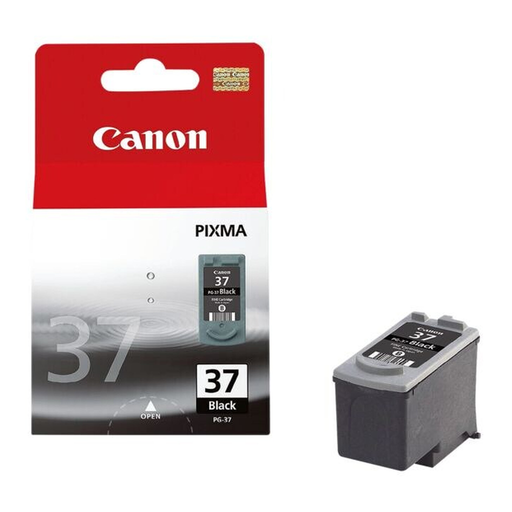
Why it’s a good fit: This cartridge is designed for selected older Canon models, including the iP2500, iP2600, MP210, MP220, MX300 and MX310. It contains around 11.0 ml of pigment-based black ink.
The specific PG-37 code and printer models listed help you avoid choosing a cartridge that looks similar but isn’t compatible.
Original product, pigment-based black ink and a stated yield of around 220 pages at 5% coverage.
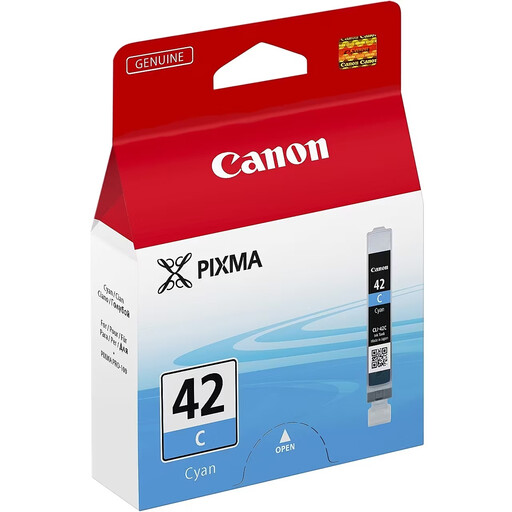
Why it’s a good fit: This cyan cartridge is listed for the Canon PIXMA PRO-100 and PRO-100S. It’s a good option if you need to replace individual colours for photo printing.
Its clear compatibility with the PRO range lowers the risk of ordering a PIXMA cartridge from a different CLI family.
13 ml capacity, dye-based cyan ink and a stated yield of up to 600 pages.
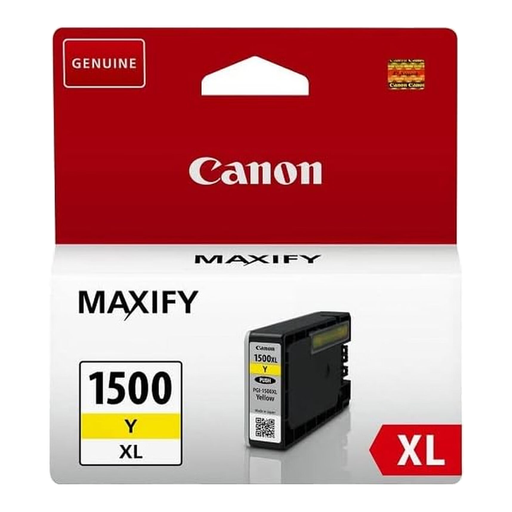
Why it’s a good fit: This XL cartridge is listed for the Canon MAXIFY MB2350 and uses pigment-based yellow ink for regular printing.
MAXIFY compatibility and the PGI-1500XLY code clearly distinguish it from similar PIXMA ranges.
XL version, pigment-based ink and a stated yield of 935 pages.
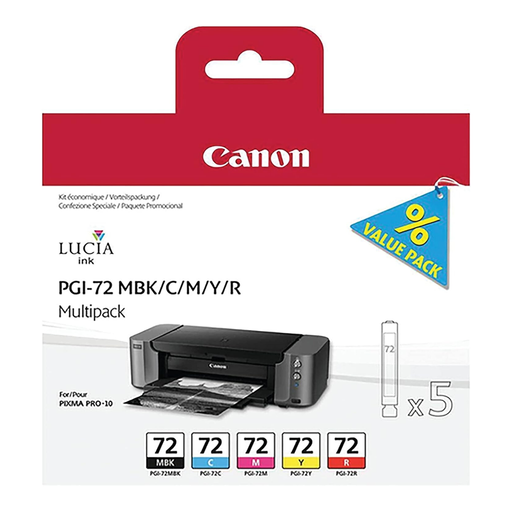
Why it’s a good fit: This multipack contains five PGI-72 colours for the Canon PIXMA PRO-10 and PRO-10S. It’s ideal if you need several colours for photo printing.
Designed for a specific PRO printer range, this set helps you avoid mixing individual CLI or PGI cartridges that aren’t compatible.
Five individual colours and LUCIA pigment ink, according to the product description: matte black, cyan, magenta, yellow and red.
We’ve put together a complete, regularly updated list of products that meet these strict selection criteria and the safety requirements in force across the EU.
Keep unopened cartridges in their original packaging, somewhere dry and out of direct sunlight. Avoid touching the nozzles or electrical contacts. Once fitted, the cartridge should click firmly into place. If you notice streaks or missing colours, try running a nozzle check and cleaning the print head from the printer’s maintenance menu.
Don’t put empty Canon ink cartridges in your general waste if local return or recycling schemes are available. Follow the manufacturer’s instructions and your local authority’s disposal guidelines.
Check the cartridge code on the printer, in the user manual or on the cartridge you’ve been using. Then compare the model, colour, range and capacity with the product details. If you’re unsure, your printer’s model name is more useful than a general search for ‘compatible Canon ink cartridge’.
It depends on how much you print and the price of each cartridge. An XL version can mean longer intervals between replacements if you print frequently. Compare its capacity and stated yield with the standard version from the same range. If you use your printer only occasionally, the compatible standard cartridge may be enough.
In many Canon ranges, PGI cartridges use pigment-based ink and are often used for black document printing. CLI cartridges usually contain dye-based ink for colour and photo printing, depending on the range. The exact match depends on your printer model, so always use the cartridge code specified for your printer.