If seeing cars alongside you is your top priority during oval practice, and you have the space and setup for it, consider a correctly aligned triple-monitor setup. A single 32:9 or 21:9 monitor reduces the effort involved in mounting and positioning your screens; a single 16:9 display keeps your setup simple, but shows less of the track to either side. Measure the space around your rig and check the connections, resolution and frame rate your system can actually achieve in the simulation.
Which setups suit different drivers?
Drivers who want to keep an eye on nearby traffic
If you want to keep track of cars alongside you, plan your side monitors, seating distance and field of view together. iRacing Support explains how to measure your seating position for a triple-monitor setup.
Drivers who want a wide single-screen view
If you want a wider view without having to align three screens, compare 32:9 and 21:9 displays against the space available on your rig. Samsung Germany and Dell Germany list examples of suitable models.
Drivers with a simple practice setup
If you want to keep your setup straightforward to begin with, match a single monitor, its connections and your preferred resolution to your PC. For a triple-monitor setup, iRacing Support recommends connecting the displays to the dedicated graphics card.
Which buying criteria matter?
Three monitors
A good fit if: side views are your priority and you can plan for the space, connections and an adjustable mount.
The trade-off: mounting and setup take more work. iRacing recommends using the same resolution for all three monitors, but only suggests using the same models.
Single 32:9 monitor
A good fit if: you want a wide single-screen view without joins between three panels and have room for a large display at your seating position.
The trade-off: how much of your surroundings you can see also depends on your seating distance and game settings. A monitor rated at 240 Hz does not guarantee the same in-game frame rate.
Single 21:9 monitor
A good fit if: a wide single screen suits your room better than a 49-inch display or three monitors.
The trade-off: a single widescreen displays nearby traffic differently from a correctly aligned triple-monitor setup. If you choose OLED, check the care and warranty terms for the specific model too.
Single 16:9 monitor
A good fit if: you want to keep your practice setup simple and match the resolution and connections to your PC using a single screen to begin with.
The trade-off: a single 16:9 screen shows less to either side than a wider format or a properly configured triple-monitor setup.
| Buying criterion |
What to check before buying |
Who is it most important to? |
| Side vision |
For three monitors, allow for seating distance, side-screen angles and bezel width; check the simulation's display options. |
If you want to spot cars right alongside you, the arrangement and field-of-view settings matter. Around 36% of consumers give this priority. |
| Wide single-screen view |
Measure the space available on your rig and check whether the simulation displays the aspect ratio you want effectively. |
If you want a wide view without having to align three panels, consider the screen format and seating position together. Around 29% of consumers give this the highest priority. |
| Setup and resolution |
Check that your graphics card outputs, connections and resolution are suitable for the number of monitors you plan to use. |
If you want to keep an eye on mounting and graphics demands in relation to your PC, checking the signal path and resolution before buying can help. Around 21% of consumers focus on this. |
| OLED and care |
Check the care features and warranty terms for the exact model; don't assume details for another model also apply. |
If panel type and care are deciding factors for you, compare the model-specific guidance and terms. Around 14% of consumers put this first. |
Which buying mistakes should you avoid?
-
Confusing monitor refresh rate with in-game frame rate
Figures such as 180, 240 or 280 Hz refer to specific monitors. They don't tell you what frame rate your PC can achieve in the simulation at your chosen resolution.
Check the exact model, the input you're using and your graphics card's outputs. If possible, test the simulation with your planned display arrangement.
-
Planning only for the screens in a triple-monitor setup
Three displays need to be aligned and connected to the graphics card appropriately. Resolution and display settings matter too.
Measure the total space required and check the mount, graphics card outputs and resolution before placing your order.
Depending on your existing setup, you may also need a suitable mount, extra cables or a PC upgrade.
-
Assuming OLED care features are the same as a warranty
Dell lists a pixel-shifting feature for the AW3426DW. A feature like this and a voluntary manufacturer's warranty are not the same as your statutory rights against the seller.
Read the care and warranty terms for the exact model, and keep your proof of purchase and product details.
Key brands to consider
Samsung
The Odyssey G9 G95C is an example of a single 49-inch 32:9 monitor for a dedicated sim-racing setup.
- Samsung lists 1000R, Dual QHD and 240 Hz for the G95C specifically.
- These manufacturer specifications don't confirm a particular iRacing frame rate or the same features on other Odyssey models.
Acer
The Nitro XV272U V3 is a 27-inch 16:9 example that could work as a single screen or as one of the monitors in a triple setup, subject to your checks.
- For part number UM.HX2EE.307, Acer lists IPS, 2560 × 1440, 180 Hz and VESA 100 × 100.
- With three monitors, make sure the space, connections and resolution all work together. These specifications don't necessarily apply to other XV272U variants.
Dell Alienware
The AW3426DW is an example of a single 34-inch 21:9 QD-OLED monitor.
- Dell lists 3440 × 1440 and 280 Hz for this model, which also features pixel shifting.
- This feature doesn't replace checking the warranty terms, nor does it demonstrate improved racing performance.
LG
The UltraGear 45GS95QX-B is a large 21:9 OLED monitor for a dedicated space with room to accommodate it.
- For this model, LG lists 45 inches, 800R and 240 Hz over DisplayPort and HDMI.
- Your seating position and available space should suit the pronounced curve and overall dimensions. Manufacturer specifications aren't an independent assessment of how suitable it is for you.
Joybuy monitors for oval racing
This Joybuy selection includes single wide 32:9 and 21:9 monitors, as well as a single 16:9 display for your practice setup.
 No image available
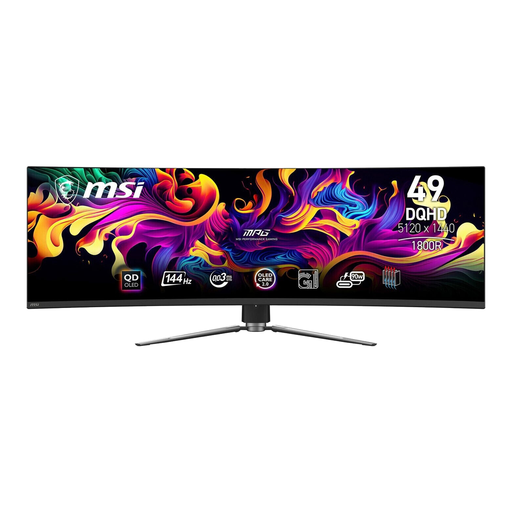
MSI MPG 491CQPDE QD-OLED, 49-inch
A single curved 32:9 display is worth considering if you want a wide view without having to align three panels and have enough room on your rig.
DQHD; 144 Hz.
View at Joybuy
 No image available
ASUS TUF Gaming VG34VQ3B, 34-inch
A single wide screen means you don't have to align three panels; measure the available space on your rig first.
UWQHD, 3440 × 1440; 180 Hz; VA panel.
View at Joybuy
 No image available
Xiaomi G34WQi, 34-inch
A single ultrawide monitor is an option if you want a wider view without having to align three displays.
WQHD; 180 Hz; FreeSync.
View at Joybuy
 No image available
CRUA 49-inch DQHD curved gaming monitor
This single 49-inch 32:9 display suits a wide single-screen view, provided there's enough space on your dedicated rig.
5120 × 1440; 165 Hz; 1500R; HDMI 2.1 and DP 1.4.
View at Joybuy
 No image available
Samsung Odyssey G5 G50F, 32-inch
A single 16:9 screen keeps your setup simple. For nearby traffic, it offers less screen space than wider formats or a properly configured triple-monitor setup.
QHD, 2560 × 1440; IPS; 180 Hz.
View at Joybuy
Frequently asked questions
How do you set the field of view on your rig?
From your usual driving position, measure the distance from your eyes to the screen. With three monitors, you'll also need the screen width with and without the bezels, as well as the angle of the side monitors. Enter these measurements in the iRacing monitor menu to calculate the settings.
Do all three monitors need to be the same model for iRacing?
No. iRacing recommends using the same resolution for a triple-monitor setup, but doesn't require all three monitors to be the same make and model. Different sizes can make alignment more difficult.
What does a monitor's energy label mean in Germany?
The European Commission describes the EU energy label for electronic displays, including computer monitors, on a scale from A to G. Compare the product information sheet for the specific model rather than trying to estimate its power consumption from screen size or panel type alone.
What are your rights if a new monitor is faulty?
For a consumer purchase in Germany, you generally have statutory rights against the seller for two years from the date you receive the monitor. A voluntary manufacturer's warranty is separate and is subject to its own terms and conditions.


