If space is tight, a single 27-inch QHD monitor is a sensible starting point. A 34-inch ultrawide is worth considering if its actual width, including the stand, will fit and you value a wider side view. Before buying, check the dimensions, your viewing distance and the refresh rate supported by the specific connection on your PC. In iRacing, a spotter can provide extra guidance when overtaking, but it cannot give you a wider view.
Which option suits which driver?
Drivers short on space
If your desk or rig has limited width and depth, measure the monitor with its stand and set up the field of view from your actual seating position. iRacing Support recommends taking screen width and seating position into account when configuring your view.
Drivers who prioritise a wider side view
A wide single monitor can offer more horizontal screen space than a comparable 16:9 monitor, but it also needs more room. iRacing Support describes separate views for three monitors; a wide single monitor should also suit your available space and preferred view.
Drivers using an existing PC
If you’re using a PC you already own, check the resolution and refresh rate supported by the connection you’ll actually use. Manufacturer specifications for HDMI and DisplayPort can differ for the same model.
What to consider when buying
Single 16:9 monitor
Best suited to: When available width is the priority and a single monitor will keep your setup simple.
The trade-off: From a similar seating position, you’ll have less horizontal screen space than with a 21:9 monitor.
Single 21:9 monitor
Best suited to: When a wider view is important and the monitor, stand and cables will all fit your setup.
The trade-off: A 34-inch 3440 × 1440 model takes up more space and places different demands on your PC than a 27-inch QHD model.
Three monitors
Best suited to: When a permanent setup has enough room for side monitors and a wider view is your top priority.
The trade-off: iRacing supports a separate view across three monitors, but additional displays and their setup need space.
| Priority |
What to check before buying |
Who it matters most to |
| Available space and seating position |
Overall width and stand depth; distance from your eyes to the screen. |
If space is limited, I want to know whether the screen and stand will fit my setup before choosing by screen size alone. Around 36% of shoppers put available space first. |
| Side-on visibility |
16:9 or 21:9; field-of-view settings for your seating position. |
If a view to the side matters to me when oval racing, I’ll consider a wider single monitor only if its dimensions fit. Around 29% of shoppers prioritise a side view. |
| PC and connection |
Resolution and maximum refresh rate supported by the input you’ll use. |
With my existing PC, I want to know which combination of resolution and refresh rate my connection supports. Around 21% of shoppers put compatibility first. |
| Long-term use |
For OLED: guidance on displaying unchanged content for long periods; warranty terms for the specific model. |
If I want to use my monitor for the long term, I’ll take care guidance and warranty terms into account. Around 14% of shoppers prioritise long-term use and protection. |
Common buying mistakes
-
Comparing screen size alone
When space is limited, the monitor’s width, stand depth and viewing distance matter too. Even a screen with the right diagonal measurement may take up too much room on your desk or rig.
Measure your setup from your seating position and compare the dimensions of the specific model, including its stand.
If the supplied stand doesn’t suit your setup, you may need a compatible mount.
-
Choosing the highest refresh rate without checking the connection
The maximum advertised refresh rate isn’t necessarily available on every input. Manufacturers may specify different limits for HDMI and DisplayPort on the same monitor.
Check the resolution and refresh rate for the connection your PC will actually use, and make sure you have the right cable.
-
Assuming three monitors are an automatic solution for limited space
A wider view requires room for extra screens and their positioning. iRacing supports a separate view across three monitors, but that doesn’t make this a space-saving setup.
Consider this option only if you have room for side monitors and the necessary PC setup.
Additional monitors and a suitable layout take up more space and require more setup.
-
Assuming similar-sounding product names have the same key specifications
MSI lists 1000R curvature for the MAG 345CQRDE, while a Joybuy product description with a similar name states 1500R. These specifications don’t prove that they refer to the same variant.
Before buying, confirm the full model variant and check the differing specification.
Key brands at a glance
ASUS
The TUF Gaming VG27AQ3A is a 27-inch QHD example of a more compact single-monitor setup.
- ASUS specifies up to 180 Hz over DisplayPort and up to 144 Hz over HDMI for this model.
- The stand isn’t height-adjustable, so measure your setup and check which connection you’ll use.
Samsung
The Odyssey G5 G55T LC34G55TWWPXEN is a 34-inch 21:9 example of a wider single display.
- Samsung specifies 3440 × 1440, 165 Hz and 1000R curvature for this variant.
- The technical specifications don’t determine the field of view in a particular game or whether the monitor will fit your space.
MSI
The MAG 345CQRDE is a 34-inch ultrawide example with documented dimensions and connection limits.
- MSI specifies a width of 797.53 mm and 1000R curvature. For 3440 × 1440, MSI lists up to 180 Hz over DisplayPort and up to 100 Hz over HDMI.
- A product description with a similar name states 1500R. Confirm the exact variant before applying these specifications to a particular listing.
LG
The UltraGear 34GS95QE-B is a 34-inch OLED ultrawide example.
- LG specifies a width of 784.1 mm, including the stand, for this model.
- LG advises that displaying unchanged content for long periods can leave marks on OLED displays. Check the care guidance and warranty terms for the specific model.
Dell Alienware
The AW2725QF is a 27-inch option for shoppers who want to use their monitor for other games or tasks too.
- For this exact model, Dell specifies two modes: 4K at 180 Hz or Full HD at 360 Hz.
- This doesn’t establish that the higher refresh rate offers a measurable benefit for oval racing.
Joybuy products for a compact single-monitor setup
The following 27-inch QHD models fit the compact single-monitor approach. Before buying, measure your setup and check that the specific listing includes the required CE marking; a model name or product description alone doesn’t prove compliance.
 No image available
GIGABYTE GS27QCA, 27-inch, curved, QHD
A 27-inch QHD single monitor for a setup with limited space; remember to measure the stand and seating depth too.
The product title specifies 180 Hz and Adaptive Sync. The product details also mention VESA compatibility and a stand depth of 208 mm.
View at Joybuy
 No image available
INNOCN 2751S PLUS, 27-inch, Mini LED, QHD
A 27-inch QHD model for a single-monitor setup, with a stand you can adjust to suit your seating position.
The product details specify Mini LED, 275 Hz, a width of 614.2 mm with the stand, height adjustment and VESA mounting.
View at Joybuy
 No image available
KTC H27D9, 27-inch, QHD, IPS
A 27-inch QHD single monitor for a compact setup; check that the mounting option suits your desk or rig.
The product title specifies 120 Hz, an IPS panel, Adaptive Sync and VESA mounting.
View at Joybuy
 No image available
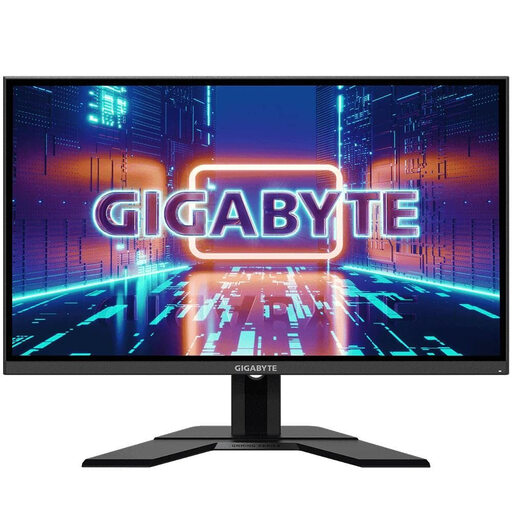
GIGABYTE GS27QA, 27-inch, QHD, IPS
A 27-inch QHD monitor for a compact single-monitor setup; consider its height and positioning from your seat.
The product title specifies 165 Hz and AMD FreeSync Premium. The product details describe a flat IPS panel and an adjustable stand.
View at Joybuy
 No image available
GIGABYTE G27Q20, 27-inch, QHD, SS-IPS
A 27-inch 16:9 QHD model for a single-monitor setup; compare the stand’s width with the space you have available.
The product title specifies 200 Hz and 210 Hz overclocked. The product details list a width of 612 mm with the stand, height adjustment and VESA mounting.
View at Joybuy
Frequently asked questions
How do I set the field of view for my seating position?
In iRacing, measure the distance from your eyes to the screen and the screen’s width, then use these figures to set up your view. Don’t simply copy the settings from someone else’s setup.
Can a spotter replace a side monitor?
No. A spotter doesn’t give you any extra screen space. iRacing describes it as an additional source of real-time information, such as whether there’s room to overtake; whether that gives you enough visibility depends on how you drive.
Will I get the advertised refresh rate over HDMI?
Not necessarily; the limit depends on the model and connection. For the VG27AQ3A, ASUS specifies up to 144 Hz over HDMI and up to 180 Hz over DisplayPort. For 3440 × 1440 on the MAG 345CQRDE, MSI specifies up to 100 Hz over HDMI and up to 180 Hz over DisplayPort. Check your PC’s output and the cable you’re using too.
What should I look for in the CE marking?
Electrical and electronic equipment that is required to carry it must have the CE marking. Your Europe explains this requirement; a model name alone can’t confirm that a specific listing complies.


