For oval racing across multiple screens, three properly aligned monitors are one option if your rig has room for them and the game supports a triple-screen view. Start by planning your viewing distance, mount, graphics card performance and connections. Then weigh up resolution, refresh rate and whether to choose flat or curved screens. iRacing Support provides separate setup options for three flat and three curved screens.
Who is a triple-screen setup for?
Drivers who want a better view to the sides
If you practise racing alongside other cars, you’ll want to bring the side screens into your cockpit view. iRacing Support describes a three-monitor setup for this; the screen angles and your seating position need to suit the game you’re playing.
Drivers with a less powerful PC
With multiple screens, check that your graphics card and its connections can support the total resolution you want. For three displays, each with a resolution of 1920 × 1080 pixels, AMD gives a combined desktop resolution of 5760 × 1080 pixels in a horizontal 3×1 Eyefinity setup.
Drivers with a compact rig
Measure the available width and depth, and factor in your viewing distance before settling on screen size or curvature. SimXPro also recommends taking monitor weight and the suitability of your mount into account.
What should you look for when buying?
Three flat monitors
A good fit if: You can angle the side displays as needed and carefully measure out the layout. iRacing lists “3 Flat Screens” as a separate setting.
What to consider: Three screens need space, suitable graphics card outputs and careful alignment.
Three curved monitors
A good fit if: Your rig has enough room for the curvature and side-screen angles, and the game lets you set the geometry you want. iRacing also lists “3 Curved Screens” as a separate monitor type.
What to consider: The curvature, viewing distance and clearance around the mount all need to suit the specific model.
A triple-screen setup at a lower resolution
A good fit if: Space or available graphics performance matters more to you than having more pixels on each screen.
What to consider: A lower overall resolution may mean less detail in the image. The result depends on your PC, game and settings.
| Buying priority |
What to check before buying |
Who is it important to? |
| Side view and perspective |
Check that screen size, viewing distance, side angles and the racing game’s triple-screen settings all work together. |
If I want to keep an eye on cars beside me when oval racing, the side screens, seating position and in-game perspective need to work together. Around 33% of consumers put side visibility first. |
| PC performance and connections |
Compare the number and type of graphics card outputs and monitor inputs with the resolution and refresh rate supported by each connection. For three screens at 1920 × 1080 pixels each in 3×1 Eyefinity mode, AMD gives a total resolution of 5760 × 1080 pixels. |
If I want to connect three displays, my graphics card needs to support the connections I plan to use and the combined resolution. Around 27% of consumers prioritise PC compatibility. |
| Space and mounting |
Measure the available width and depth, and check the VESA size and monitor weight against the mount you plan to use. |
If my rig has limited space, I want to know in advance whether three screens and their mount will fit. Around 20% of consumers pay particular attention to space and mounting. |
| Motion performance |
Check the refresh rate for each input, supported synchronisation and the measurement method behind advertised response times for the exact model. |
If refresh rate and synchronisation matter to me, I want to compare the specifications for the connection I’ll actually use. Around 20% of consumers prioritise motion performance. |
Avoid common buying mistakes
-
Comparing only the maximum refresh rate
ASUS lists a maximum of 180 Hz over DisplayPort for the ASUS TUF Gaming VG27AQ3A, but a maximum of 144 Hz over HDMI. So the highest figure doesn’t apply to every input.
Check which input you’ll use on each of the three monitors, along with the corresponding graphics card output.
-
Buying three screens before measuring your rig and mount
Screen width, viewing distance, weight and mounting all affect whether you can position the side displays as you want.
Measure the available space and check the VESA size and weight limit against the mount you plan to use.
Depending on your rig, you may need an additional or different mount.
-
Assuming every advertised “1 ms” figure means the same thing
Samsung describes the “1 ms” figure for the Odyssey G5 G55C as MPRT, measured under internal test conditions with a specific setting. It isn’t directly comparable with a GtG figure.
Only compare figures that use the same measurement method, and check which settings are required.
Brands to consider
MSI
The G274QPF E2 is an example of a flat 27-inch QHD model to consider when comparing IPS and Adaptive-Sync features for a triple-screen setup.
- MSI lists a resolution of 2560 × 1440 pixels, 180 Hz, Adaptive-Sync and slim bezels for this model.
- Manufacturer claims about a competitive advantage aren’t independent evidence of performance. Check the inputs and mounting details for the specific offer.
ASUS
The flat TUF Gaming VG27AQ3A is a 27-inch QHD option with VESA mounting.
- ASUS lists VESA 100 × 100 mm and a maximum of 180 Hz over DisplayPort.
- ASUS lists a maximum of 144 Hz over HDMI; the supplied stand isn’t height-adjustable.
Samsung
The Odyssey G5 G55C, model code LS32CG554EUXEN, is a curved 32-inch QHD option for rigs with enough room.
- Samsung lists 1000R curvature and 165 Hz for this model.
- The “1 ms” figure refers to MPRT under internal test conditions with a specific setting; your viewing distance needs to suit the setup.
LG
The UltraGear 27GS85QX-B is another example of a 27-inch QHD monitor with a Nano IPS panel.
- LG lists 180 Hz and 200 Hz in overclocked mode.
- The 200 Hz figure applies in overclocked mode and shouldn’t be treated as the standard refresh rate.
Joybuy monitors for a triple-screen setup
This Joybuy selection includes flat and curved gaming monitors to consider for a multi-screen setup, depending on your rig, preferred resolution and connection requirements.
 No image available
Z-Edge AGEX 27-inch QHD gaming monitor
A flat 27-inch option if you want to compare QHD resolution and a choice of connections for a gaming setup.
QHD, 2560 × 1440 pixels, 144 Hz, 1 ms MPRT, Fast IPS, FreeSync and HDR10. It has a height-adjustable stand, with DisplayPort and HDMI connections.
View at Joybuy
 No image available
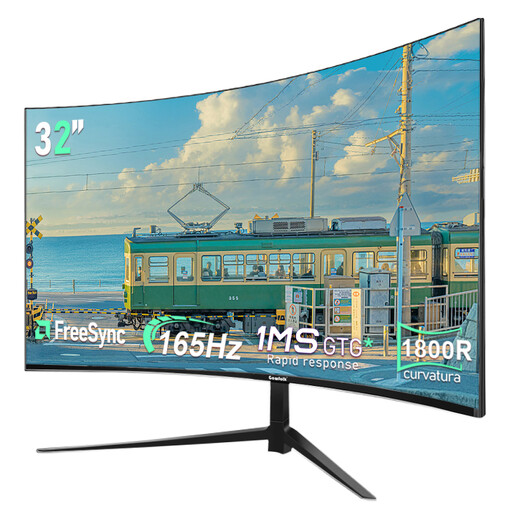
Gawfolk 32-inch curved gaming monitor
A curved 32-inch option if your rig has room for the screen’s curvature and side positioning.
QHD with 2560 × 1440 pixels, 165 Hz and 1800R curvature. The product is described as having a slim bezel.
View at Joybuy
 No image available
INNOCN 2751S PLUS 27-inch Mini LED gaming monitor
A flat 27-inch option if you want to consider QHD and a high stated refresh rate.
QHD, 275 Hz, Fast IPS, FreeSync and 1152 local dimming zones. It has height adjustment, VESA 100 × 100 mm and HDMI and DisplayPort connections.
View at Joybuy
 No image available
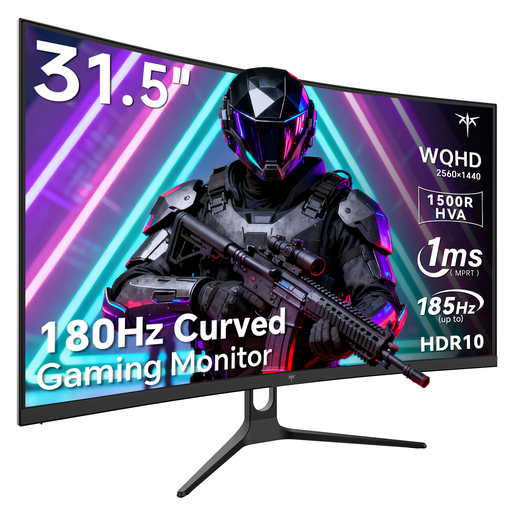
KTC H32S5 32-inch curved gaming monitor
A curved 32-inch option if its size and curvature suit the layout of your rig.
QHD with 2560 × 1440 pixels, 180 Hz, 1500R curvature and Adaptive Sync. It has VESA wall mounting and tilt adjustment.
View at Joybuy
 No image available
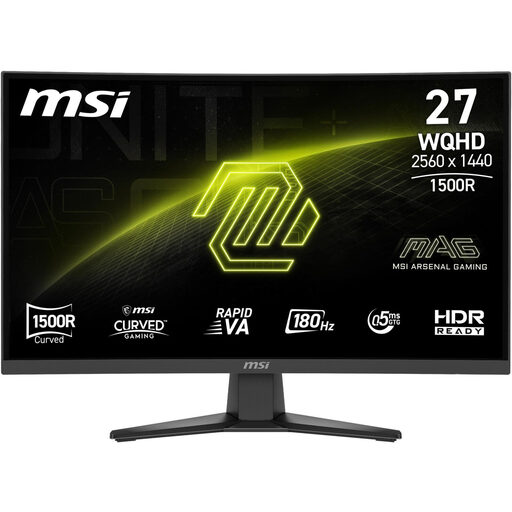
MSI MAG 275CQFDE E18 27-inch QHD gaming monitor
A curved 27-inch option if you want to compare QHD and Adaptive-Sync for a multi-screen setup.
The product is described as having a Rapid VA panel and 1500R curvature.
View at Joybuy
Frequently asked questions
Do I need three monitors from the same brand for iRacing?
No. iRacing recommends using the same brand and model, but doesn’t make this a general requirement. For the documented Eyefinity setup, all three monitors need to be set to the same resolution; iRacing notes that different sizes make alignment more difficult.
How do I set up three monitors in iRacing?
iRacing Support describes either a window spanning all three displays or a combined full-screen display using Surround or Eyefinity. For windowed mode, the screens should be connected to the dedicated graphics card, after which you enter the monitor details in the display settings.
What rights do I have in Germany if a monitor bought online is faulty?
If you buy as a consumer from a retailer, you’re generally entitled to a legal guarantee of at least two years from the date you receive the goods; the retailer is responsible. Your Europe explains these EU-wide minimum rules. Online purchases also generally come with a 14-day right to cancel, although exceptions may apply.
Do gaming monitors have an EU energy label?
Yes. According to the European Commission, computer monitors are among the electronic displays covered by the scheme. The label shows an efficiency rating from A to G; compare the details for the specific models you’re considering.


