Crocheters filming from above
If you’re filming your hands, hook and small stitches at the table, position your light and camera so your work is easy to see. A test recording will show whether your lighting setup is working well.


For overhead crochet videos, choose a dimmable light that you can position so your hands and stitches remain visible. Whether a ring light, panel or COB light is right for you depends mainly on your camera position and how much room you have on the table. Check for shadows and accurate yarn colours with a test recording. The light’s colour temperature and your camera’s white balance go hand in hand; Canon Europe explains that you may need to set the white balance in challenging lighting conditions.
If you’re filming your hands, hook and small stitches at the table, position your light and camera so your work is easy to see. A test recording will show whether your lighting setup is working well.
When changing yarns or showing similar shades, it’s important to set your lighting appropriately and check your camera’s white balance under that light.
If your camera and crochet materials need to share the same surface, choose a smartphone mount, table clamp or tripod to suit the space available.
Start with your framing and how the light will attach to the table. Then set the light’s colour and your camera, and check the results in a recording using the yarns you actually plan to work with.
| What you need | What to check before buying | Who this matters most to |
|---|---|---|
| Show stitches without distracting hand shadows | Film a test while crocheting; check for shadows from your working hand and bright patches on the yarn. | If I want to show my hands and stitches clearly in an overhead shot, I check the lighting from the actual camera angle. Around 33% of consumers prioritise stitch visibility. |
| Show yarn colours consistently | Test with the yarns you’ll use and set the white balance for your lighting. | If I’m showing similar yarn colours or colour changes under artificial light, I want to check for colour casts in the recording. Around 27% of consumers focus on how yarn colours appear. |
| Attach the light to the filming table | Check the table thickness, available edge, required height and what’s included with the exact variant. | If I need to keep the work surface clear for my camera and crochet materials, I need a mount that fits my table. Around 20% of consumers focus primarily on space and mounting. |
| Keep things running smoothly during longer recordings | Record a longer clip using your planned video settings and check both picture and sound; check the power supply and included items separately. | If I want to record a longer lesson, I check in advance for visible flicker or banding and plan the power supply. Around 20% of consumers prioritise reliable operation. |
A lux figure applies to the stated measurement setup. For the amaran COB 60x S, the manufacturer’s figure is based on the supplied reflector, a distance of 1 m and 5,600 K; it doesn’t automatically describe the light output with a softbox or across the whole table.
Only compare figures measured at the same distance and with the same light modifier. A test recording of your work surface is what matters.
Sony notes that filming under LED and other artificial lights can cause flicker or banding. Results also depend on the recording conditions and the camera.
Test the complete setup using the lights and camera settings you plan to use for your lesson.
The NL660 is a bi-colour panel for a mains-powered setup, with an optional NP-F battery.
The P260C Pro is a bi-colour panel that Godox describes for uses including content creation; it’s a different model from the LEDP260C.
The COB 60x S is an adjustable point light with a Bowens mount, designed for use with a suitable light modifier.
The Key Light Air MK.2 is a panel with a table clamp, designed for a filming table with a suitable edge.
The LUMIS Comfort Bi-Color is a ring light set with a smartphone mount and tripod for a straightforward phone setup.
This selection includes ring lights and compact video lights for smartphone filming and close-ups of crochet projects.
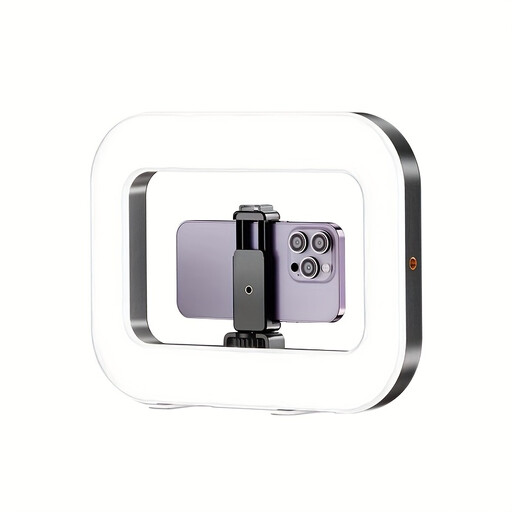 No image available
For smartphone filming when a battery-powered ring light suits your planned setup.
Listed in the product name: built-in battery.
 No image available
For a smartphone setup when you want to use a ring light, tripod and mount together.
Listed in the product name: 10-inch ring light, 63-inch tripod and remote control.
The product name lists three colour modes and ten brightness levels.
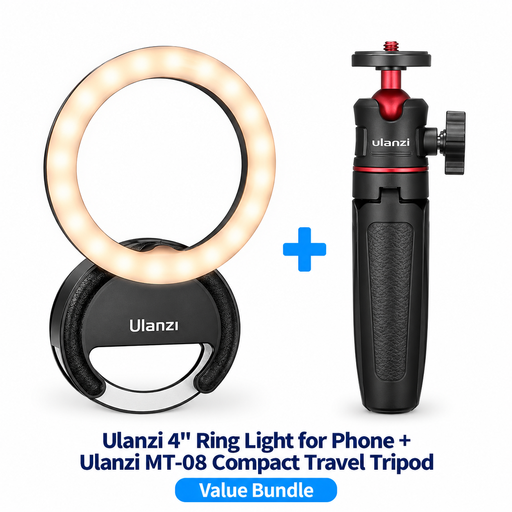 No image available
For a compact table setup if you’re looking for a small ring light with a matching tripod.
Listed in the product name: 4-inch ring light and MT-08 Compact Travel Tripod.
The product description lists three colour temperature settings and five brightness levels.
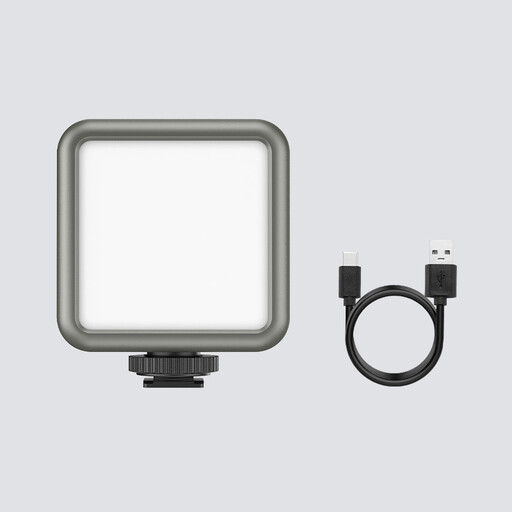 No image available
For close-ups of your handiwork when a compact video light suits your camera or tripod setup.
Listed in the product name: 2,000 mAh battery and 2,500–9,500 K.
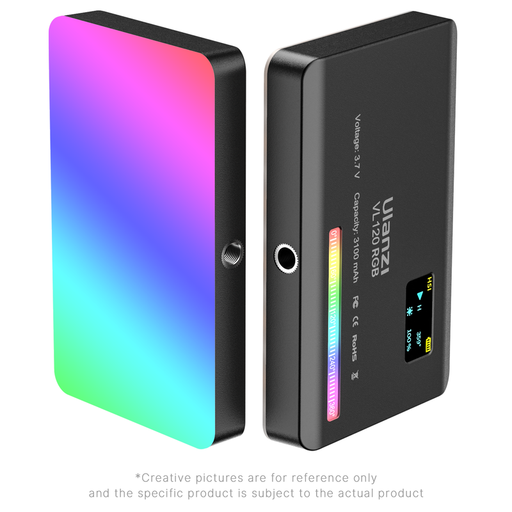 No image available
For video recording when you need a separate light to suit your existing camera or table setup.
No. Also check your camera’s white balance and make a test recording with the yarns you’ll be using. Canon Europe notes that you may need to set the white balance in challenging lighting conditions. A manufacturer’s stated CRI is a specification, not a guarantee for every yarn.
Record a test clip using the same lights and camera settings as you’ll use for your lesson. Sony notes that artificial light sources can cause flicker or banding when filming. If you run into problems, check your camera settings and the lights involved rather than assuming that any combination will be flicker-free.
No, what’s included varies by model and variant. A tripod is listed only for the specifically named NEEWER NL660 variant; NP-F batteries aren’t included. Elgato lists a USB-C cable with the Key Light Air MK.2, but no power adapter. Always check the details for the exact variant on offer.
According to information from the European Union, CE marking is required only for product categories covered by relevant harmonised EU rules that specifically require it. The mark isn’t an independent quality rating for video recording. This general rule alone doesn’t establish whether a specific product listing meets the applicable requirements.