Artists with limited table space
You want to show your paper and hand movements from above without the camera base or head getting in the way as you draw.


For regular overhead drawing demonstrations at your computer, a document camera is a natural starting point. The key things to consider are whether the frame captures your paper and hands, how much room it takes up on your table, and whether it can focus at the distance you plan to work from. A tilting webcam may be enough for occasional sketching, while a compact camera that records independently is worth considering if you want to film without keeping a computer connected. You’ll need a suitable mount to get an overhead view.
You want to show your paper and hand movements from above without the camera base or head getting in the way as you draw.
You need a camera feed that works with your computer and presentation setup, so you can check your strokes as you draw.
You want to record a demonstration independently or show it on a suitable screen, rather than needing a computer for every recording.
A good fit if: you regularly want to show paper and hands from above on your computer.
Things to consider: the capture area and stand need to suit your paper, hands and table. USB models require a compatible computer port.
A good fit if: you occasionally want to show sketches on your computer and tilt a webcam down to do so.
Things to consider: angling a camera towards the table doesn’t automatically give you a straight-down view. Check the perspective and focus with your own setup.
A good fit if: you want to record without keeping a computer connected.
Things to consider: you’ll need to plan the camera position, mount and framing specifically for an overhead view.
| Priority | What to check when buying | Who is this important to? |
|---|---|---|
| Capturing everything in frame | Measure your paper and the space your hands need to move. IPEVO lists a maximum capture area of 34,2 × 25,5 cm for the V4K PRO. | If I want to show the paper and hand movements together, I check the frame using my actual setup. Around 33 % of consumers say capturing everything in frame is their main priority. |
| Visible strokes and focus | Compare the focus type and working distance: IPEVO lists autofocus from 10 cm for the V4K PRO, while HUE lists manual focus for the HD Pro. | If you need to assess fine lines on screen, test the focus and sharpness at your planned working distance. Around 27 % of consumers prioritise being able to see the strokes clearly. |
| Clear working space | Allow room on your table for paper, pens, hands and the camera; HUE says the HD Pro has a rotating camera neck. | If every bit of table space matters for your paper and hands, mark the camera’s position in your setup. Around 20 % of consumers say keeping their working space clear is their main priority. |
| Connection and recording method | Decide whether you’ll record via a computer, directly to a screen or onto a memory card. IPEVO lists USB-A/UVC; ELMO lists HDMI and SD recording for the MX-P3. | If you need a compatible connection to your computer or screen, the signal path is crucial. This is the main priority for around 20 % of consumers. |
A high pixel count alone doesn’t tell you whether fine strokes will be visible in your chosen frame. IPEVO states that the V4K PRO’s zoom is digital and requires its Visualizer software.
Check the framing and sharpness on the screen you’ll use for your demonstration, with your usual paper size.
Logitech describes the MX Brio’s Show Mode as a way to tilt the webcam down to show notes and sketches. It doesn’t promise a specific straight-down view for every table.
Before buying, mark out the possible camera position and the area it can capture on your table.
The IPEVO V4K PRO lists USB-A/UVC, while ELMO also lists HDMI for the MX-P3. The right connection depends on your computer, screen and recording method.
Check the entire connection from the camera to your recording or display device before choosing a model.
The V4K PRO is a USB document camera for capturing paper at a computer.
The HD Pro is a USB document camera with a flexible camera neck for use on tables and in classrooms.
The MX-P3 is a document camera for demonstrations, with USB or direct video output.
The MX Brio is a webcam for computers that can be tilted to show notes and sketches occasionally.
The ZV-1 II is a compact camera that can be used independently and has a fixed zoom lens.
The Joybuy cameras below are listed for video or vlogging. For a drawing demonstration, pay particular attention to whether you can position the camera and frame the shot suitably above your table.
 No image available
The product title describes it as a vlogging camera. For an overhead drawing, check how it can be mounted and framed on your table.
The product title mentions a 64 GB microSD card, while the description says a card is required separately. Check what’s included before buying.
 No image available
The title describes it as a vlogging camera. Whether it’s suitable for an overhead view depends on its position and mount on your table.
The product title lists 4K, Wi-Fi, 64 MP, a lens that rotates through 330°, a 1,72-inch touchscreen, face detection, a tripod and Type-C.
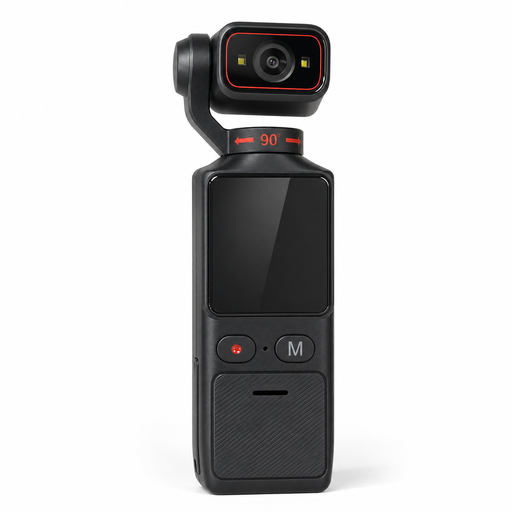 No image available
The title describes a camera for vlogging and outdoor recording. Check whether you can set it up in the right position for an overhead drawing.
The product title lists electronic image stabilisation, Wi-Fi and a 1,69-inch touchscreen.
 No image available
The title describes this model as a vlogging camera. You’ll need to plan separately how to position it above the table for a drawing demonstration.
The product title lists a 1-inch CMOS sensor, 4K/120fps video, 3-axis stabilisation, fast focusing and a rotating 2-inch touchscreen.
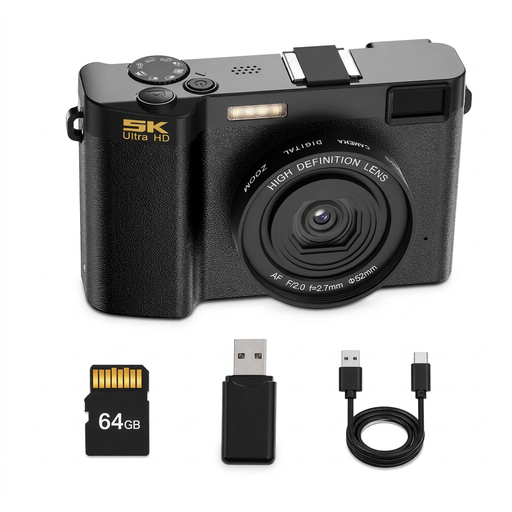
 No image available
The product title describes this model as a digital camera with 5K video. Check whether you can set up the framing you need for your drawing.
The title lists 48 MP, autofocus, a 2,8-inch LCD and an optical viewfinder.
Frame the shot so there’s room for your important hand movements as well as the paper. Focus the camera from the distance you plan to work at, then check the image on the screen your audience will use to watch the demonstration. A stated capture or focus range doesn’t replace trying it out for yourself.
It depends on the model and how you plan to send the signal. IPEVO lists USB-A/UVC for connecting the V4K PRO to a compatible computer; ELMO also lists HDMI and SD recording for the MX-P3. For direct display, your screen will also need the right input.
According to EU consumer information, when you buy as a consumer from a business seller, you’re generally entitled to a statutory guarantee of at least two years from receipt of the goods. An additional manufacturer’s guarantee doesn’t replace your rights against the seller. Check the terms of any voluntary guarantee separately.
There’s no straightforward yes or no. If personal data is being processed and the General Data Protection Regulation (GDPR) applies, there must be a lawful basis under Article 6(1) of the GDPR. The Federal Commissioner for Data Protection and Freedom of Information lists consent as one possible lawful basis, but not the only one. The rules that apply to your particular situation will depend on whether the footage is for private, professional or published use.