
Lieferung heute & morgen

Qualitätsgarantie

Willkommens-Angebote freischalten: KOSTENLOSE Lieferung | Bis zu 80 % RABATT | Kostenlose 30-Tage-JoyPlus-Testphase
App herunterladen
A panorama PC case transforms a computer from a purely functional box into an aesthetic centrepiece. The seamless glass fronts offer an unparalleled view of carefully selected components and elaborate lighting concepts. However, the path to the perfect "showcase build" is paved with potential pitfalls. Many models sacrifice functionality for looks, which can lead to performance degradation or unexpected additional costs.
This guide highlights the critical points to consider during selection and helps you find a case that is both visually stunning and provides a solid technical foundation for your system.
The focus on a flawless glass aesthetic often leads to overlooking fundamental technical aspects. Here are two of the most common problems that arise during selection:
To avoid these pitfalls, you should check three core aspects before buying. These define whether a case represents a future-proof and high-performance foundation for your system.
A good glass gaming PC case design balances aesthetics and cooling performance. Look for the following features:
A tidy interior is the main goal of a panorama build. Compatibility with modern motherboard standards is essential for this.
To avoid being trapped in a proprietary system, look for universal compatibility. Seek out cases whose fans and integrated lighting elements use a standard 3-pin 5V ARGB connector. This can be connected directly to the corresponding headers on most modern motherboards and controlled via the motherboard's software (e.g., ASUS Aura Sync, MSI Mystic Light). This gives you the freedom to mix and match fans and RGB components from different manufacturers.
Based on the criteria above, we have identified several models suitable for different needs and budgets.
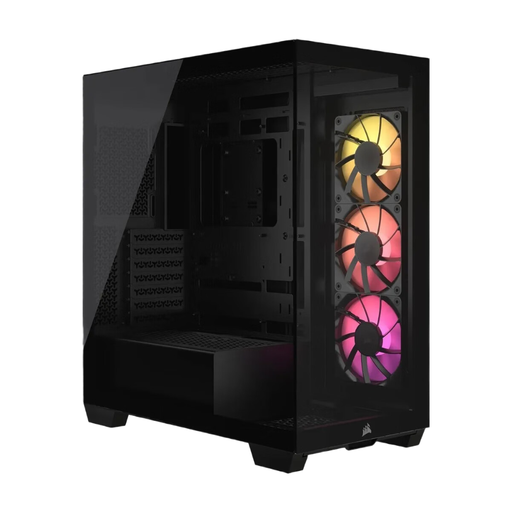
Why This Fits Their Persona: Ideal for users who want a flawless interior with no visible cables. The combination of frameless panoramic glass and compatibility with reverse-connection motherboards enables an extremely clean look.
The case is explicitly designed for motherboards like ASUS BTF, which eliminates cable clutter in the main chamber. The included ARGB fans use a standard 5V connector, avoiding vendor lock-in.
Direct support for reverse-connection motherboards is its standout feature. It also offers space for up to ten fans, ensuring good cooling performance despite the glass.
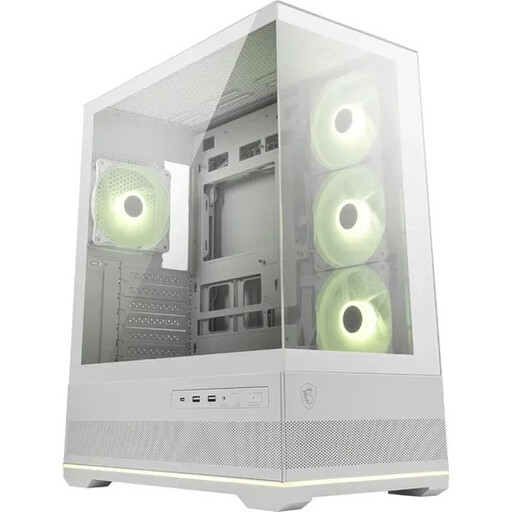
Why This Fits Their Persona: Perfect for users seeking a stunning 270° panoramic view without breaking the bank. It offers an excellent all-in-one package right out of the box.
Four ARGB fans and a 1-to-5 ARGB hub are pre-installed, which avoids hidden costs for lighting control. The dual-chamber layout and side air intakes counteract heat buildup.
The case includes special reverse-blade fans on the side, whose lighting is visible without the obstructive fan frame. The integrated ARGB hub offers great value for money.
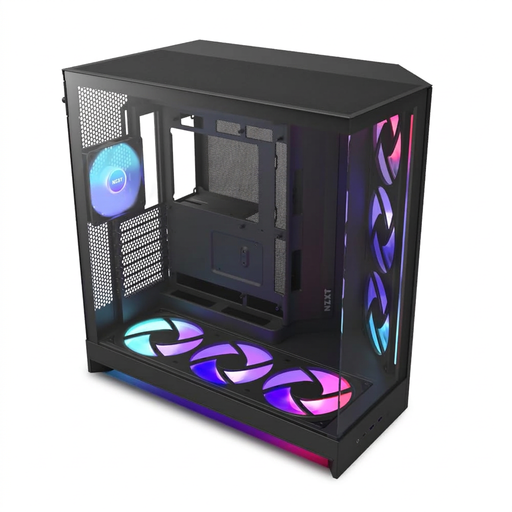
Why This Fits Their Persona: Designed for users who need uncompromising cooling performance for high-end components. The dual-chamber design offers enormous space for cable management and large radiators.
The "Flow" model uses perforated steel panels on the top and side to avoid the heat-trapping effect of all-glass cases. It comes with seven fans and a controller hub, ensuring high cooling performance out of the box.
The dual-chamber layout separates heat-generating components from the power supply and drives, optimising airflow. Support for up to 420mm radiators allows for extreme cooling configurations.
We've compiled a complete, real-time updated list of products that fully meet these strict selection criteria and relevant safety standards.
For users who prioritise an extremely clean and minimalist interior, this compatibility is very important. It allows almost all cables to be hidden, maximising the "showcase" character of a panorama case. For a standard build, however, it is not a mandatory requirement but rather an aesthetic bonus.
This depends on the installed components and the case model. Many cases come with a basic set of fans that are sufficient for mid-range systems. However, if you are using high-end components like a powerful CPU and GPU, it is advisable to install additional fans to utilise all available mounting spots and ensure optimal airflow to prevent heat buildup.
Use a soft, lint-free microfibre cloth for cleaning. For tougher smudges, the cloth can be lightly dampened with water or a special, streak-free glass cleaner that is ammonia-free. Never spray cleaner directly onto the glass; always apply it to the cloth first. Handle the tempered glass panels with care, as the edges and corners are particularly sensitive to impacts and can shatter. Always place the panels on a soft surface when disassembling.