
Lieferung heute & morgen

Qualitätsgarantie

Willkommens-Angebote freischalten: KOSTENLOSE Lieferung | Bis zu 80 % RABATT | Kostenlose 30-Tage-JoyPlus-Testphase
App herunterladen
A panoramic glass PC case promises a flawless showcase for your hardware. Yet, the path to the perfect showcase build is paved with pitfalls. Many models sacrifice functionality for aesthetics, leading to overheated components and frustrating cable management. Before you invest, it's crucial to understand the design features that elevate a case from a mere dust collector to a high-performance centerpiece for your setup.
This guide will walk you through the most common purchasing mistakes and highlight the technical parameters you need to check to make an informed decision.
The look of a so-called "aquarium-style PC case" is tempting, but functional drawbacks often hide behind the shiny exterior. Pay close attention to these three critical points:
To avoid the mistakes mentioned above, you should check three technical aspects before buying. These will define the longevity and functionality of your system.
An effective gaming case with a glass front balances aesthetics with airflow. Look for the following features:
Dimensions and standards are crucial to avoid frustration during assembly.
A clean interior is the main goal of a panoramic case.
Based on the criteria above, we have identified a few models that are a great fit for specific user profiles.
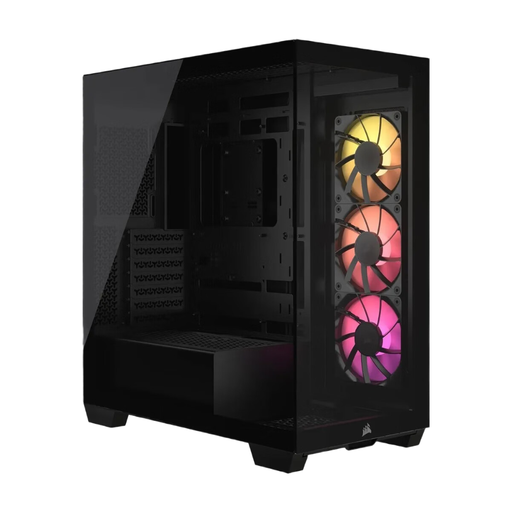
Why This Fits Their Persona: Ideal for users who want a pristine, cable-free look and are ready to invest in the latest motherboard technology. The design is engineered for maximum component visibility.
It is explicitly designed for reverse-connection motherboards (ASUS BTF, MSI Project Zero), thus bypassing the incompatibility trap. Cooling performance is ensured with space for up to ten fans.
Offers a pillarless panoramic view and is a future-proof choice thanks to its reverse-connection compatibility. Three RS120 ARGB fans come pre-installed.
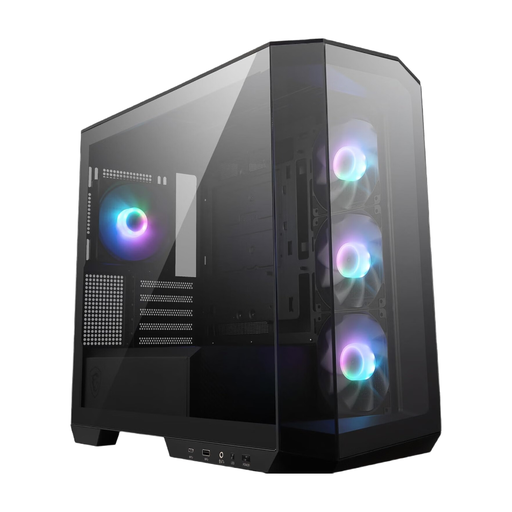
Why This Fits Their Persona: Perfect for users who want the "aquarium" look in a smaller Micro-ATX form factor that takes up less desk space but doesn't compromise on cooling or modern features.
Despite its compact size, it offers a generous 33 mm of space for cable management and supports back-connect motherboards (PZ series). Four pre-installed ARGB fans provide excellent baseline airflow.
Combines a 270-degree panoramic view with a space-saving mATX form factor. The front-panel USB-C port offers a 20 Gbps transfer rate.
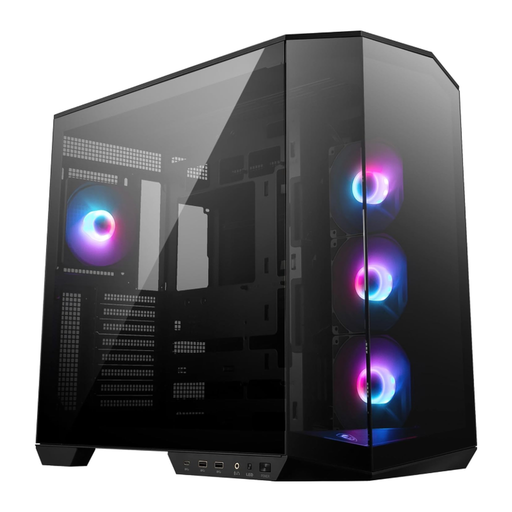
Why This Fits Their Persona: For users building a standard ATX system who still want the benefits of a panoramic design and a clean aesthetic. A solid choice for high-performance gaming setups.
The dual-chamber design separates the power supply and cables from the main heat-generating components, which simplifies cable management and improves airflow in the main chamber.
Also supports back-connect motherboards and comes with four ARGB fans and a vertical GPU bracket to prevent graphics card sag.
We have compiled a complete, up-to-date list of products that fully meet these strict selection criteria and safety regulations.
Only use a soft microfiber cloth. For fingerprints or smudges, the cloth can be lightly dampened with distilled water. Avoid paper towels, as their wood fibers can cause micro-scratches, and harsh cleaning agents containing ammonia or alcohol, as they can damage the glass coating.
Not necessarily. Cooling performance depends on the overall case design, not just the glass. A well-engineered black mid-tower case with a panoramic view will have sufficient air intakes on the bottom, top, or rear. Models designed for high airflow often offer cooling performance comparable to traditional mesh cases. Pay attention to the number of fan mounts and radiator compatibility.
This describes a new motherboard standard where the power (24-pin, 8-pin CPU), SATA, and fan connectors are moved to the back of the board. A compatible case has corresponding cutouts in the motherboard tray to access these rear-facing connectors. The advantage is an extremely clean main chamber, as almost all cables run invisibly behind the motherboard, maximizing the aesthetic of a glass case.