Which video light is right for you?

Teachers with a small work table

If you need to fit paper, your hands and tools into a small area, the right mounting and positioning are important to keep the cutting line visible. NEEWER EU describes the N45 as having a table clamp and an adjustable overhead position.

Teachers working with larger paper designs

If you need to light a larger area, assess the light across the whole sheet in the camera image rather than relying on a lux figure alone. The Godox instructions give the dimensions of the LEDP260C, while Canon Europe explains that diffused lighting can soften shadows.

Teachers who film in different places

If you often film at different tables or pack your setup away after a lesson, check portability, mounting and power supply. SmallRig describes the P96 as a battery-powered panel with a shoe mount; the shoe mount alone is not a suitable table attachment.

What should you look for when buying?

Adjustable clamp light

Suitable if: your table has an accessible edge for the clamp and you want to keep the work surface clear.

Bear in mind: the clamp and arm need to fit your table securely, and your hand movements mustn’t hide the cutting line.

Tabletop panel with stand

Suitable if: there’s no suitable edge for a clamp, but you have room for a stand next to the paper.

Bear in mind: the stand takes up worktop space; check the light angle from your intended camera position.

Larger panel with separate mount

Suitable if: you need to light a larger area of paper and have space outside the work area for a suitable mount.

Bear in mind: the panel, mount and power supply all need space. The Godox LEDP260C comes with a power adapter according to the instructions, but you’ll need to buy a compatible battery separately for wireless use.

Compact battery-powered panel

Suitable if: you want to move the light between filming locations or clear the table quickly afterwards.

Bear in mind: you’ll need a suitable separate mount; also check the battery life at the brightness you need.

What matters What to look for Who is this important to?
Mounting and space Check the table edge and camera position; try setting up the light with the paper and moving hands in place. When I need paper and tools on a small table, I don’t want the light to take up extra worktop space. Around 33 % of consumers focus on mounting and keeping the area clear.
Visible cutting line Make a short recording from the final camera position and practise your usual hand movements. While I’m cutting, I don’t want my hand to hide the cutting line. Around 27 % of consumers prioritise visibility and shadows.
Paper and design colours Film the paper using your intended camera settings, and keep an eye on the colour temperature and ambient light. If the paper colours and design details need to come across clearly in the video, I want to check the result in the camera image. Around 20 % of consumers pay particular attention to colour reproduction.
Power supply and video Check the connection and what’s included; consider battery-life figures in light of the brightness settings they refer to, and test a video recording. For longer recordings, I want to plan the power supply and avoid visible stripes in the video. Around 20 % of consumers place particular importance on power supply and clear recordings.

Which buying mistakes should you avoid?

  • Comparing only the highest lux figure

    An illuminance figure applies at the stated measuring distance. It doesn’t automatically tell you how evenly the light covers the whole sheet of paper.

    Check the measuring distance, then use a test recording to assess the entire work area, including your hands.

  • Assuming a light comes with a table mount

    A shoe mount isn’t automatically a table mount. The SmallRig P96 is listed with a shoe mount; check separately that you have a suitable attachment for using it at a table.

    Check the mount and the contents of the specific product variant against your setup.

    If a panel doesn’t come with a suitable table mount, you may need to buy one separately.

  • Planning to use battery power without checking recording time

    Manufacturer battery-life figures depend on the conditions of use. According to the instructions, you’ll need to buy a compatible battery separately to use the Godox LEDP260C wirelessly.

    Check the recording time, brightness required, connection and what’s included together.

    For wireless use of the LEDP260C, you’ll also need to buy a compatible battery separately.

  • Assuming soft light or high colour rendering means flicker-free video

    Shadows, colour reproduction and visible banding are different things. Sony describes possible stripes or colour changes in video recordings; a CRI figure won’t answer this video-related question.

    Test the light with your camera and intended settings in a test recording.

Key brands at a glance

NEEWER

The N45 is a table-clamp light for setups where you want to keep the space next to the paper clear.

  • NEEWER EU lists up to 600 lx at 0,5 m, three colour temperatures and CRI 85 for the N45.
  • The figure at 0,5 m doesn’t prove that the light will cover the whole sheet evenly; the clamp must fit your table.

Rollei

The LUMIS Key Light 28555 is a tabletop panel with a stand and adjustable head, for workspaces without a suitable edge for a clamp.

  • Rollei lists an integrated diffuser, eight brightness levels, three colour temperatures and USB-A power.
  • The stand takes up table space; check there’s enough room next to the paper.

SmallRig

The P96 is a compact battery-powered panel for a portable setup or extra light for close-up shots.

  • SmallRig lists a built-in battery, a shoe mount and an adjustable colour temperature of 2700–6500 K.
  • For use at a table, check that you have a suitable separate mount; battery-life figures depend on the conditions of use.

Godox

The LEDP260C is a larger bi-colour panel for setups with room for a mount and power supply.

  • The Godox instructions list a colour temperature range of 3300–5600 K, panel dimensions of 360 × 240 × 27 mm and a power adapter in the box.
  • According to the instructions, you’ll need to buy a compatible NP-F970 battery separately for wireless use; a table mount is not listed as included.

Joybuy products for compact video recording

The following Joybuy products are compact video lights for portable or tabletop recording. Before buying, check that the mounting and light position will keep your hands and cutting line clear on your small table.
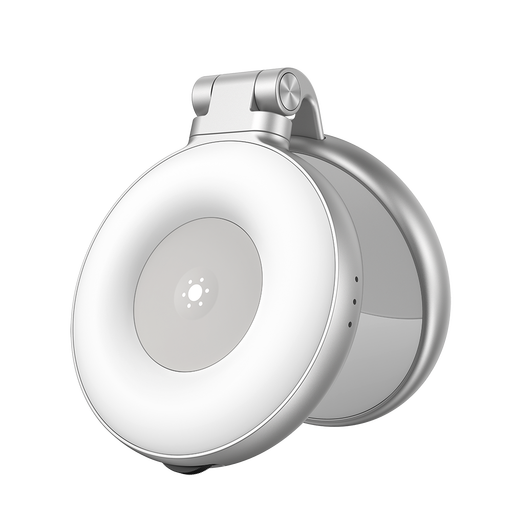
TELESIN Magnetic Portable Phone Fill Light

TELESIN Magnetic Portable Phone Fill Light

For smartphone video recording when a portable magnetic fill light suits your setup.

Dual colour temperature; described as a mini shooting light.

Use in dry conditions, don’t cover with fabric while charging, and keep out of reach of children.

Shop at Joybuy
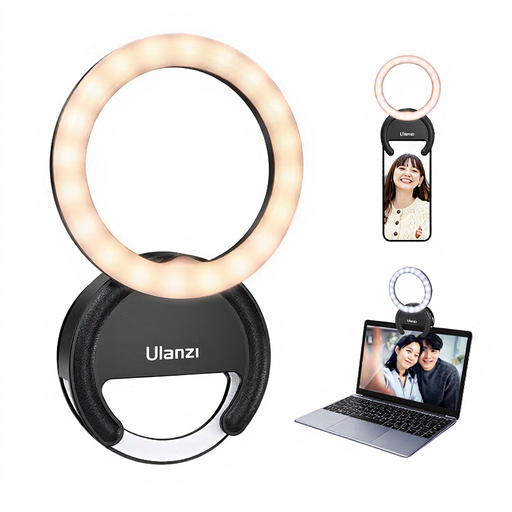
ULANZI Ring Light for Phone 4 Zoll

ULANZI Ring Light for Phone 4"

For smartphone recording when a ring light with adjustable colour temperature and brightness suits your planned setup.

4 Zoll; three colour temperatures from 3000–7000 K and five brightness levels.

Protect from water and high humidity, and don’t leave it switched on unattended for long periods.

Shop at Joybuy
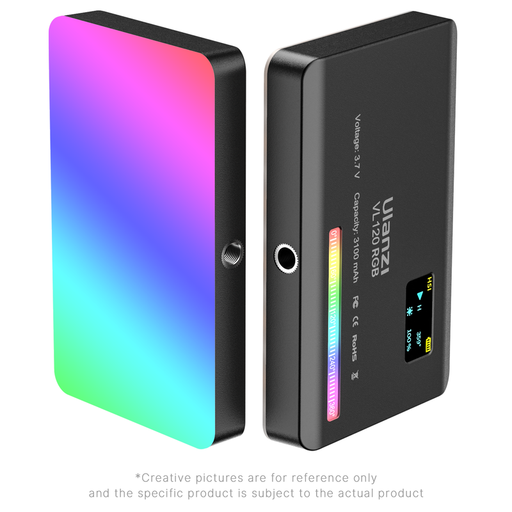
Ulanzi VL120RGB, black

Ulanzi VL120RGB, Black

For a portable lighting setup, if you have a suitable separate mount for the compact panel.

Before using it at a table, check that the mount and light position suit your camera and work surface.

Don’t look directly at the LEDs at full brightness; don’t use in wet or very damp conditions.

Shop at Joybuy

Ulanzi VL119 Handheld Video Light 10W

Ulanzi VL119 Handheld Video Light 10W

For mobile video recording when a handheld light is a better option than a table light.

10 W; RGB; 2500–9000 K; 3300-mAh battery; 360 lx at 0,5 m.

Use in dry conditions, don’t cover with fabric while charging, and keep out of reach of children.

Shop at Joybuy

Frequently asked questions about video lighting at a work table

How can I check before the lesson that the cutting line is visible?

Film your usual hand movements with the paper in its planned position, from the camera angle you’ll use. Change the light angle or use softer lighting if your hand casts a shadow over the cutting line; the result depends on your particular setup.

Why do I see stripes in the video even though the light stays on?

Depending on the recording conditions, LED lighting can cause visible flicker or banding. Sony describes these effects in video recordings, so test the light and camera together using your intended settings. A CRI or lux figure can’t tell you whether the light is flicker-free.

Do I need extra accessories for a battery-powered panel?

It depends on the model and your setup. SmallRig lists a shoe mount for the P96, but no table mount among the stated items included. Godox lists a power adapter for the LEDP260C; you’ll need to buy a battery separately for wireless use. Check the specific product variant and make sure you have a suitable mount.

Does every video light need a CE mark and an energy label?

Not simply because a product is described as a video light. The European Union explains that CE marking is required when the harmonised EU rules applicable to that specific product say it is. The former energy label for light fittings was discontinued on 25 December 2019; products legally classified as light sources may still need a label. The classification of the specific model is what matters.

How should I dispose of an old electric video light?

In Germany, electrical waste must be collected separately and not put in general waste. The German Environment Agency lists local collection points, which generally accept electrical waste free of charge.