Players sitting at the side
If you want to join in from the edge of a seating area, check that you’ll be able to see the shared screen clearly. Tabletop and TV modes give you different ways to position the screen.


Start by choosing a specific game with local multiplayer, then check how many people can play and which controllers they’ll need. If you don’t want to use a TV, the Switch 2 and Switch OLED both offer tabletop mode. However, a shared TV may be easier to see from a seat at the side. The PS5 and Xbox Series S could also work, provided your chosen party game is available on them and you factor in any extra controllers you’ll need.
If you want to join in from the edge of a seating area, check that you’ll be able to see the shared screen clearly. Tabletop and TV modes give you different ways to position the screen.
Check the local play mode and how many compatible controllers you’ll need. The number of online players alone doesn’t tell you how many people can play together in person.
If a specific mini-game is the deciding factor, check which console and game edition you need, along with the available local modes, rather than choosing based on console features alone.
A good fit if: You want to switch between tabletop and TV modes and play Jamboree TV.
Bear in mind: Jamboree TV is part of the Switch 2 Edition. Some features require a compatible USB-C camera.
A good fit if: Existing Switch games and tabletop or TV mode are all you need.
Bear in mind: The original Switch doesn’t have the Jamboree TV features found in the Switch 2 Edition. The Switch Lite doesn’t support TV play.
A good fit if: Your chosen local party or multiplayer game is available on PS5.
Bear in mind: You may need an extra DualSense, depending on the game. The Digital Edition reviewed has no disc drive.
A good fit if: A digital Xbox game offers the local mode you’re looking for.
Bear in mind: The 512 GB Series S has no disc drive and is listed with one controller.
| Priority | What to check when buying | Who it matters most to |
|---|---|---|
| Seeing the screen from a seat at the side | Line of sight and space to set it up; tabletop or TV mode | If I’m sitting at the side, I want to be able to see the shared screen clearly. That’s why around 36% of consumers put visibility from their seat first. |
| Local player numbers and controls | Check the local mode and compatible controllers needed for each person | If several guests are joining in, I want to know whether the specific game supports everyone playing locally. For around 29% of consumers, playing together locally is the top priority. |
| The right edition of the game you want | Check the platform, edition and game mode you’re looking for | If a particular mini-game is the deciding factor, I don’t want to buy the wrong edition by mistake. The game they want is the main priority for around 21% of consumers. |
| The total cost of getting everyone playing | Check whether the package includes the game, extra controllers and any accessories you need | If I want to get everything ready for a gaming session, I check what I’ll need in addition to the console. For around 14% of consumers, the cost of getting the whole set-up ready is especially important. |
A game may support more players online than it can accommodate on the same screen. Xbox lists Pummel Party as supporting up to eight players online, but four locally on the same screen.
Check the local mode and its controls against the size of your group before choosing a game and console.
Depending on the game and group, you may need extra controllers or a different game.
Nintendo says the Switch Lite doesn’t support TV play. That won’t work if everyone wants to watch a shared TV screen from the sofa.
For TV mode, choose a model that’s specifically TV-compatible and check whether tabletop mode or the TV is better for where you’ll be sitting.
You’ll need a different console model to play on a TV.
Nintendo lists the additional Jamboree TV modes as part of the Switch 2 Edition. They aren’t automatically available in the original Switch version.
Before buying a console, game or accessory, check the exact edition and the mode you want to play.
Depending on which game you already own, you may need the Switch 2 Edition or an upgrade. Some features also require a compatible USB-C camera.
The Nintendo Switch 2 and Switch models are worth considering if the local games and modes you want are available on the console you choose.
A PS5 could be a good fit if your chosen local party or multiplayer game is available on the platform.
The Xbox Series S is worth considering if your chosen digital Xbox game offers a suitable local multiplayer mode.
This selection includes consoles for playing together on a TV, as well as Nintendo Switch models with tabletop or TV mode.
 No image available
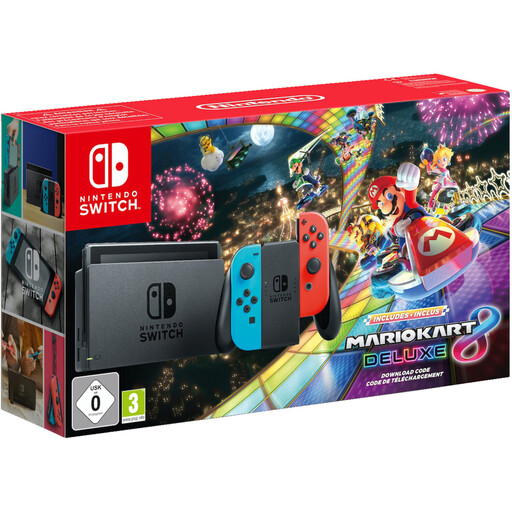
Could be a good fit if you want to play on a TV or in tabletop mode. Check that the specific game is right for your group.
The bundle lists a dock, Joy-Con controllers and Mario Kart 8 Deluxe. TV, tabletop and handheld modes are included, along with local split-screen play.
 No image available
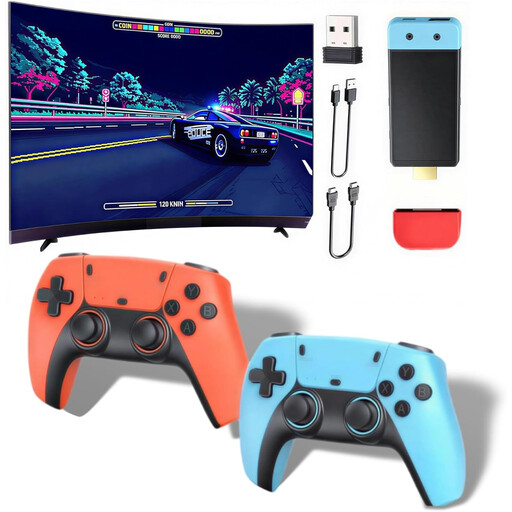
Could be an option for playing together on a TV. First, check that the included games offer the local mode you’re looking for.
The product description lists 1080P/720P HDMI output, two wireless controllers and support for up to four players.
 No image available
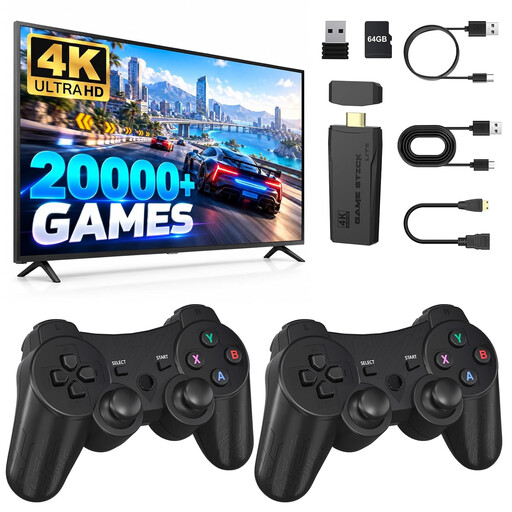
Could be a good fit if you’re looking for a device to use with your TV. Check which of the included games will work for the session you have in mind.
The product title lists HDMI output and two wireless 2.4 GHz controllers. The description lists supported two-player games.
 No image available
Could be a good fit for playing without a TV if you can see the screen clearly from your seat. Tabletop mode lets you adjust the screen’s position.
Features include a 7-inch OLED screen, plus tabletop and TV modes.
 No image available
Could be a good fit if you want to switch between playing at a table and using your TV. Check the local mode and supported controls for the game you want.
The product description lists an HDMI connection, TV mode, a tabletop stand and two Joy-Con 2 controllers. Nintendo confirms that Joy-Con 2 controllers can be used separately with supported software.
Yes, provided your chosen game supports tabletop mode and you can see the console screen clearly from where you’re sitting. The Switch 2 and Switch OLED both offer tabletop mode. Check the sightline from where you plan to set up the console.
Not for every way of playing. Nintendo lists a compatible USB-C camera, sold separately, as a requirement for certain modes and CameraPlay. Check the requirements for the mini-game you want to play.
Set up the shared screen, choose the local mode for the game you’re playing and make sure you have enough compatible controllers. Joy-Con 2 controllers can be used separately with supported software; Xbox lists Pummel Party as supporting up to four players locally on the same screen.
Check whether the package includes the game you want, all the controllers you’ll need and any accessories you might require. Certain Jamboree TV features need a compatible USB-C camera; local PS5 games may require an extra DualSense.
According to the Family Portal’s explanation of Section 12(1) of the Youth Protection Act, games on relevant physical media may only be made available to children and young people in public if they have been approved and labelled for their age group. Check the rating on the specific game; it isn’t automatically an educational recommendation.