Multiplayer Switch session
If you’re planning to use existing or extra Joy-Con, check whether the game supports one Joy-Con per player. Nintendo says this is possible in compatible games.


Start by checking your platform and the controls required by the game you want to play. Depending on the game, you may be able to use individual Joy-Con, full gamepads or a wired controller. In a shared bedroom, remember to allow room to move and plan the cable route. It’s also worth checking how many controllers your group will actually need.
If you’re planning to use existing or extra Joy-Con, check whether the game supports one Joy-Con per player. Nintendo says this is possible in compatible games.
If several people are playing on a supported console or PC, make sure you choose full controllers that work with your platform. Microsoft, Sony and 8BitDo each describe different uses for their models.
If you share a bedroom, plan where everyone will sit and make sure there’s room to move. Check whether a cable needs to run to the playing area, too. Nintendo recommends using the appropriate wrist straps with Joy-Con used separately, while PowerA describes its tested wired model for TV mode.
First, check that the controller works with your platform and game mode. Then consider how many players actually need a controller, how much room you have and how the controller is powered.
| What matters | What to check before buying | Who should consider it? |
|---|---|---|
| Platform and game | Check your console or PC against the controller requirements for the specific game and mode. | If I want to play on the platform I already own, I want to make sure the game accepts the controls I plan to use. Around 36% of consumers put platform and game compatibility first. |
| Player slots | Check the local player limit and permitted controller configurations in the game, and count the controllers you already own. | For a group session, I need enough controls to be used at the same time. Around 29% of consumers prioritise extra player slots. |
| Space and movement | Consider the movement required by the mode, as well as the available space and cable route. | When I play in a shared bedroom, I want to plan movements and cables so they don’t get in the way of where people are sitting. Around 21% of consumers focus first on space, freedom of movement and cable routing. |
| Power and accessories | Check the battery type, charging options and any accessories you need alongside the controllers you already own. | When I’m putting together a multiplayer set-up, I want to factor in batteries and charging, too. Around 14% of consumers put power and ongoing costs first. |
A controller made for a console won’t necessarily support every control requirement a game has. Nintendo says Pro Controllers aren’t compatible with Nintendo Switch Sports; PowerA states that its tested wired model isn’t suitable for games that require Joy-Con.
Before choosing a model, check the controller requirements for the specific game and mode you want to play.
If your existing controller isn’t supported, you may need another suitable one for your session.
Original Joy-Con can be used wirelessly with a Switch 2, but they can’t be attached to or charged on the console.
Check that your controller and console are from the right generation. If you’re using Joy-Con separately, make sure you have the appropriate wrist straps.
To charge original Joy-Con with a Switch 2, you’ll need an original Switch or suitable charging accessories.
For the 8BitDo Ultimate 2C Wireless, the manufacturer lists 2.4 GHz or a wired connection for Windows, and Bluetooth for Android.
Check the connection type for the full model name and the device you want to use it with.
A wireless Windows connection may use up a USB-A port for the receiver.
The tested PowerA model needs to be used with the Switch 2 docked, and its cable must reach your seat. A cable could get in the way in a shared bedroom.
Check the cable route and where you’ll sit. For movement-based mini-games, prioritise the controls required and make sure there’s enough clear space.
Joy-Con and Joy-Con 2 are options for Switch party games when the mode supports individual controllers or motion controls.
Xbox Wireless Controllers are an option for supported Xbox consoles and Windows PCs with standard gamepad controls.
The DualSense is designed for PS5 gaming and, according to Sony, can also be paired with supported computers and mobile devices.
The Advantage Wired Controller is a wired option for standard Switch 2 games in TV mode.
The Ultimate 2C Wireless is a gamepad option for Windows PCs if you’re happy to use a receiver or a cable.
The products below include controllers for PS5, Nintendo Switch and Switch 2, as well as gamepads for Xbox and Windows. Check that each model works with your platform and the game mode you want to play.
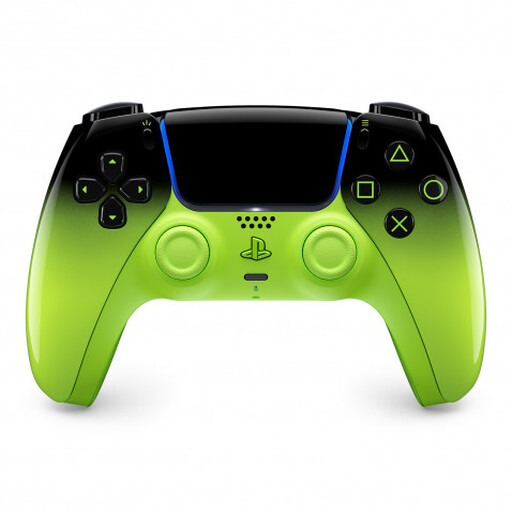 No image available
For a PS5 session with a full gamepad; additional players will need more controllers supported by the game.
The product title lists PS5, Mac, Android, iOS and PC. Bluetooth and a built-in battery are specified.
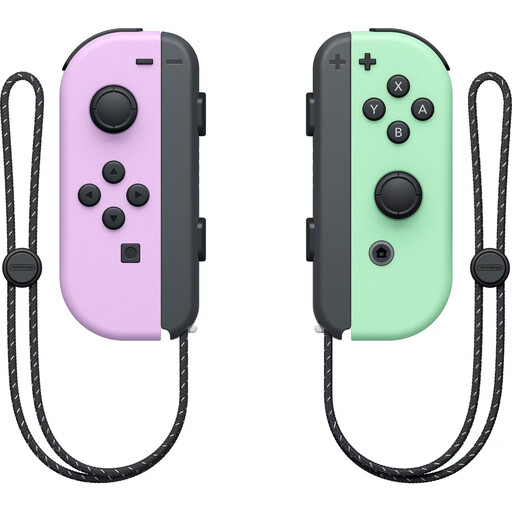 No image available
For a Switch session if the game supports one Joy-Con per player.
The set includes two Joy-Con. Wireless use and motion controls are specified; whether you can use individual Joy-Con depends on the game and mode.
 No image available
For Xbox or Windows sessions with standard gamepad controls; you’ll need additional compatible controllers for more players.
Xbox and PC are listed as platforms. Bluetooth and Xbox Wireless are specified. The controller requires two AA batteries, which the product listing says are included.
 No image available
For a Switch 2 session with standard gamepad controls, provided the specific game supports the controller.
Wireless use and motion controls are specified, and a USB-C cable is listed. Nintendo says the Switch 2 Pro Controller isn’t compatible with Nintendo Switch Sports.
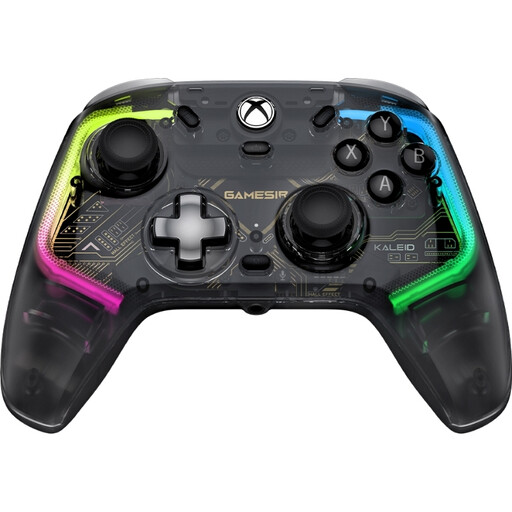 No image available
For Xbox or Windows PC gaming if a wired connection works for you and there’s a suitable place to run the cable.
Xbox Series X|S, Xbox One, Windows 10/11 and Steam are listed as platforms. The detachable USB-C cable is 3 m long.
Only if the specific game supports using one Joy-Con sideways per person. Nintendo notes that control requirements vary by game, so check the mode you want to play rather than just counting the controllers.
According to Nintendo, original Joy-Con can be used wirelessly with a Switch 2, but can’t be attached to the console. To charge them, you’ll need an original Switch or suitable charging accessories.
Check whether the mode you’ve chosen requires motion controls and whether there’s enough clear space. Nintendo recommends attaching the appropriate wrist straps when using Joy-Con or Joy-Con 2 separately.
If a product has a defect, you may be entitled to statutory remedies against the seller; this is separate from any voluntary manufacturer’s guarantee. For ordinary new goods, the standard limitation period for claims relating to defects under § 438 BGB is two years from delivery. § 477 BGB provides for a rebuttable presumption if a fault becomes apparent within one year of the risk passing to you; the specific requirements for a claim still apply.
No. The German Environment Agency advises that waste electrical equipment should be collected separately. Use an appropriate take-back point or recycling centre, and remove the batteries if possible.