Hosts using their own photos or clips
If you want to use personal files in mini-games, first check the import function and supported file formats for the specific game. Controller support is a separate consideration.


Before buying a controller, check whether the specific party game can import your local file types, and which platform, input methods and player numbers it supports. For compatible PC games, you can use wired or wireless gamepads; Joy-Con may be suitable for Switch, provided the game and console generation are compatible. A controller on its own won’t let you import media.
If you want to use personal files in mini-games, first check the import function and supported file formats for the specific game. Controller support is a separate consideration.
For a local multiplayer session, the number of players and supported input devices need to suit your chosen game. Miniparty’s Steam page lists local multiplayer and controller support for the game.
Nintendo says Joy-Con can be used individually in horizontal orientation, depending on the software and play style. So check whether the specific game supports this control method.
First, check the game features that a controller can’t provide. Then make sure the platform, player number and connection suit your gaming set-up.
| What to consider | What to check before buying | Who is this important for? |
|---|---|---|
| File import | Check the import method and supported file formats for the specific game. | If I want to use my own photos or clips, the game must be able to import those exact files. Around 26% of consumers put media import first. |
| Platform and game | Check the operating system or console generation against the game’s controller requirements. | What matters to me is that the platform and chosen game are compatible with the controller. Around 26% of consumers prioritise platform and game compatibility. |
| Other players | Check the player number and which combinations of gamepads, Joy-Con and other inputs are allowed. | For a group session, I want to know whether everyone can play at the same time and which input methods the game allows. Around 21% of consumers prioritise having enough inputs for the group. |
| Connection | Check the cable length, available port and the wireless connection or receiver required. | If the group won’t be sitting right by the device, I need a connection that suits the seating arrangement. Around 16% of consumers prioritise flexible seating. |
| What’s included | Check how many controllers you need and whether cables, receivers and power supplies are included. | I want to know in advance how many devices the group needs and what comes with the model I’ve chosen. Around 11% of consumers put the overall purchase requirements first. |
Miniparty’s Steam page lists local multiplayer and controller support, but this doesn’t mean you can import your own media.
Choose the game first and check the file features it explicitly describes; then choose your controller.
Nintendo says using a single Joy-Con horizontally depends on the software and the supported play style.
Check which Joy-Con orientation and how many controllers the specific game supports.
Nintendo says Joy-Con 2 can’t be used with the original Nintendo Switch. First-generation Joy-Con can only be used wirelessly with Switch 2.
Before ordering, check the console generation against the full model name.
Xbox Wireless Controller for compatible Xbox consoles and Windows PCs. A good option if you want to choose between a cable, Bluetooth and the Xbox Wireless Adapter.
The G7 HE is a wired alternative for the Xbox consoles and Windows 10/11 listed by the manufacturer.
Joy-Con are suitable for compatible Switch play styles; Joy-Con 2 are designed for Nintendo Switch 2.
The Ultimate 2.4G is a model with a 2.4 GHz connection and charging dock, compatible with Windows 10 or later, among other platforms.
DualSense for PS5, as well as compatible games and applications on supported PCs.
This selection includes wired and wireless controllers for PC games, as well as controllers for Nintendo Switch and PS5. In each case, the key question is whether the specific game supports the controller.
 No image available
For compatible PC or Switch games, if you’re looking for a wireless controller for one of these platforms.
The product title lists Bluetooth, a TMR joystick, dual-mode triggers and mechanical buttons, as well as support for PC, Switch, Android and iOS.
 No image available
For supported Xbox or PC games, if you’re looking for a wireless controller in the Pulse Red colourway.
The product description lists Bluetooth and Xbox Wireless, as well as two AA batteries. The product title lists Xbox One, Xbox Series X/S and PC.
 No image available
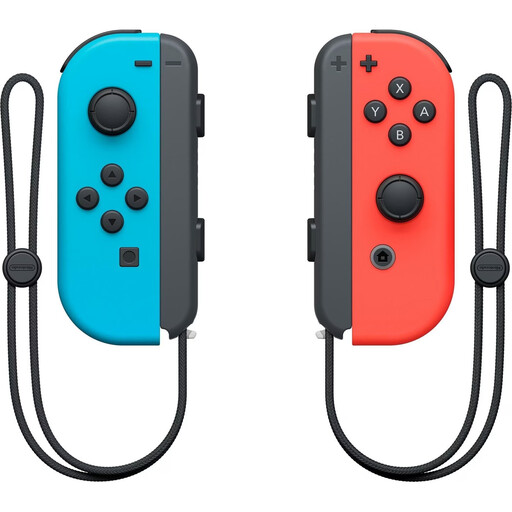
For compatible Switch games, if you want to use a pair of Joy-Con for a local gaming session.
According to Nintendo, whether a single Joy-Con is enough for one player depends on the software and play style.
 No image available
For compatible PS5 or PC games, provided the application supports the controller.
Sony documents USB-C or Bluetooth connections for Windows PCs.
 No image available
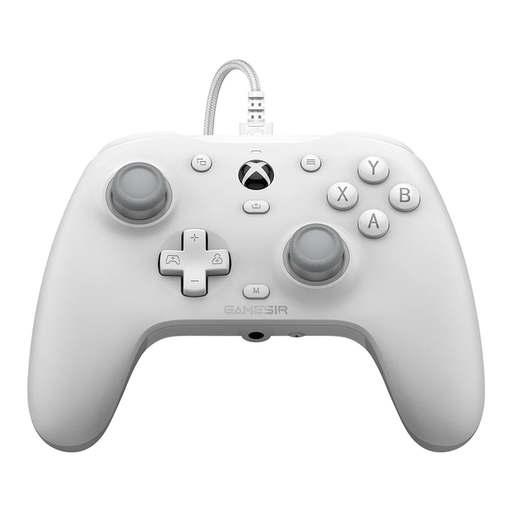
For supported Windows or Xbox games, if a wired connection suits your seating arrangement.
GameSir lists USB-C and a 3 m cable, as well as Xbox and Windows 10/11 as supported platforms. The cable needs a suitable port and a practical route to your seat.
No, not simply by connecting it to the device. Check the specific game’s import function, supported file formats and controls; details about local multiplayer or controller support aren’t enough.
That depends on the game and its play style. Nintendo says using individual Joy-Con separately depends on the software; also check the player number and permitted input devices for the specific game.
It depends on the model. For the Xbox Wireless Controller on Windows, Microsoft lists a USB cable, Xbox Wireless Adapter and Bluetooth; GameSir describes connecting the G7 HE with a USB-C cable. Set up the connection and power supply according to the instructions for your specific model.
Any additional cover offered should be distinguished from your statutory rights if goods are faulty. In its information dated 13 August 2026, the Verbraucherzentrale explains that in Germany, retailers are generally responsible for delivering goods free from defects for two years.