What should you look for when buying?
Start by checking the screen and seating, then the game mode and controls, followed by the platform, connection and charging options.
| What matters to you |
What to check before buying |
Who should pay particular attention? |
| Screen visibility |
Check the seating and display in the actual game mode; assess the controller and display mode separately. |
If I want everyone to be able to see the prompts, I’ll first check the viewing angles and display. Around 36% of consumers prioritise screen visibility. |
| Controls and player slots |
Check the game, mode, player count and required controller setup. |
If I want everyone to join in, I’ll check the controls for the specific mini-game rather than relying on the game title alone. Around 29% of consumers focus above all on suitable controls and player slots. |
| Platform compatibility |
Check the full model name, console generation and any firmware requirements. |
If I want to avoid buying the wrong controller for my console or PC, I’ll check the model against the platform carefully. Around 21% of consumers make compatibility their main concern. |
| Connection and charging |
Check the cable route to the console and how wireless controllers can be charged. |
If I want to avoid trailing cables or make sure the controllers are charged, I’ll consider the connection and charging options. Around 14% of consumers pay particular attention to connection and power. |
Joybuy products for compatible game modes
This selection includes Joy-Con 2 for Switch 2, as well as full gamepads for compatible Switch, PC, PS5 and Xbox games. Whether a controller works in a mini-game still depends on that game’s specific requirements.
 No image available
Nintendo Switch 2 Joy-Con 2 2-Piece Set (Blue/Light Yellow)
For supported local multiplayer modes on Switch 2 that use individual Joy-Con 2 controllers or motion controls.
The set includes one left and one right Joy-Con 2, plus two Joy-Con 2 wrist straps. According to the product details, it’s designed for Nintendo Switch 2.
Joybuy
 No image available
EasySMX D10 PC Controller
A full gamepad for games that support this type of controller; check compatibility with your specific game and platform.
The product title describes it as a wireless Bluetooth gamepad.
Joybuy
 No image available
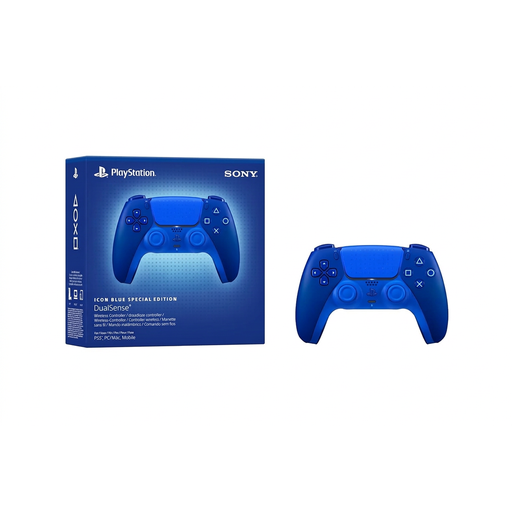
PlayStation DualSense Wireless Controller CFI-ZCT2WZBX Icon Blue Special Edition
For compatible local multiplayer games on PS5 or compatible PCs; check support for the specific title.
The product title identifies this model as a wireless controller.
Joybuy
 No image available
Microsoft Xbox Series X/S Wireless Controller Deep Pink
For compatible local party games on Xbox or Windows PC; check that the specific game supports the controller before you buy.
The product title lists Xbox One, Xbox Series X/S and PC as platforms.
Joybuy
 No image available
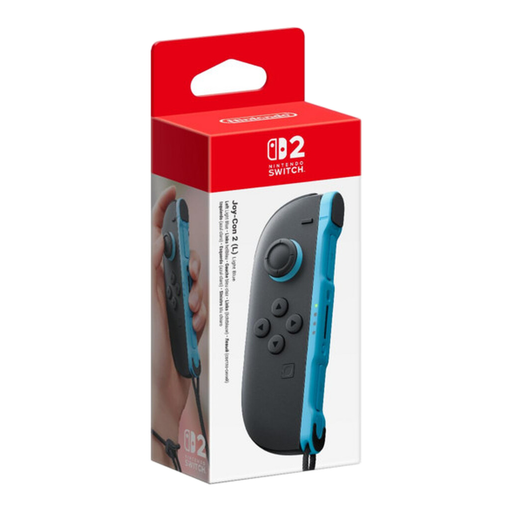
Nintendo Switch 2 Joy-Con 2 (Left) Light Blue
May suit a supported mode on Switch 2 that requires a single left Joy-Con 2.
This is a left-hand controller with a wrist strap, not a two-piece set.
Joybuy
Frequently asked questions
Is one Joy-Con per person enough?
Only if the specific game mode supports it. Nintendo specifies one Joy-Con per person for up to four people in WarioWare: Move It! local Party Mode, but describes a pair of Joy-Con for its motion-based mini-games.
Can an extra controller make a small screen easier to see?
No. The controller and display are separate considerations. On Switch 2, tabletop mode uses the console screen, while TV mode displays the picture on a television. Check how easy the screen is to read from the seats you’ll actually be using.
Can I use and charge my existing Joy-Con on Switch 2?
Nintendo allows older Joy-Con to be used wirelessly with Switch 2, but they can’t be attached to the console. Nintendo says they can be charged using an original Switch or suitable licensed charging accessories.
What should I know about motion-based mini-games?
When using Joy-Con or Joy-Con 2 separately and wirelessly, attach the matching wrist straps. Nintendo recommends this for this type of use; it isn’t a blanket buying requirement for all gamepads.
What are my rights when buying a controller online in Germany?
For a typical distance purchase by a consumer, you generally have a 14-day right to cancel; statutory exceptions and the terms of the contract should also be considered. If goods are faulty, you generally have a statutory minimum two-year right to remedies from the seller. This is separate from any voluntary manufacturer’s guarantee.


