Party groups in a large living room
You need a shared TV screen and want to be able to make out the game prompts from further back. Try the specific game from your actual seat instead of relying on the console’s resolution alone.


For party mini-games played from further away, start by choosing a specific game and checking its TV output, local modes, controls and readability from your seat. A console’s maximum resolution doesn’t guarantee that on-screen text will be easy to read. Nintendo Switch 2 is worth considering if you want to play Jamboree TV modes or suitable motion-controlled games. PS5 and Xbox Series X|S also offer local party games, while smartphones can replace extra gamepads for selected Jackbox titles. For compatible older Switch games, the OLED model may be enough; Switch Lite isn’t suitable for shared play on a TV.
You need a shared TV screen and want to be able to make out the game prompts from further back. Try the specific game from your actual seat instead of relying on the console’s resolution alone.
Choose based on the mini-games and how they’re controlled: Nintendo puts Jamboree TV on Switch 2. With Nintendo Switch Sports, the right controllers depend on the sport you’re playing.
You want several people to be able to play without having to buy extra gamepads for everyone. Selected Jackbox titles use smartphones or tablets as controllers; languages and player numbers vary by game.
First, decide which games you want and where everyone will be sitting. Then check which console, controllers and other accessories you’ll actually need.
| What matters | What to check before buying | Who it matters most to |
|---|---|---|
| Readability and TV output | Check the TV mode and HDMI output. Nintendo lists up to 3840 × 2160 at 60 fps for Switch 2; this doesn’t tell you how far away you’ll be able to read the screen. | If I want to play from the furthest seat, I need to be able to make out the prompts and on-screen information from there. Around 25% of consumers put readability from their own seat first. |
| Suitable mini-games and language | Check the platform, edition, local modes and language of the specific game. Jamboree TV is part of the Switch 2 edition; the German PlayStation version of Party Pack 8 is described as English-language. | If I have particular mini-games in mind, I don’t want to discover after buying a console that the edition or language isn’t right. Around 25% of consumers prioritise finding the right games. |
| Controls for the group | Check the player count and controls for the specific game: gamepads, shared Joy-Con or mobile devices. PlayStation notes that local PS5 games may require extra DualSense controllers. | If I want everyone to play using devices they already own, the controls required for each game matter. Around 20% of consumers focus on how the whole group can join in. |
| Motion controls | Check the controller requirements for each sport and use the supplied wrist straps when playing with separate Joy-Con. Nintendo Switch Sports doesn’t support Switch Pro Controllers. | If I want to play motion-controlled mini-games, I need the right controls and enough room to move. Around 15% of consumers put this first. |
| Additional requirements | Check which games, controllers or camera you’ll need. Nintendo says certain Jamboree TV features require a compatible USB-C camera, sold separately. | If I’m getting everything ready for the group, I want to know what else we’ll need besides the console. Around 15% of consumers pay particular attention to the total requirements for games and accessories. |
A resolution figure describes the possible picture output, not the size of the text in a game or how visible it will be from the furthest seat. Nintendo also specifies a resolution for Jamboree TV when used with a suitable TV, not a guaranteed viewing distance.
Try the game you want on the TV you plan to use, ideally from the furthest seat.
Nintendo says the additional Jamboree TV modes are part of the Switch 2 edition. Make sure the game version you choose includes the features you want to use.
Compare the exact edition with the modes you want, and check whether any feature requires a compatible camera.
A compatible USB-C camera is sold separately for certain camera-based features. Depending on what you already own, you may also need the right game or an upgrade.
Controls vary from game to game: Nintendo Switch Sports doesn’t support Pro Controllers, while selected Jackbox titles can use smartphones or tablets.
Start by listing the specific games you want and checking their controller requirements. Only buy extra accessories if you still need another device after that.
A good fit if your group wants to play specific Switch games, Jamboree TV modes or motion-controlled games.
A good fit if the group games you want to play support local multiplayer on PS5.
A good fit for compatible local party games and selected Jackbox titles. Compare the consoles’ disc options too.
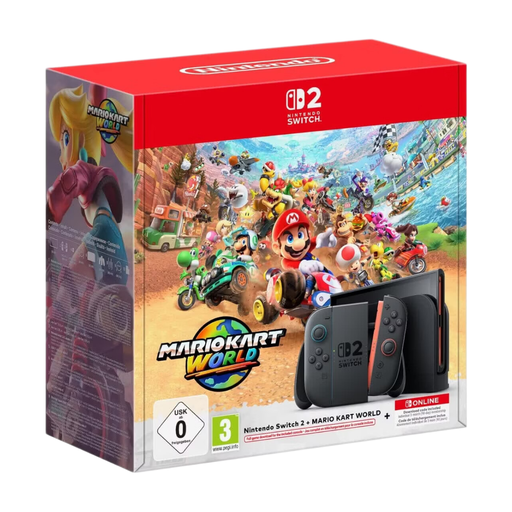
This selection includes a Nintendo Switch 2 Mario Kart Bundle and HDMI retro gaming consoles. For retro models, check which games are included and whether the specific listing supports local multiplayer.
 No image available
For playing on a TV if you want to enjoy Switch 2 games and Mario Kart World; the listing says local play is available for up to four people.
The product name specifies a 1080p screen and TV output of up to 4K. According to the listing, 4K output requires a compatible TV and game.
A compatible USB-C camera is sold separately for certain CameraPlay features.
 No image available
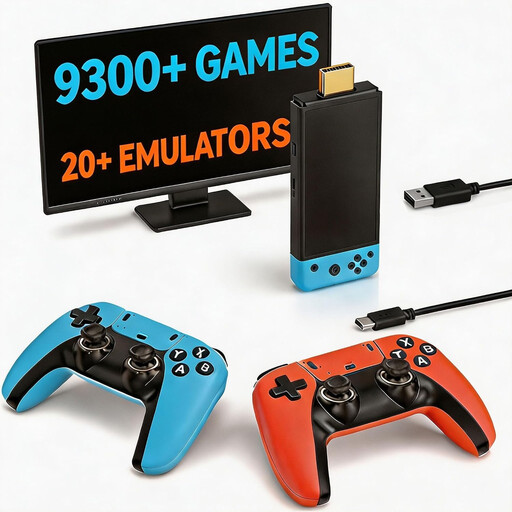
This could be suitable for playing together on a TV if the games and controllers listed are right for your group. Check the selection of games and how easy they are to read from your seat.
The product name specifies 23 emulators, 4K HDMI output and two wireless 2.4 GHz controllers.
 No image available
Before playing together on a TV, check that the games on offer include the local mini-games you want and that they’re easy to make out from where you’ll be sitting.
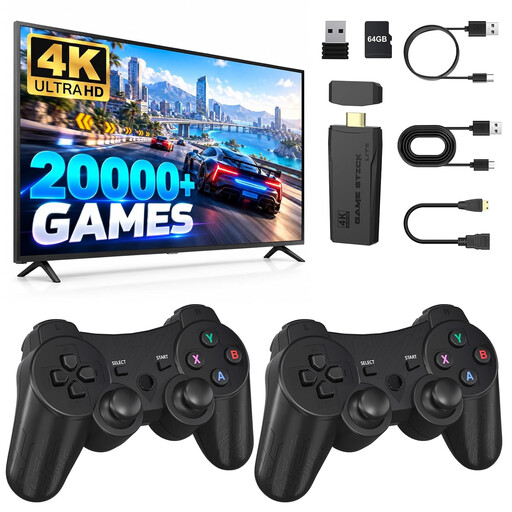
The product name specifies HDMI output and two controllers. According to the listing, the controllers require four AAA batteries, which aren’t included.
 No image available
The two wireless controllers listed in the product name could be useful for playing together on a TV. Check that the included games and their local multiplayer features are right for your group.
The product name specifies 4K HDMI output and 2.4 GHz controllers.
 No image available
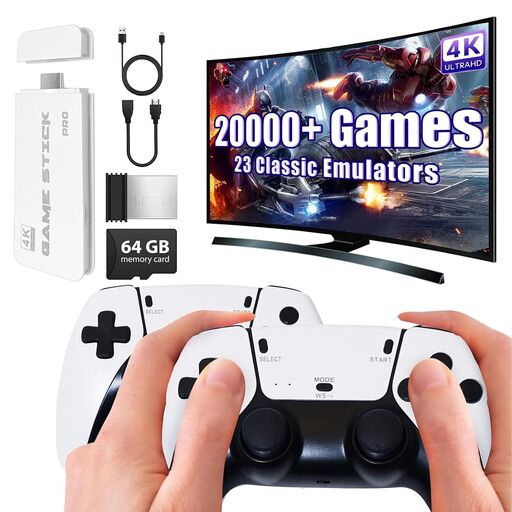
This TV game stick comes with two gamepads, so it could be worth considering for playing together. Check the games included and whether the on-screen information is readable from where you plan to sit.
The product name specifies over 20,000 pre-installed games, 4K HDMI output and two wireless 2.4 GHz gamepads.
No, Nintendo Switch Lite doesn’t support TV mode. Switch 2 and Switch OLED can display a picture on a TV; also check that you can make out the game you want to play from your chosen seat.
Place the console in the Switch 2 dock to use TV mode. Nintendo says the dock for the original Switch and its HAC-002 power adapter aren’t suitable for powering Switch 2 in this mode. Attach the wrist straps if you’re using Joy-Con 2 separately.
No, it depends on the game. Selected Jackbox titles can use smartphones, tablets or computers as controllers; for other local games, check the exact controller requirements and player count.
For your statutory consumer rights, contact the seller and ask them to put the fault right in the first instance. A voluntary manufacturer’s guarantee is separate and is subject to its own terms.
In Germany, games on physical media may only be made available to children and young people in public if they’re approved and labelled as suitable for their age group. Also check the information for the specific game, including details about features such as purchases or communication.