You don’t need a photo printer to submit a paper passport photo for a German passport or national identity card application made in Germany: paper photos brought in from elsewhere have not been accepted for this purpose since 1 May 2025, according to the Federal Ministry of the Interior. For other purposes, where the receiving organisation accepts paper photos, a printer with the right format and layout may be useful. However, small portable devices use different image areas and consumables from postcard-sized printers.
Who might need a photo printer?
Students applying for an identity document
If you need a photo for a German passport or national identity card application made in Germany, first check how the photo must be taken and submitted digitally. The Federal Ministry of the Interior has not accepted paper passport photos brought in from elsewhere for this purpose since 1 May 2025.
Students who specifically need paper photos
If you need small portraits for another purpose, check with the receiving organisation whether it accepts paper photos and what image dimensions and layout are required.
Students with limited space
If you’d also like to print personal photos from your smartphone, compare the image area you need, the space available, the power supply and the compatible refills.
What should you look for when buying?
First, check whether paper photos are accepted for your specific purpose. Then consider the image area, consumables and how much space the printer needs.
| Requirement |
What to check before buying |
Who it matters most to |
| Submission method |
Document type and the receiving organisation’s requirements; for German identity documents applied for in Germany, check the digital submission process. |
If I need a photo for a German identity document application made in Germany, I want to know how it must be submitted. This is the first thing around 40% of consumers need to clarify. |
| Image dimensions and layout |
Required size of each image, the usable image area and how the specific print layout crops the image. |
If I need paper photos for another purpose, I want to be sure the format and layout meet the requirements. For around 30% of consumers, getting this right is the priority. |
| Consumables |
Compatible media and the cost for the planned number of prints, compared on the same basis. |
If I plan to print regularly, I check which paper, ribbon, cartridge or film is compatible with the printer. For around 20% of consumers, these ongoing costs come first. |
| Space and power supply |
Dimensions, space required, mains adapter or battery, and the right way to print from your smartphone. |
If I have limited space or want to print without a fixed power socket, the design is crucial. For around 10% of consumers, the main consideration is this combination of space and power supply. |
Common buying mistakes
-
Assuming a passport photo layout means an authority will accept the print
A printer can produce a passport photo-style layout. However, paper photos brought in from elsewhere have not been accepted for German passport and national identity card applications made in Germany since 1 May 2025.
Before buying, check what you need the photo for. For an identity document application made in Germany, find out about the digital photo-taking or submission process instead.
-
Confusing paper size with the visible image area
Printers differ in their media and usable image area. Canon lists postcard paper measuring 100 × 148 mm for the SELPHY CP1500; Fujifilm gives an image area of 62 × 46 mm for the instax mini Link 3. These are different dimensions and print formats.
Compare the required dimensions of each image with the actual usable area, and check the layout before printing several copies.
-
Overlooking consumables when comparing printers
Each system uses different media: Canon describes paper and ink as a set for the CP1500; Kodak uses a cartridge with ribbon and paper for the Mini 2 Retro P210R; and Fujifilm’s instax-mini film for the mini Link 3 is sold separately.
Check exactly which refills are compatible with the model and format, and compare what you’ll need for the number of prints you plan to make.
Key brands at a glance
Canon
SELPHY models offer different small photo formats and printing methods; the CP1500 is designed for postcard paper.
- Canon UK lists postcard paper measuring 100 × 148 mm and layout features in the SELPHY app, including passport photo layouts, for the SELPHY CP1500.
- Canon lists media sizes of 72 × 85 mm and 54 × 85 mm, as well as a built-in battery, for the SELPHY QX20.
- A suitable layout doesn’t mean an authority will accept the print. Paper and ribbon must be compatible with the specific model and format.
Kodak
The Mini 2 Retro P210R is a portable smartphone printer for small prints on non-adhesive card paper.
- Kodak Photo Printer lists Bluetooth and a 4PASS system with a cartridge containing ribbon and paper.
- The cartridge and paper are model-specific consumables; the format and what's included refer to this model.
Fujifilm instax
The mini Link 3 prints small smartphone photos on instax mini film.
- Fujifilm lists an image area of 62 × 46 mm and Bluetooth for the mini Link 3.
- instax mini film is sold separately. The instant photo format doesn’t guarantee that a particular receiving organisation will accept it.
Epson
The EcoTank ET-2950 is an A4 all-in-one printer for when you need to print documents and photos, as well as make copies and scans.
- Epson UK lists A4 printing, copying and scanning, plus refillable ink tanks, for this model.
- An A4 all-in-one printer has a different format and range of uses from a compact printer for small smartphone photos.
Related Joybuy products
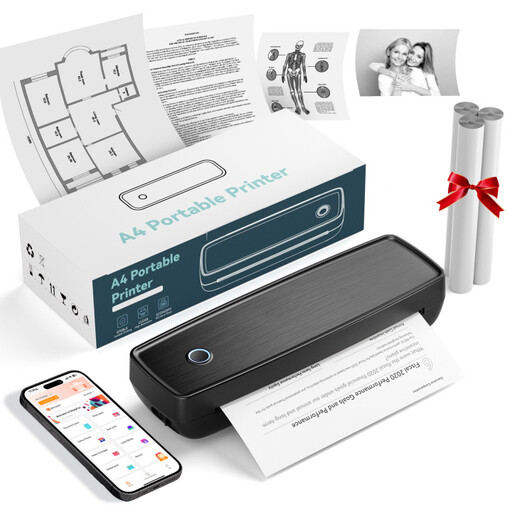
The products below range from portable thermal printers for smartphone photos to a portable A4 thermal printer. For German identity document applications made in Germany, a paper printout does not replace the required digital submission process.
 No image available
Portable Bluetooth thermal printer with 10 rolls of paper
For simple black-and-white prints of smartphone photos, notes or labels; the description lists thermal paper and Bluetooth.
The product title lists 10 rolls of thermal paper. The description says prints may turn black when rubbed.
Joybuy
 No image available
Portable mini thermal printer for smartphone photos
Described as a portable thermal printer for printing photos from a smartphone; Bluetooth is listed as the connection method.
Before buying, check that the image area and output suit your specific photo requirements.
Joybuy
 No image available
Portable thermal printer with Bluetooth and USB-C
For simple prints on the go; the product description lists thermal printing, Bluetooth and USB-C.
Check that the required image dimensions can be achieved with the specific print layout.
Joybuy
 No image available
RONGTA F11B portable A4 thermal printer
For image files and documents; the product description lists Bluetooth and USB printing from a smartphone or computer.
The product title lists A4, A5 and B5 formats, as well as 203 DPI and 16 mm/s. Check that the required image dimensions are suitable for the print layout.
Joybuy
 No image available
Portable Bluetooth photo printer for 3-inch ZINK paper
For small smartphone photos; the description lists Bluetooth and 3-inch adhesive ZINK photo paper.
The media described is adhesive. Check that the format and sticky backing suit your needs.
Joybuy
Frequently asked questions
Can I print a passport photo at home for a German passport or national identity card?
No. Paper passport photos brought in from elsewhere have not been accepted for applications made in Germany since 1 May 2025. The Federal Ministry of the Interior requires you to use a digital submission process. Ask your local authority about having your photo taken on site, or use a photo service that submits it through the approved secure channel.
Does a passport photo layout automatically make a print acceptable?
No. Canon does list passport photo layouts for the SELPHY app, but the digital submission process is required for German identity document applications made in Germany, regardless of the layout. For other purposes, check the image dimensions and acceptance rules of the relevant receiving organisation.
What do I need to make my first print with the Canon SELPHY CP1500?
Canon UK’s standard list of items included with the black CP1500 comprises the printer, a postcard paper cassette and a power adapter; paper and ribbon are not included automatically. Choose a paper and ribbon set that suits your chosen format. The technical specifications state that a battery is not included.
Can I print directly from my smartphone?
It depends on the model and compatible app. Canon describes printing over Wi-Fi using SELPHY Photo Layout with compatible iOS and Android devices; the Fujifilm instax mini Link 3 uses Bluetooth and the instax mini Link app. Before buying, check that the relevant app is compatible with your smartphone.


