
Lieferung heute & morgen

Qualitätsgarantie

Willkommens-Angebote freischalten: KOSTENLOSE Lieferung | Bis zu 80 % RABATT | Kostenlose 30-Tage-JoyPlus-Testphase
App herunterladen
The search for the right PC accessories can quickly become overwhelming. Manufacturers advertise impressive numbers and technical jargon, but not every product delivers on its promises. A bad purchase is not only annoying but often costly. Problems are especially common in three areas: chargers that don't deliver the promised speed, mice advertised as "ergonomic" that become uncomfortable after a short time, and USB hubs that turn out to be data bottlenecks. This guide will help you identify the crucial features and make an informed purchasing decision.
To distinguish marketing promises from actual performance, it's important to understand the technical fundamentals. Focus on the following parameters to ensure your new PC accessories meet your needs and are a worthwhile addition to your setup.
Marketing terms like "fast charging" are often not very meaningful. The supported standards and the maximum output power in watts (W) are crucial for ensuring compatibility and speed for your home office accessories or mobile devices.
For gamers, especially in esports, reaction time and precision are critical. A lightweight gaming mouse reduces fatigue and allows for faster movements, making it a vital part of your PC peripherals.
A USB-C hub expands a laptop's connectivity options, but the performance of individual ports varies greatly. The quality of the cables is also crucial for a stable and fast connection.
Based on the criteria above, we have identified some products that are particularly well-suited for specific user profiles.
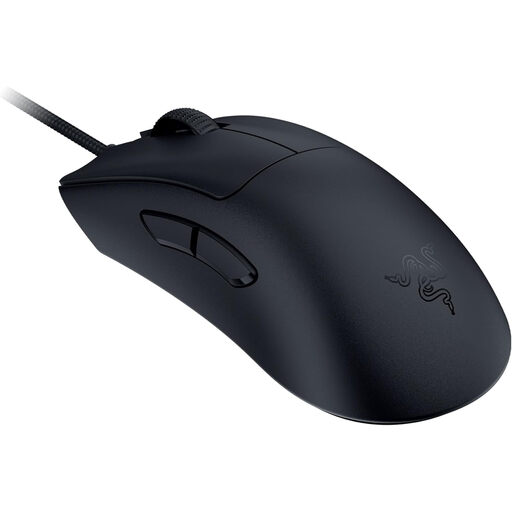
Why This Fits Their Persona: Designed for gamers who make no compromises on speed and precision. The extremely low weight and high polling rate are engineered for competitive play, where every millisecond counts.
Instead of a vague "ergonomic" promise, this mouse offers a specific shape developed with pros. The technical specs, like the 8000 Hz HyperPolling technology and the 59-gram weight, are clearly defined performance metrics.
The Focus Pro 30K sensor provides precise tracking on various surfaces. The 3rd-gen optical mouse switches are designed for fast and reliable actuation.
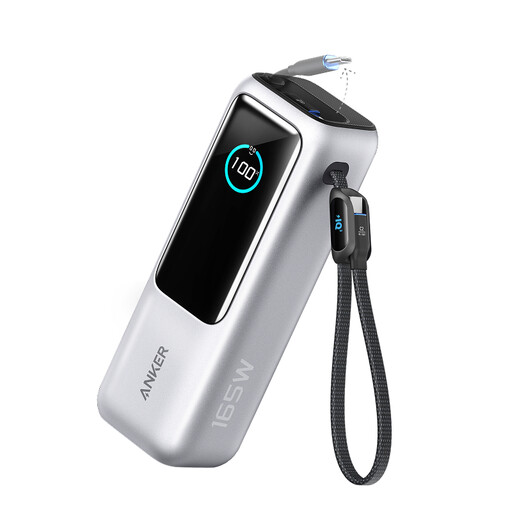
Why This Fits Their Persona: Ideal for users who need to charge multiple high-power devices like a laptop, tablet, and smartphone simultaneously on the go. The high capacity and output power make it a mobile powerhouse.
This power bank sidesteps the vague "fast charging" trap with clear specifications: 25,000 mAh capacity, 165W total output, and three USB-C ports with up to 100W per port. The integrated cables are an added practical advantage.
Allows for simultaneous charging of up to four devices. The fast-charging function also recharges the power bank itself quickly. The digital display shows the remaining capacity.
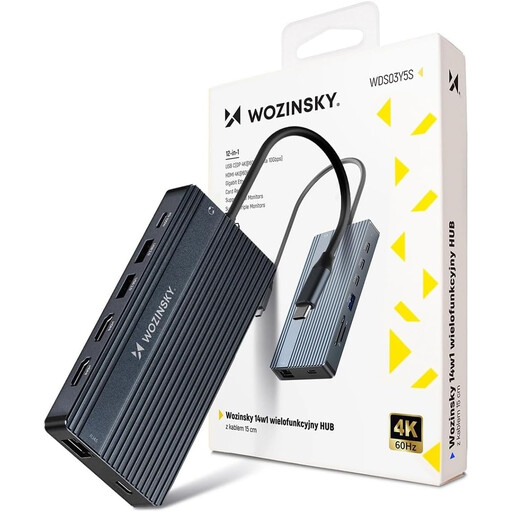
Why This Fits Their Persona: Perfect for users who want to transform their laptop into a fully-fledged workstation. This hub solves the problem of missing ports and allows for the operation of up to three monitors and numerous peripherals.
This hub avoids the bottleneck effect with clearly specified, high-performance ports: 2x HDMI (4K@60Hz), 1x DisplayPort (8K), and 100W Power Delivery. Instead of just offering many ports, it also delivers the necessary performance for demanding setups.
Comprehensive connectivity with 14 ports in one device. The robust aluminium housing ensures good heat dissipation and durability. Plug-and-play functionality without driver installation.
We've compiled a complete, up-to-date list of products that fully meet these strict selection criteria and rigorous safety standards.
Look for three main features: the total wattage, which should match the power needs of your most demanding device (e.g., a laptop); the number and type of ports (USB-C is crucial for Power Delivery); and support for the PD 3.0 standard for optimal and safe power distribution across multiple devices.
An extremely high DPI number is mostly a marketing tool. Most professional esports players use settings between 400 and 1600 DPI. More important than the maximum value are the quality of the optical sensor, which ensures flawless tracking; the low weight of the mouse for quick manoeuvres; and a high, stable polling rate (1000 Hz or more) for minimal latency.
No. The ability to run a 4K monitor at 60 Hz depends on the hub's internal electronics and your laptop's USB-C port supporting DisplayPort Alternate Mode (version 1.4 or higher). Always check the hub's product specifications. Models that explicitly state "4K@60Hz" are required for a smooth picture. Cheaper models are often limited to 4K@30Hz.