
Lieferung heute & morgen

Qualitätsgarantie

Willkommens-Angebote freischalten: KOSTENLOSE Lieferung | Bis zu 80 % RABATT | Kostenlose 30-Tage-JoyPlus-Testphase
App herunterladen
A PC case doesn’t just affect the look of a custom-built PC. It also determines which components will actually fit, how straightforward the build process is, and whether the cooling can work effectively over the long term. Particularly with a gaming PC case, product images and marketing jargon can easily lead to a wrong purchase.
Three common pitfalls crop up time and again:
A mid-tower case offers a balanced compromise between space and expandability for many gaming PCs. However, you should still look closely at motherboard support:
You should also consider the maximum graphics card length, CPU cooler height and maximum power supply length. A case with 400 mm of GPU clearance can offer less space once a front radiator is fitted.
An airflow PC case typically features a perforated mesh front panel or other generous air intakes. Glass panels on the front and side look attractive, but they can restrict airflow if there are no alternative intakes.
Look out for:
A typical configuration uses front or bottom fans for intake, and rear and top fans for exhaust. More fans also increase the amount of cabling required and, if poorly matched, can raise noise levels.
If you’re planning to use an all-in-one liquid cooler, don’t just rely on the phrase “case suitable for water cooling”. What matters are the radiator position, the supported length, and the space for fans, RAM and motherboard heatsinks.
A 360 mm radiator usually requires three 120 mm fans. Whether it can be mounted at the top, front or bottom depends on the specific case. Also check that the combination of radiator, fans and graphics card fits within the stated dimensions.
The following models differ in features, space and cooling design. The details are based on the respective product data.
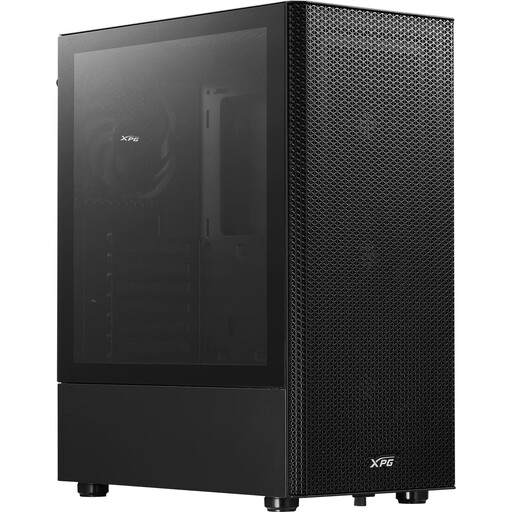
Why this product fits the profile: This ATX mid-tower case provides a straightforward foundation for standard ATX, Micro-ATX and Mini-ITX systems, and comes with four 120 mm fans.
The perforated front panel and magnetic dust filter rely on a clear airflow path rather than closed glass surfaces. The GPU length is stated as up to 310 mm, so you should check this against your own graphics card before buying.
Four pre-installed 120 mm fans, support for a front radiator up to 360 mm, and a 3.5 mm audio jack on the front I/O panel.
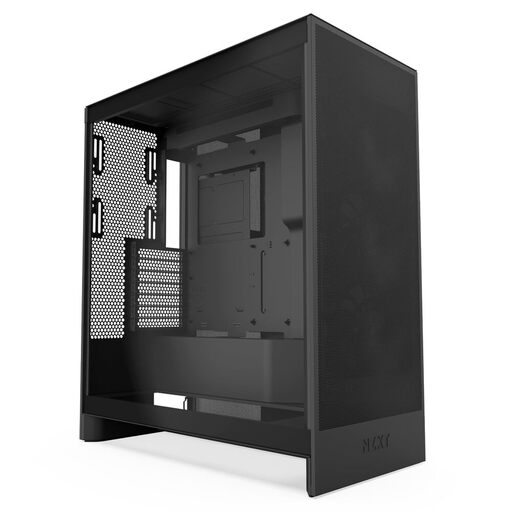
Why this product fits the profile: The mesh panels, three pre-installed front fans and provision for bottom fans appeal to users who prioritise cooling and interior layout.
The specifications clearly state the fan positions and radiator sizes. It supports a front radiator up to 420 mm and a top radiator up to 360 mm; however, you should still check the dimensions of your own components.
Three pre-installed 120 mm front fans, support for three bottom fans and integrated cable management channels.
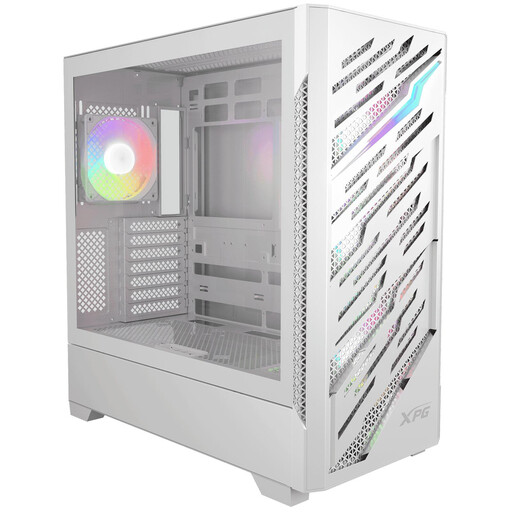
Why this product fits the profile: This model is designed for E-ATX systems and reverse-connector motherboards, offering more options for demanding builds with concealed cabling.
Compatibility is broken down by motherboard form factor and reverse-connector designs. Before buying, check the dimensions of your E-ATX board and the 390 mm GPU limit.
Four pre-installed 120 mm ARGB fans, front and top radiator support up to 360 mm, and removable dust filters.
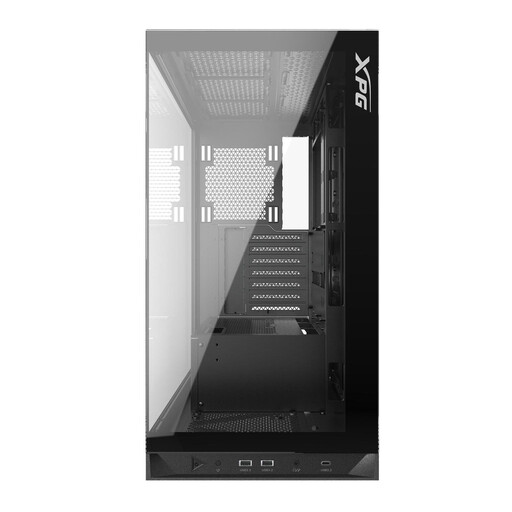
Why this product fits the profile: If you’re looking for a PC case with glass and pre-installed lighting, this one offers a combination of panoramic glass, five ARGB fans and broad hardware support.
The lighting is clearly specified with five 120 mm ARGB fans. At the same time, the limits for GPU, CPU cooler and power supply are stated as 400, 175 and 240 mm respectively.
Five pre-installed ARGB fans, USB-C on the front I/O panel, and support for radiators up to 360 mm at the top and bottom.
We’ve put together a full, regularly updated list of products that fully meet these strict selection criteria and the safety regulations in force across the EU.
Before you order, compare these points with the data sheets for your components:
That depends on your components and case design. For many systems, two to four correctly positioned 120 mm or 140 mm fans provide a practical foundation. Additional fans can be useful with high-performance hardware or a closed front design. What matters most is the airflow path, not just the number of fans.
The lifespan depends on the materials, mechanical stress, dust exposure and future upgrades. A case can last through several hardware generations if GPU clearance, motherboard format and cooling options are sufficiently generous. Dust filters should be cleaned regularly, and glass panels handled with care.
Compared to the processor and graphics card, the fan lighting typically uses very little power. The actual consumption depends on the number, brightness and model of the fans. For running costs, it’s the installed PC components and their operating time that really matter.