
Lieferung heute & morgen

Qualitätsgarantie

Willkommens-Angebote freischalten: KOSTENLOSE Lieferung | Bis zu 80 % RABATT | Kostenlose 30-Tage-JoyPlus-Testphase
App herunterladen
A PC case affects far more than the appearance of your computer. It determines whether the motherboard, graphics card, power supply and cooler will actually fit together, how easy the PC is to maintain and whether the components receive enough fresh air. If you focus solely on RGB lighting or a glass front when buying, you may overlook important technical details.
The most common purchasing pitfalls come down to three points:
The designations Mini-ITX, Micro-ATX, ATX and E-ATX describe different motherboard form factors. An ATX case often also supports smaller boards, but not every model is suitable for E-ATX. If you want to install a large motherboard, several expansion cards or numerous drives, check the maximum supported board dimensions in the product specifications.
A mid-tower PC case is sufficient for many gaming and work computers. For particularly extensive configurations with an E-ATX motherboard, several radiators or numerous storage drives, a larger model may be more suitable. However, the external dimensions alone are not very informative, as the power supply cover, drive cages and cable channels reduce the usable interior space.
With modern graphics cards, you should consider not only their length but also their thickness. Check the following before buying:
A PC case for large graphics cards should also provide enough clearance for cables and the side panel. Depending on the configuration, the maximum size stated by the manufacturer may only apply without a front radiator or additional fans.
A case with good airflow has highly air-permeable mesh panels at the intake points wherever possible. Closed glass fronts can look appealing, but depending on the design, they restrict air exchange. For liquid cooling, the supported radiator sizes and mounting positions are crucial.
You should also be aware of the difference between RGB and ARGB:
A PC case with ARGB fans may already include several fans as standard. Even so, check whether a controller is included, how many fans can be connected and whether their speed can be controlled via PWM.
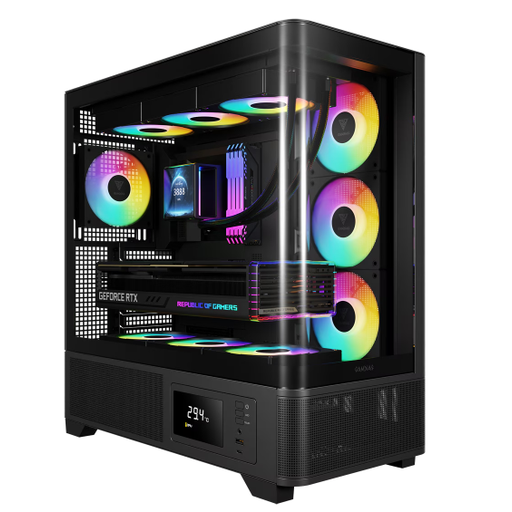
Why this product suits this profile: The mid-tower case supports ATX, Micro-ATX and Mini-ITX and includes four 120 mm ARGB fans. For a gaming PC with standard components, this reduces the need for additional fan accessories.
The specifications state a maximum graphics card length of 430 mm and a CPU cooler height of 180 mm. This makes it possible to check the key installation limits before buying.
Four pre-installed 120 mm ARGB fans, front-panel USB-C and a tempered glass side panel.
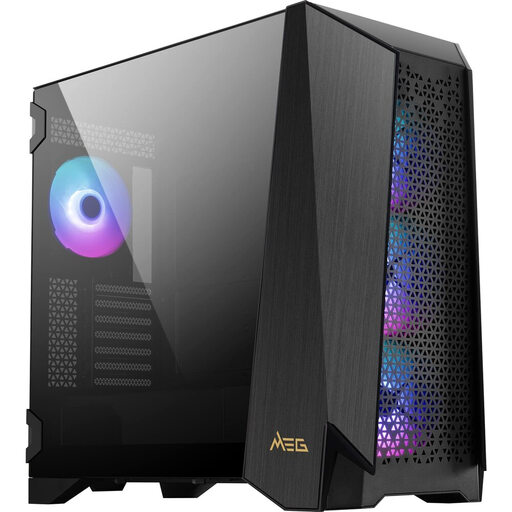
Why this product suits this profile: For large builds with E-ATX support, extensive cooling and frequent maintenance, this model offers several practical installation options.
The modular side-panel design, magnetic dust filters and tool-free doors make access easier. The cooling specifications state room for up to ten fans.
Four 140 mm ARGB fans, E-ATX compatibility, radiator support up to 360 mm and a USB-C port with 20 Gbit/s.
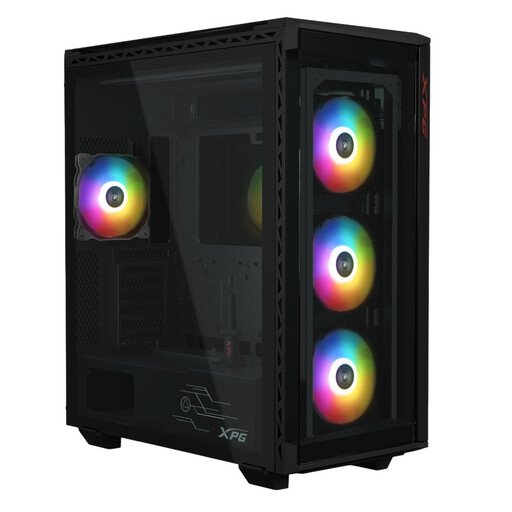
Why this product suits this profile: Content creators and users with multiple drives get a mid-tower case with E-ATX support and numerous mounting points for storage.
The specifications list six 2.5-inch and three 3.5-inch drive bays. This allows you to plan your storage requirements precisely in advance.
Support for E-ATX through to Mini-ITX, graphics cards up to 400 mm, four pre-installed ARGB fans and USB-C.
We have put together a complete, regularly updated list of products that fully meet these strict selection criteria and the safety regulations applicable in the EU.
It depends on the processor, graphics card and cooling solution. For many ATX systems, a configuration with front or side intake fans and a rear exhaust fan is a sensible starting point. Additional fans may be useful with high-performance components or liquid cooling. Clear airflow and unobstructed mesh panels remain essential.
Its lifespan mainly depends on the materials, hinges, dust filters and mechanical wear. The case itself contains very few components subject to wear. However, fans, dust filters and front-panel ports may need to be replaced or cleaned sooner. Tempered glass should be handled carefully and not placed on hard edges.
USB-C is not essential, but it can be useful for modern storage devices, smartphones and accessories. Before buying, check whether the motherboard has an internal USB-C header. Otherwise, the front-panel port may not support all its functions. The stated transfer standards are equally important, as the external USB-C shape alone does not guarantee a particular speed.
A dual-chamber PC case usually separates the motherboard and graphics card from the power supply and cables. This can simplify cable management and keep the visible interior tidy. At the same time, these models require more desk or floor space and may have different requirements for mounting the power supply, drives or radiators. For this reason, compare the stated dimensions and installation positions with your intended workspace and components before placing your order.