
Lieferung heute & morgen

Qualitätsgarantie

Willkommens-Angebote freischalten: KOSTENLOSE Lieferung | Bis zu 80 % RABATT | Kostenlose 30-Tage-JoyPlus-Testphase
App herunterladen
A PC case affects more than just the look of your build. It determines which components will fit, how effectively heat is dissipated and how easy future upgrades will be. Especially with a gaming PC, incorrect dimensions, limited fan mounting options or an impractical front panel can lead to unnecessary additional costs.
The term “ATX case” alone says little about the actual installation depth. A long graphics card may clash with front fans or a radiator. A tall CPU cooler will not automatically fit in every mid-tower case either. The key specifications are maximum graphics card length, CPU cooler height and power supply length.
A PC case with ARGB fans can look appealing, but the number of fans is only one factor to consider. The positions for intake and exhaust, an as-open-as-possible front panel and dust filters are all important. A closed glass front can restrict airflow more than a perforated mesh front.
A panoramic PC case with tempered glass offers an unobstructed view of your hardware and lighting. However, the glass does not improve airflow and requires careful handling. When choosing a case, you should therefore consider the additional fan mounts, radiator support and cable management just as carefully as the design.
The motherboard must be compatible with the case. The common formats differ considerably:
A mid-tower often supports ATX, Micro-ATX and Mini-ITX. However, that does not mean every ATX board, graphics card and power supply can be installed together without restrictions.
For a gaming PC, the case should allow for a clearly defined airflow path. A common configuration uses front or bottom fans for intake, with rear and top fans for exhaust. Before buying, check the following:
A PC case designed for water cooling should not simply advertise support for a particular radiator size. What matters is where the radiator is mounted and whether this restricts the graphics card length or RAM height.
Manufacturers’ maximum component length specifications often do not account for additional front-mounted components. If a radiator with fans is installed at the front, the available space may be reduced. For reliable planning, it is advisable to leave some clearance between the stated maximum and the actual dimensions of your components.
The power supply length and cable management space behind the motherboard tray are also important. Modular or dual-chamber cases in particular offer more room for cables, but are often wider as a result. Connections such as USB-C, USB-A and audio should suit how you intend to use the system.
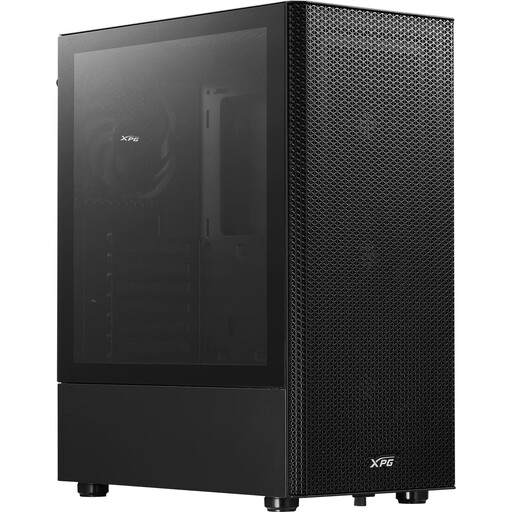
Why this product suits the profile: This ATX mid-tower case supports ATX, Micro-ATX and Mini-ITX, and includes four pre-installed 120-mm fans. That makes it suitable for a classic gaming PC without requiring additional fans as an essential initial investment.
The perforated front supports intake airflow, while the magnetic dust filter makes maintenance easier. The maximum graphics card length is 310 mm, which should be compared with your own GPU before purchase.
Four pre-installed 120-mm fans, support for a 360-mm front radiator and a 3-mm tempered-glass side panel.
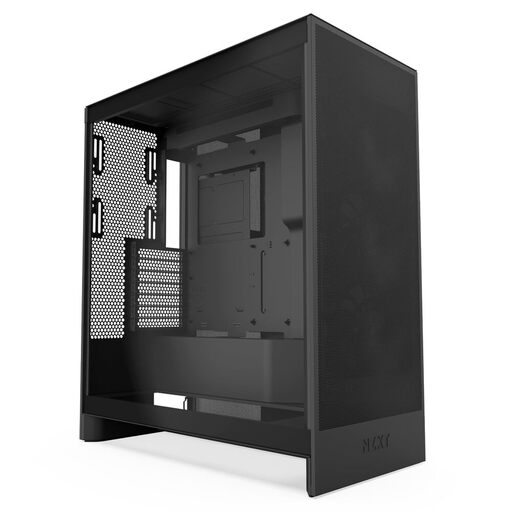
Why this product suits the profile: This case is designed for ATX builds with high cooling demands. Mesh panels, three pre-installed front fans and generous radiator mounting options make it easier to plan powerful systems.
The airflow design does not rely solely on closed design panels. You should also compare the stated graphics card and cooler compatibility with your own build.
Support for front radiators up to 420 mm and top radiators up to 360 mm, plus three additional bottom fans for GPU cooling.
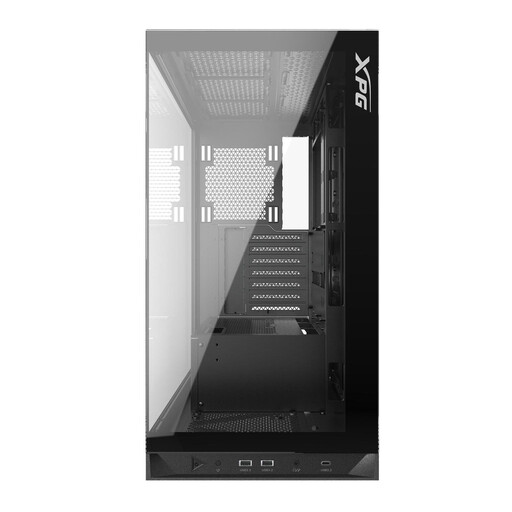
Why this product suits the profile: For users who want to combine large graphics cards, water cooling and a showcase for their components, this panoramic case offers a spacious interior.
The specifications provide concrete clearances rather than just a general size category: up to 400 mm GPU length, 175 mm CPU cooler height and 240 mm power supply length.
Five pre-installed 120-mm ARGB fans and support for radiators up to 360 mm at the top and bottom.
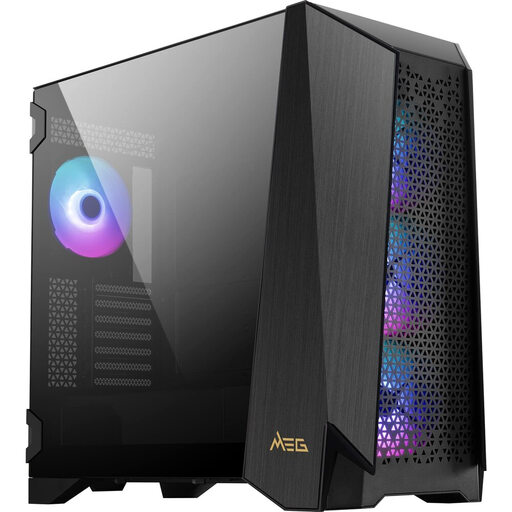
Why this product suits the profile: This model is designed for E-ATX, ATX, Micro-ATX and Mini-ITX systems, and is aimed at extensive builds with numerous fans, large components and modular expansions.
The modular interior design and four magnetic dust filters support maintenance and customisation. Because of its weight and space requirements, you should check the case dimensions and the available space where you plan to install it.
Support for up to ten fans, 400-mm graphics cards and 360-mm radiators; a 20-Gbit/s USB-C connection is also specified.
We have put together a complete, regularly updated list of products that fully meet these strict selection criteria and the safety regulations applicable in the EU.
This depends on the components, heat output and case design. For many ATX systems, a setup with at least one intake and one exhaust area is a sensible starting point. Pre-installed fans reduce the installation work, but do not replace checking the actual airflow.
Unlike many PC components, a case does not have a fixed technical service life. With a sturdy construction, careful handling of tempered glass and regular dust removal, it can support several generations of hardware. It is important that future graphics cards, coolers and power supplies have enough space.
A mesh front primarily makes it easier for air to circulate. Noise levels also depend on fan speed, fan quality, the components and the cooling solution selected. A more open airflow path may allow for lower fan speeds, but it is not a blanket guarantee of quieter operation.