
Lieferung heute & morgen

Qualitätsgarantie

Willkommens-Angebote freischalten: KOSTENLOSE Lieferung | Bis zu 80 % RABATT | Kostenlose 30-Tage-JoyPlus-Testphase
App herunterladen
A PC case doesn’t just determine the look of a self-built PC. It also affects cooling, ease of installation, expandability and how quiet the system runs. If you choose purely based on a glass window or RGB lighting, you often overlook crucial technical details.
A case with several pre-installed fans doesn’t automatically offer good airflow. What also matters is a breathable front panel, sensibly placed intake and exhaust vents, and enough clearance from walls and furniture. A solid front panel can restrict airflow, even if multiple fans are fitted.
Manufacturer specs for maximum GPU length sometimes refer to a case without front fans or a radiator. If you mount fans or a water-cooling radiator there, the actual usable space can be smaller. With a case for large graphics cards, you should therefore check the graphics card length, front layout and radiator thickness together.
“PC case with RGB” can mean integrated lighting, a separate LED button, or control via the motherboard. Check before buying whether a 5V ARGB header, a suitable hub or a manufacturer-specific controller is needed. Otherwise, extra fans can be fitted but not easily synchronised.
The case must match the motherboard. The common formats are:
The height of the CPU cooler, the length of the power supply and the number of PCIe slots are also part of the compatibility check.
An airflow PC case typically has a mesh front panel or other large air intakes. A clear airflow direction makes sense: fresh air is drawn in at the front or bottom, and warm air is expelled at the back or top.
Look out for:
Pre-installed fans reduce assembly effort. Even so, check whether their connectors match the motherboard or the included controller.
For an AiO water cooler, radiator support is crucial. A PC case for water cooling should be able to accommodate the desired size, for example 240, 280, 360 or 420 mm, in the intended position. You also need to consider fan thickness, RAM height and graphics card position.
A sufficiently large case also makes cable management easier. Wide channels, Velcro straps, cable routing grommets and a separate power supply area help keep cables out of the main airflow.
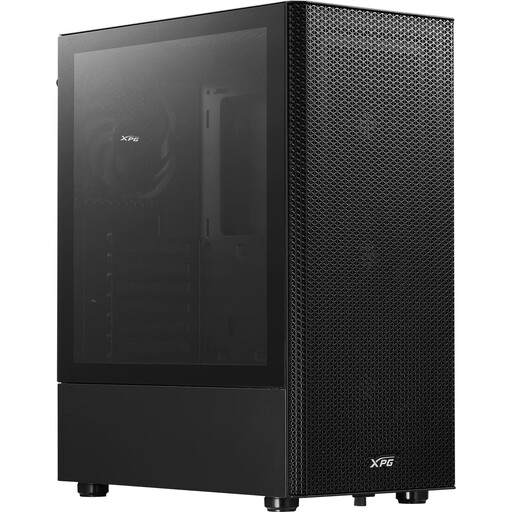
Why this product fits the profile: This mid-tower case supports ATX, Micro-ATX and Mini-ITX, giving you room for typical gaming and upgrade systems.
The perforated, removable front panel and four pre-installed 120 mm fans don’t rely solely on a closed glass front.
GPU clearance up to 310 mm, CPU cooler up to 166 mm and front radiators up to 360 mm.
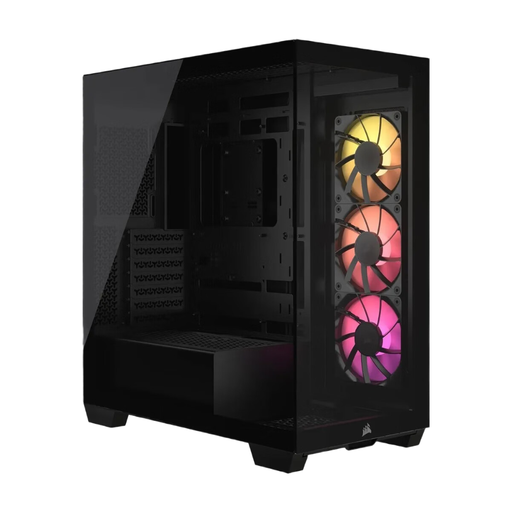
Why this product fits the profile: This case combines panoramic glass, ATX to E-ATX support and a tidy interior concept for demanding builds.
Cooling planning stays flexible despite the glass design: up to ten 120 mm fans can be fitted.
Supports E-ATX, graphics cards up to 400 mm and power supplies up to 220 mm; three ARGB PWM fans are included.
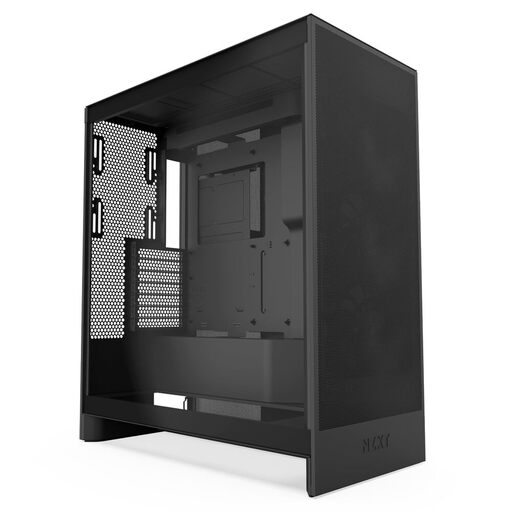
Why this product fits the profile: For powerful gaming PCs with high heat output, this ATX case offers additional mounting positions for graphics card cooling.
The mesh design and three pre-installed front fans focus on defined air intake rather than pure show lighting.
Supports up to 420 mm radiators at the front, 360 mm radiators at the top and three bottom fans for the GPU.
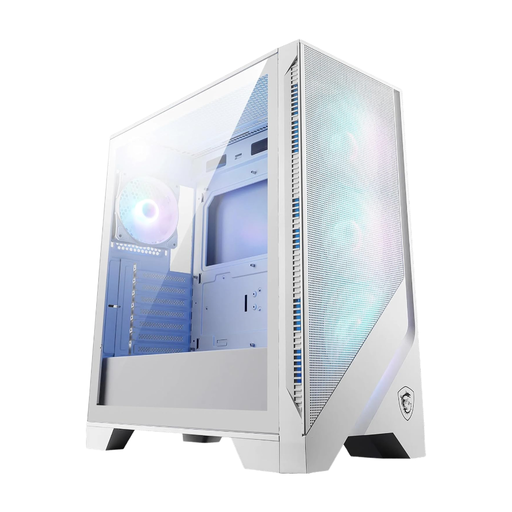
Why this product fits the profile: Four pre-installed ARGB fans, a 1-to-6 hub and a glass side panel combine lighting with a sensible cooling plan.
Mesh front and mesh side panels keep the air supply open; the hub simplifies connecting multiple ARGB fans.
GPU clearance up to 390 mm, support for 360 mm radiators and four 120 mm ARGB fans.
We’ve put together a full, regularly updated list of products that fully meet these strict selection criteria and the safety regulations in force in the EU.
For many gaming PCs, a mid-tower case with ATX support is a flexible solution. Before buying, check the length of the graphics card, the height of the CPU cooler and the position of the radiator. A mesh front panel and at least one controlled exhaust fan are more important for cooling planning than a pure RGB setup.
There’s no fixed number. What matters is a balanced ratio of intake to exhaust. Three front fans plus one rear fan form a sensible starting point for many ATX systems. Extra fans are mainly useful with powerful hardware, multiple drives or a high ambient temperature.
The lifespan depends on material quality, mechanical stress, dust exposure and maintenance. Steel frames and glass panels can last a long time with careful handling. Clean dust filters regularly, avoid pressure on tempered glass edges and check that cables aren’t blocking the airflow or fan blades.