
Lieferung heute & morgen

Qualitätsgarantie

Willkommens-Angebote freischalten: KOSTENLOSE Lieferung | Bis zu 80 % RABATT | Kostenlose 30-Tage-JoyPlus-Testphase
App herunterladen
A powerful PC needs more than a fast CPU and a current-generation graphics card. PC cases and CPU coolers play a major role in how effectively heat is removed, dust is kept out and the inside of the case remains accessible. If you also want to cool your home office or gaming room on hot days, it’s worth distinguishing between PC components and a separate pedestal or tower fan.
There are three common pitfalls that can lead to unnecessary costs when buying:
With an ATX case, first check whether your motherboard is actually ATX, Micro-ATX or Mini-ITX. An E-ATX case may be suitable for larger workstation platforms. However, E-ATX dimensions aren’t the same across all manufacturers, so compare your motherboard’s maximum dimensions with the case specifications.
Other important factors include:
A mid-tower case offers a practical balance of internal space and footprint for many gaming PCs. A roomier case may be a better choice for particularly large components.
A well-ventilated PC case needs separate routes for fresh air intake and exhaust. Mesh front panels, additional bottom fans and a clear space in front of the graphics card can all help direct airflow. Solid glass panels aren’t necessarily a problem, but they need to be paired with adequately sized air intakes and outlets.
Look for:
Manufacturer details about fan positions and radiator sizes describe the possible layout, but don’t guarantee a particular temperature. Actual cooling also depends on the processor, graphics card, room temperature, fan curve and installation.
A CPU cooler needs to be compatible with both the processor socket and the case. Before buying, check that it supports your Intel or AMD platform and confirm the maximum cooler height. With an air cooler, RAM height and clearance from the graphics card also matter.
Air coolers usually consist of heat pipes, a fin stack and one or two fans. A push-pull configuration can help move air through the heatsink. What matters most, though, is whether the cooler is designed for the processor’s power consumption and is installed correctly.
When installing:
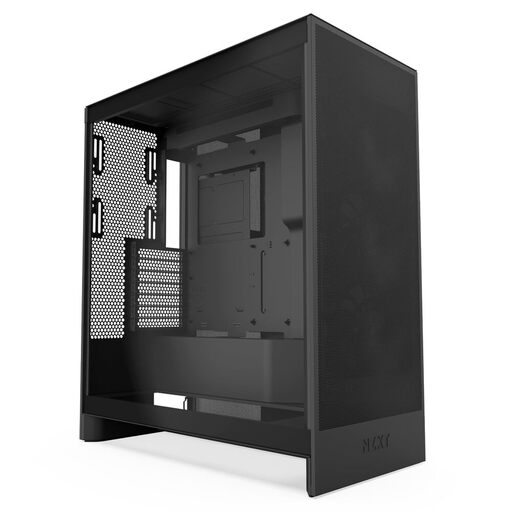
Why it suits this profile: This ATX mid-tower case is designed for beginners looking for a straightforward layout and pre-installed fans.
According to the manufacturer, it comes with three pre-installed 120 mm front fans and mesh panels. This means you may not need to buy extra fans straight away.
According to the manufacturer, it supports radiators up to 420 mm at the front and 360 mm at the top, as well as three 120 mm bottom fans for the GPU.
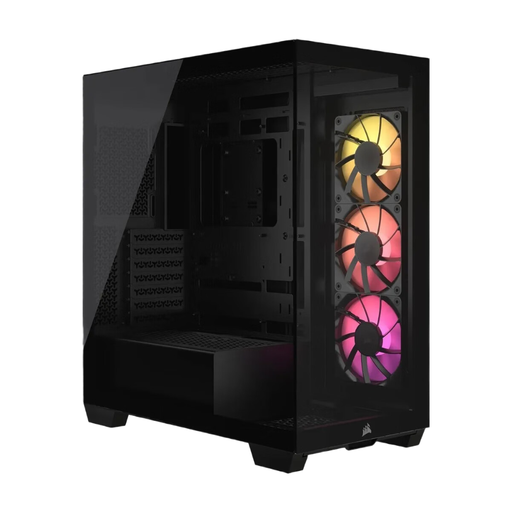
Why it suits this profile: A good choice if you want to combine a glass-panel design and ARGB lighting with support for several motherboard form factors.
The technical specifications give clear limits: support for up to ten 120 mm fans, a graphics card up to 400 mm long and a CPU cooler up to 170 mm high.
According to the manufacturer, three CORSAIR RS120 ARGB PWM fans are included. The case supports motherboards from Mini-ITX to E-ATX, as well as reverse-connection motherboards.
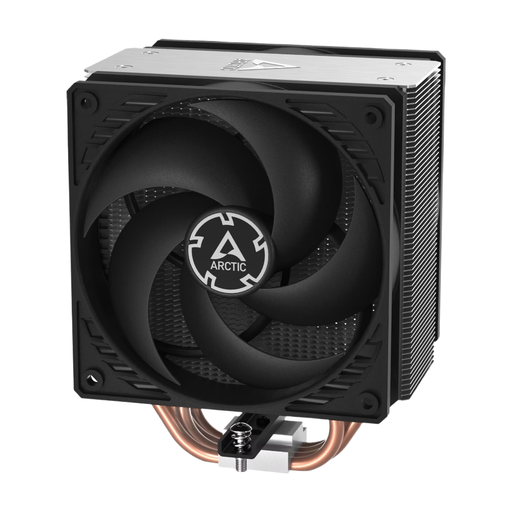
Why it suits this profile: This CPU cooler for Intel and AMD processors is a good fit for PC builders who prefer a traditional air cooler with two fans.
Before buying, check that the cooler’s height of around 159 mm and its socket brackets are compatible with your case and motherboard. This helps you avoid a common clearance issue.
According to the manufacturer, this model has four heat pipes, two 120 mm fans and a speed range of 200 to 1,800 rpm. Thermal paste is included.
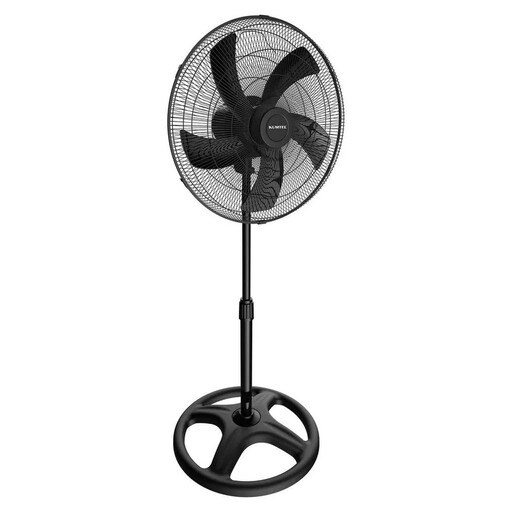
Why it suits this profile: For cooling your home office, living room or workplace, an adjustable-height pedestal fan can be used independently of your PC.
The specifications list three speed settings, 70° oscillation and an adjustable-height pole. This makes it easier to adapt the fan to your seating position and room layout.
According to the manufacturer, the fan has a power consumption of 60 W, a 46 cm fan and a maximum height of 132 cm. Overheating protection is also listed.
We’ve put together a complete, regularly updated list of products that meet these strict selection criteria and fully comply with the safety regulations in force in the EU.
Compare the case’s maximum CPU cooler height with the height of the cooler. You’ll also need to consider the socket, RAM height and the position of the first PCIe slot. Always follow the specifications from the motherboard and cooler manufacturers.
There’s no set number. What matters is having a clear airflow path, with air coming in and going out. A case with pre-installed front fans may be enough for an entry-level PC. With powerful hardware, extra top or bottom fans may be useful, as long as they suit the intended airflow direction.
A pedestal fan often has a larger rotor and an adjustable height. A tower fan usually takes up less floor space and is easier to fit into narrow areas. Neither type cools the air like an air conditioner; instead, they move the air to create a breeze. When choosing, consider room size, noise, oscillation, controls and power consumption.