
Lieferung heute & morgen

Qualitätsgarantie

Willkommens-Angebote freischalten: KOSTENLOSE Lieferung | Bis zu 80 % RABATT | Kostenlose 30-Tage-JoyPlus-Testphase
App herunterladen
If you’re looking to buy PC components, you’ll find a huge range of graphics cards, motherboards and NVMe SSDs to choose from. High clock speeds, new interfaces and large storage capacities may sound impressive, but on their own they tell you little about whether a component will suit your system. Compatibility, available space, power supply and how you plan to use it are what really matter.
A PCIe 5.0 graphics card or PCIe 5.0 SSD needs a compatible motherboard to make use of the interface’s intended bandwidth. A PCIe 5.0 graphics card will generally work in an older PCIe slot, but its speed may be limited to that of the older generation.
The difference is particularly relevant with SSDs: a PCIe 5.0 SSD such as the Lexar NM990 needs a compatible M.2 slot. You should also have a heatsink or adequate case ventilation, as high transfer rates can generate more heat.
More video memory is an objectively measurable advantage, but it doesn’t guarantee a particular frame rate. For 4K gaming, memory capacity is just one factor; the memory interface, GPU architecture, cooling, driver support and game settings all matter too. 8K gaming places additional demands on video memory, display connections, the monitor and the power supply.
A graphics card with 8 GB of GDDR6 may be enough for 1080p and many 1440p scenarios. For demanding creative software, high-resolution textures or extensive AI workloads, 12 or 16 GB may be a better choice. The software you use and how it manages memory should also inform your decision.
High-performance gaming graphics cards are often between two and almost four slots wide. Their length, height and weight can also make them difficult to fit in an existing case. Before buying, check the following:
An RTX 5080 with a 360 W power draw and a recommended 850 W power supply has different requirements from an RTX 5050 with a 130 W power draw and a recommended power supply in the 450 to 500 W range.
When choosing a gaming graphics card, you should compare at least the following:
The RTX 50 Series includes models to suit different performance and space requirements. The Radeon RX 9000 Series also offers variants with different memory capacities and cooling designs. For a well-informed choice, consider your monitor, the games you play and the software you use.
A gaming motherboard needs to be compatible with your processor. For AMD systems, AM5 motherboards with DDR5 support are worth considering. According to its product specifications, the GIGABYTE B850 Eagle Ice has an AM5 socket, four DDR5 slots, three M.2 connectors and a PCIe 5.0 slot. For a more compact system, the GIGABYTE B650M AORUS ELITE AX ICE’s mATX form factor may be a better fit.
When choosing an Intel motherboard, check the socket and chipset particularly carefully. According to the manufacturer, the MSI B760M GAMING PLUS WIFI is designed for certain generations of Intel Core processors and has DDR5 slots and two M.2 connectors. Before buying, you should also check the MSI PRO Z890-A WIFI’s product specifications against the processor you plan to use, as the listed socket and chipset details need to be checked for compatibility.
An M.2-2280 NVMe SSD will fit many current desktop systems. Even so, you should check the M.2 key, PCIe generation and number of available lanes. A PCIe 4.0 SSD is often sufficient for everyday use. A PCIe 5.0 SSD may be useful for transferring large files, video editing, 3D projects or AI datasets.
The Kingston FURY Renegade G5 is rated for read speeds of up to 14.800 MB/s and write speeds of 14.000 MB/s. The Samsung 9100 PRO also uses PCIe 5.0 and is available in the M.2-2280 form factor. For a well-balanced system, capacity, the TBW rating, warranty terms and cooling are important too.
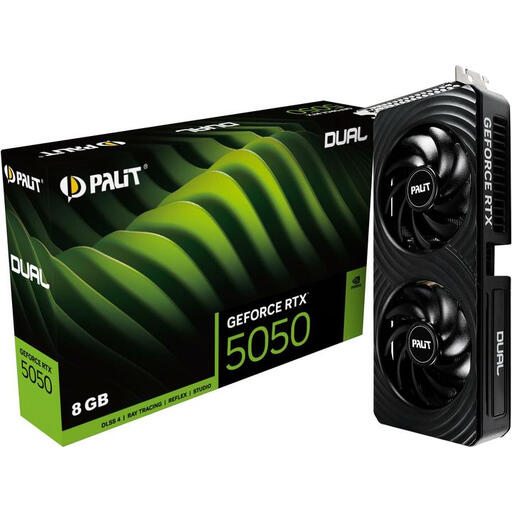
Why this product suits this profile: Its 2-slot design and stated power draw of 130 W make it easier to fit in a compact or existing desktop system.
The technical specifications list the form factor, power draw and power connector. This makes it easier to check compatibility before ordering.
8 GB GDDR6, PCI Express 5.0, one HDMI and three DisplayPort connections, plus a 2-slot form factor.
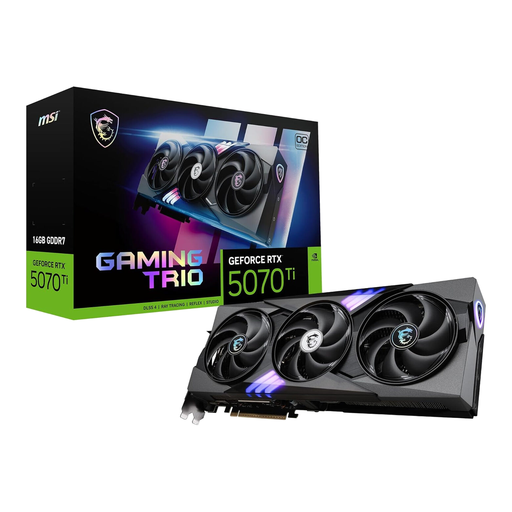
Why this product suits this profile: 16 GB of GDDR7 and a 256-bit memory interface make it a consideration for users planning to use high resolutions, multiple monitors or creative applications.
Memory capacity isn’t judged by the GPU name alone. 16 GB of GDDR7, a 256-bit interface and three fans are specific points you can compare.
PCI Express 5.0, 16 GB GDDR7, three DisplayPort and one HDMI connection, plus active cooling with three fans.
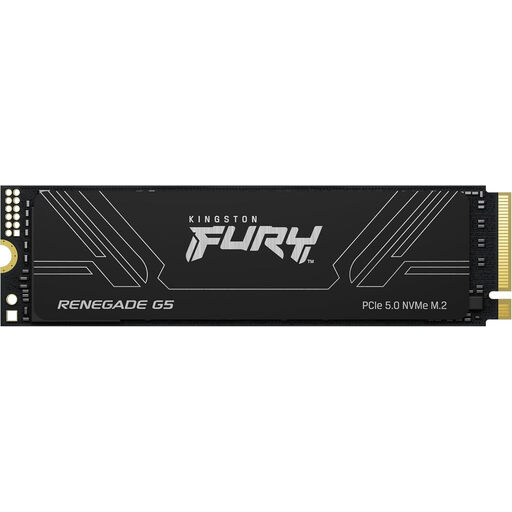
Why this product suits this profile: Its 4096 GB capacity is aimed at video and 3D editors, content creators and users with extensive project and game files.
Its large capacity reduces the need for several smaller drives. You should still check M.2 compatibility and make sure you have a suitable heatsink before buying.
PCIe Gen5 x4, 4096 GB, 3D TLC NAND, DDR4 DRAM cache and stated sequential speeds of up to 14.800 and 14.000 MB/s respectively.
We’ve put together a comprehensive, regularly updated list of products that meet these strict selection criteria and fully comply with the safety regulations in force in the EU.
Before placing your order, work through these steps:
For gaming, the graphics card is usually the best place to start if the frame rate isn’t high enough at your desired resolution. If you’re dealing with long loading times or large project files, an NVMe SSD can improve your workflow. A new motherboard may be needed for modern processors and DDR5 memory.
Lifespan depends on temperature, dust, hours of use, workload and power supply quality. A well-cooled graphics card and an SSD with a suitable TBW rating can last a long time with normal use. Regular data backups are still essential.
The interface alone doesn’t determine power consumption. Depending on the GPU, a PCIe 5.0 graphics card may use considerably more power than an energy-efficient model. High transfer speeds can also increase heat from PCIe 5.0 SSDs. You should therefore choose the power supply, cooling and case ventilation to suit the component.