
Lieferung heute & morgen

Qualitätsgarantie

Willkommens-Angebote freischalten: KOSTENLOSE Lieferung | Bis zu 80 % RABATT | Kostenlose 30-Tage-JoyPlus-Testphase
App herunterladen
When buying PC components for gaming, office work, creative tasks or server applications, you shouldn’t be guided solely by high clock speeds, RGB lighting or large storage capacities. What really matters is whether the parts are technically compatible and suit your intended use.
Typical costly mistakes arise from three recurring pitfalls:
The motherboard forms the technical foundation of your system. For newer-generation AMD processors, for example, an AMD AM5 motherboard is required. Intel Core processors from the 12th, 13th and 14th generations, on the other hand, use the Intel LGA 1700 socket.
Before buying, you should check:
With DDR5 memory, capacity, memory clock and latency are all relevant. A kit like the Kingston FURY Beast RGB DDR5 32GB Kit offers 2 × 16 GB, 6000 MT/s and CL30-36-36. The advertised speed is activated via an AMD EXPO or Intel XMP 3.0 profile. Without a profile, the memory initially runs at the default SPD value of 4800 MT/s.
For dual-channel operation, the kit should be installed in the slots recommended by your motherboard manual, often A2 and B2. The module height of 42.23 mm can also be relevant for compatibility with large CPU coolers.
A graphics card should be chosen based on resolution, refresh rate, software and case. For 4K gaming, it’s not just the graphics chip that matters – video memory, cooling and power connector are also crucial.
Pay attention to:
The Palit GeForce RTX 5090 GameRock OC, according to its product specs, has 32 GB GDDR7, a length of 332 mm and a three-fan cooling system. A power supply of 1000 W or more is recommended for this card. The ASUS ROG Astral GeForce RTX 5080, by contrast, is 3.8 slots wide, 357.6 mm long and, according to its specs, requires a power supply of at least 850 W. Such dimensions must be checked against your case before ordering.
The PC power supply should reliably cover the continuous load of your processor and graphics card, with headroom for peak loads. Modern models built to ATX 3.1 are designed for current graphics card connectors and short-term power spikes. A fully modular power supply makes cabling easier, but it’s no substitute for correct power calculation.
The be quiet! Pure Power 13 M 750W, according to its product data, offers 750 W continuous power, 80 PLUS Gold, ATX 3.1, a 12V-2x6 connector and a fully modular cable system. For systems with a powerful graphics card, the GPU manufacturer’s recommended power supply wattage should still take priority.
With an NVMe SSD, the interface, form factor and motherboard support all count. The Lexar NM790 with 2 TB uses M.2 2280 and PCIe Gen4 x4. The stated maximum speeds of 7400 MB/s read and 6500 MB/s write require a compatible system. A PCIe M.2 slot with only SATA support won’t be enough.
Thermal paste is also often applied incorrectly. With the ARCTIC MX-6 or MX-4, a small amount on the cleaned CPU surface is sufficient. A layer that is too thick can impair heat transfer. Before installation, any old residue must be removed with a suitable cleaning agent.
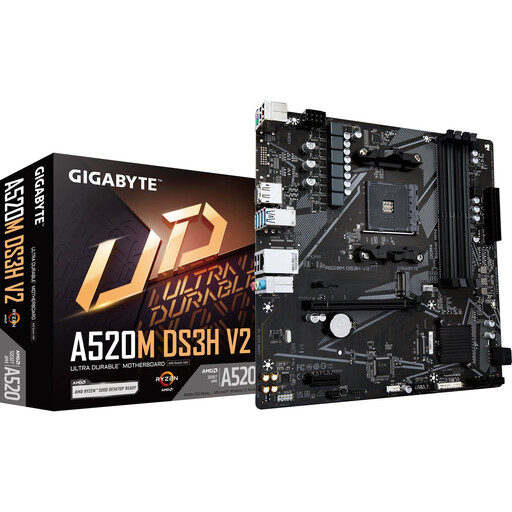
Why this product fits the profile: This Micro-ATX motherboard is aimed at compact office, home and entry-level gaming PCs using AMD AM4 processors and DDR4 memory.
The AM4 socket, four DDR4 DIMM slots and Micro-ATX form factor are clearly stated. This lets you check platform compatibility before buying.
Supports Ryzen 3000 and Ryzen 5000 processors, up to 128 GB DDR4 and PCIe 3.0 x16.
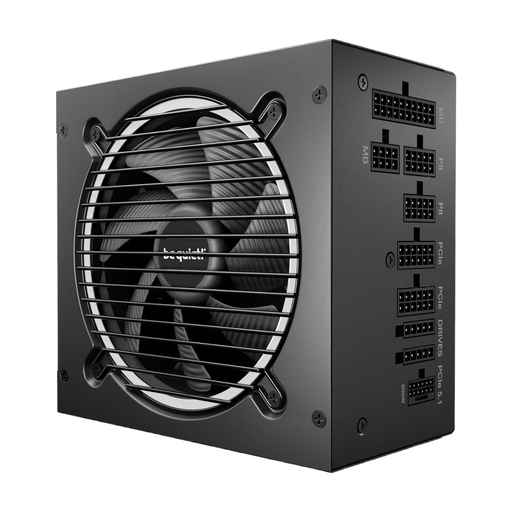
Why this product fits the profile: This ATX 3.1 power supply is suitable for modern gaming and creative systems, provided the total power draw of your build stays within the 750 W class.
The power output, connectors and ATX 3.1 compatibility are clearly listed. This reduces the risk of missing a graphics card connector.
750 W continuous power, 80 PLUS Gold, fully modular cables and a 12V-2x6 connector.
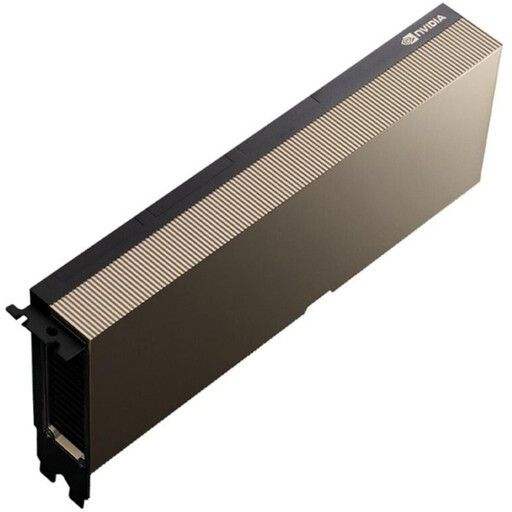
Why this product fits the profile: This AI accelerator is intended for certified data centre servers and professional AI workloads, not for ordinary desktop PCs.
The product specifications explicitly mention passive cooling, up to 600 W TDP and use in compatible server platforms.
141 GB HBM3e, PCIe 5.0 x16, NVLink support and MIG function for multiple hardware instances.
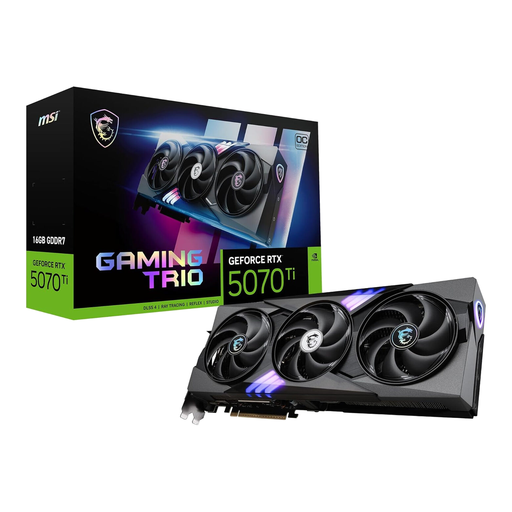
Why this product fits the profile: This graphics card is aimed at users who need high resolutions, modern interfaces and 16 GB GDDR7 for gaming or graphics-intensive applications.
Before buying, you can check the memory, PCIe 5.0 interface, 300 W power draw and required power connectors against your own system.
16 GB GDDR7, 256-bit memory interface, three fans and connections for three DisplayPort and one HDMI output.
We’ve put together a complete, regularly updated list of products that fully meet these strict selection criteria and the safety regulations in force in the EU.
Start with the platform decision: processor, motherboard and memory must all be compatible. Then follow with the graphics card, power supply, case and storage. When upgrading a PC, check existing components for socket, connectors, dimensions and power requirements.
Lifespan depends on usage, temperature, dust exposure and power supply quality. Mechanically wearing hard drives and fans can fail sooner. An NVMe SSD should not be operated permanently close to its maximum capacity. Regular data backup remains necessary regardless of the component.
Power consumption depends mainly on the graphics card, processor, power supply efficiency and daily usage time. For a rough estimate, multiply the power draw in kilowatts by the operating hours and the electricity price per kilowatt-hour. The “80 PLUS Gold” rating describes the efficiency class of the power supply, not the total consumption of the computer.