PC RPG players with compatibility questions
If you play on PC, check the operating system, connection and support for your specific RPG. Valve/Steam lists supported controller types on game pages, but support can vary from one game to another.


First, check whether your specific sci-fi RPG supports a controller and the features you want. If you have a permanent spot near your Windows PC, a wired controller may be the simpler choice. If you’d like more freedom to move, Bluetooth or a 2.4 GHz receiver may be an option, depending on the model. Extra buttons and haptic feedback matter most if you want to use them and your game and connection support them.
If you play on PC, check the operating system, connection and support for your specific RPG. Valve/Steam lists supported controller types on game pages, but support can vary from one game to another.
If you sit close to your computer, consider whether a USB cable suits your setup or whether you’d prefer the freedom to move around with a wireless connection supported by your model. 8BitDo and GameSir list wired Windows connections for certain models.
If you’d like to remap frequently used actions or enjoy extra feedback, check the features of the exact model and whether your game supports them. GameSir, 8BitDo and Sony describe different button and haptic features for certain controllers.
First check that the controller works with your game and platform. Then choose a connection to suit your setup, and finally check whether extra buttons or haptic feedback will be useful to you.
| Priority | What to check | Who it matters most to |
|---|---|---|
| Game and platform compatibility | Check the operating system, your specific RPG and its information on controller support. | Extra features won’t help much if your RPG doesn’t support controller input. Around 33% of consumers put game and platform compatibility first. |
| Comfort during longer sessions | Check the grip, stick layout and how easy it is to reach the shoulder and rear buttons; try the controller yourself if possible. | Extra customisation options are of little use if buttons are uncomfortable to reach during longer gaming sessions. Around 25% of consumers prioritise comfort and handling. |
| Wired connection or freedom to move | Check the cable route and distance from your seat, or the wireless mode listed for Windows and whether you’ll need a USB port. | A cable can get in the way if you change your seating position at your desk; for wireless use, the right mode must be available. Around 25% of consumers consider the connection the most important factor. |
| Extra buttons and haptic feedback | Check whether you can remap buttons on the exact model, and what your game and connection need to support the extra features you want. | If you want to remap frequently used actions or use supported haptic features, they’ll only work with the right game and connection. Around 17% of consumers put extra controls or gameplay feel first. |
For the 8BitDo Ultimate 2C Wireless, the manufacturer lists Bluetooth for Android and 2.4 GHz or a wired connection for Windows.
Before choosing a wireless mode, check the connection table for your operating system and the exact model variant.
According to Sony, haptic feedback depends on support from the individual game. USB is required for the haptic feedback Sony describes for PC.
Check the specific game, and plan to connect via USB if you want to use this haptic feature.
GameSir G7 HE, G7 SE and G7 Pro are different model names. The G7 SE is wired for Windows; according to GameSir, the G7 Pro uses 2.4 GHz or a wired connection on PC, and a wired connection on Xbox.
Before buying, check the full model name and the connections listed for your platform.
For players who want to use one controller with a Windows PC and, potentially, an Xbox.
For players who prefer the PlayStation layout or want to use certain DualSense features in a supported PC game.
The Ultimate 2C Wireless is an option for Windows players who want to use 2.4 GHz or a wired connection.
The models described suit different setups: the G7 SE is wired, while the G7 Pro also supports 2.4 GHz on PC.
This Joybuy selection includes controllers for Windows with a wired connection or 2.4 GHz wireless, as well as models with extra buttons or features for specific platforms and games.
 No image available
For wireless gaming on a Windows PC via the 2.4 GHz USB receiver; the receiver needs a USB port.
Two programmable rear buttons.
 No image available
An option if you want to use one controller with a compatible Windows PC and an Xbox; the description lists Bluetooth and Xbox Wireless.
The controller requires two AA batteries.
 No image available
For players who want to choose between Bluetooth and USB-C on PC, and check whether their specific game supports extra features.
Haptic feedback and adaptive triggers are listed as features. Haptic feedback on PC depends on the game; Sony specifies USB for this feature.
A USB cable is included.
 No image available
For PC players who want to choose between wired, wireless and Bluetooth connections; check which mode is right for your platform.
Six programmable buttons and haptic triggers are listed.
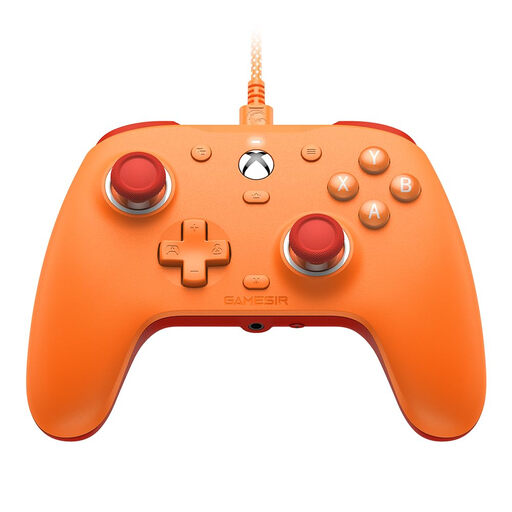 No image available
For a permanent Windows PC setup with a wired connection.
Hall Effect sticks and two mappable rear buttons are listed for this model.
No. Also check whether the specific game supports controllers and, where relevant, whether it supports individual extra features. Valve/Steam lists supported controller types on game pages.
As set out in 8BitDo’s instructions, switch to 2.4 GHz mode, plug the receiver into a USB port on your Windows device and switch on the controller. According to 8BitDo, Bluetooth is listed for Android with this model.
USB is required for the haptic feedback Sony describes for PC. The specific game must also support the feature.
Microsoft recommends pressing the Xbox button to wake it up, or disconnecting and reconnecting it. A USB connection requires a cable that supports data transfer.
For a qualifying distance purchase, you generally have 14 days from delivery to withdraw from the contract, although exceptions may apply. The European Union’s Your Europe website also states that faulty goods are covered by a minimum two-year legal guarantee, which is separate from a voluntary manufacturer’s warranty.