
Lieferung heute & morgen

Qualitätsgarantie

Willkommens-Angebote freischalten: KOSTENLOSE Lieferung | Bis zu 80 % RABATT | Kostenlose 30-Tage-JoyPlus-Testphase
App herunterladen
Choosing a new PC mouse can often seem trivial, but the wrong decision can lead to imprecise control, connection drops, or even wrist pain. Many users invest in models with advertised features that offer no real-world value. This guide will help you understand the crucial criteria and find a mouse that truly fits your needs.
Before we dive into the important features, let's debunk the typical marketing promises that often lead to a bad purchase.
Focus on the following three aspects during your selection process to find a model that is reliable and comfortable.
The type of connection directly impacts reliability, flexibility, and handling.
The sensor is the heart of every mouse. The DPI number indicates how sensitive the mouse is to movement.
A mouse that fits well in your hand prevents fatigue.
Here are some recommendations tailored to specific user groups and their requirements.
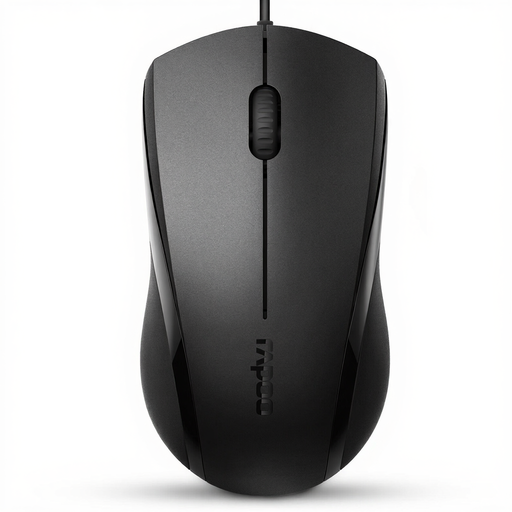
Why This Fits Their Persona: Ideal for users who need a straightforward and reliable mouse for daily tasks. It focuses on the essentials: precise control and durability without unnecessary extras.
As a wired mouse, it sidesteps the pitfall of unstable connections found in cheap wireless models, offering consistently reliable performance.
Plug-and-play setup with no drivers needed; symmetrical design for left- and right-handed users; quiet click buttons.
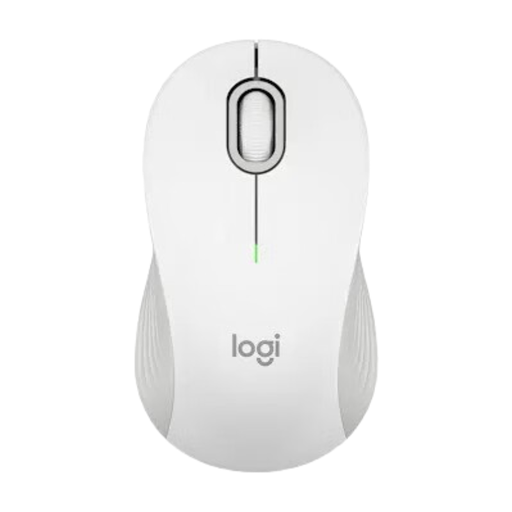
Why This Fits Their Persona: Perfect for users who commute between the office and home. Its dual connectivity and long battery life ensure maximum flexibility and productivity.
It avoids the "one-size-fits-all" trap by being available in different sizes, offering a better fit for various hand sizes.
Dual connectivity (Bluetooth mouse & Logi Bolt USB); SmartWheel for precise or fast scrolling; long battery life of up to 24 months according to Logitech.
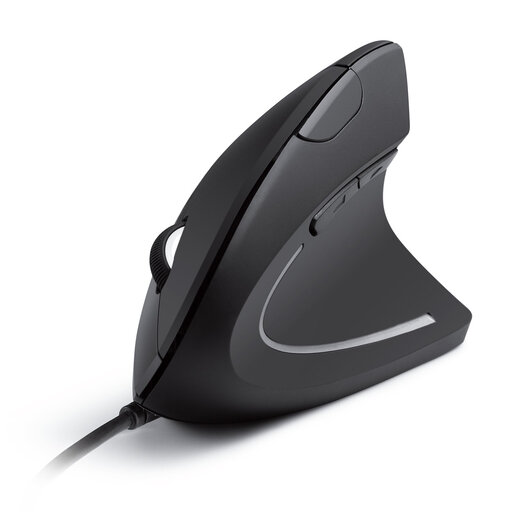
Why This Fits Their Persona: Designed for people who spend many hours at the computer and want to proactively prevent posture-related issues. The vertical shape provides noticeable relief for the wrist.
This vertical mouse offers a true ergonomic solution, debunking the vague "ergonomics" claims of conventional mice with its specialized design.
Promotes a natural "handshake" position to reduce muscle strain; simple wired setup; additional forward/back buttons.
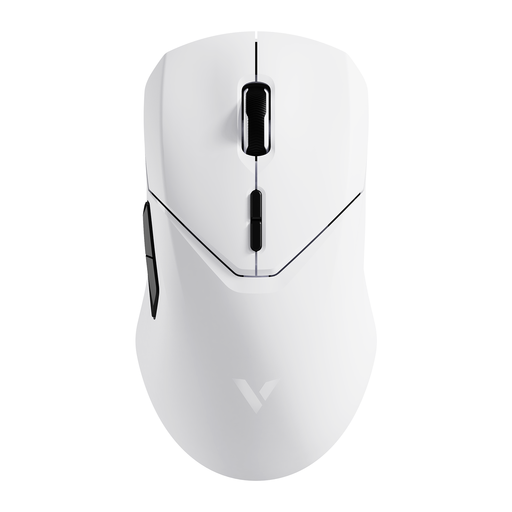
Why This Fits Their Persona: This gaming mouse is designed for esports athletes and competitive gamers who demand maximum precision and response speed without wireless compromises.
It bypasses the DPI myth because its high specifications (26,000 DPI, 4K polling rate) provide a real, tangible advantage for its target audience in fast-paced games.
Extremely low latency via 4K wireless technology; high-precision PAW-3398 sensor; lightweight design (68g) for rapid movements.
For users who prefer a reliable and straightforward solution, we have compiled a selection of models that stand out for their stable connection and ease of use.
A wireless mouse typically uses a dedicated 2.4 GHz USB receiver, which establishes a very stable and responsive connection. A Bluetooth mouse connects directly to the built-in Bluetooth module of your computer or laptop, which saves a USB port but can be slightly more prone to interference in environments with many wireless devices.
For most users working with standard HD or Full HD monitors, 1000 to 1600 DPI is ideal. This allows for precise cursor control without excessive sensitivity. Gamers, especially those with 4K monitors, can benefit from values above 3000 DPI to move the cursor quickly across the large screen.
Battery life varies greatly depending on the model, frequency of use, and connection type. Basic models often last for several months, while high-end rechargeable mice may need to be charged every few weeks or months, depending on usage intensity. Many manufacturers, like Logitech or Rapoo, specify the expected battery life in the product data, which can often range from 12 to 24 months.