
Lieferung heute & morgen

Qualitätsgarantie

Willkommens-Angebote freischalten: KOSTENLOSE Lieferung | Bis zu 80 % RABATT | Kostenlose 30-Tage-JoyPlus-Testphase
App herunterladen
Choosing a new PC mouse can quickly become overwhelming given the countless models and technical terms. Manufacturers advertise extremely high DPI values and vague "ergonomic" promises, but not every advertised feature is relevant for daily use or worth the extra cost. This guide will help you understand the crucial criteria and bypass marketing traps, so you can find a mouse that truly fits your needs.
Before we dive into the technical details, let's highlight three common marketing traps that often lead to unsatisfying purchases:
Focus on the following three objective criteria to make an informed choice.
The sensor is the heart of every mouse. Modern optical sensors offer high precision on most surfaces. The DPI value indicates how sensitive the mouse is to movement.
The choice between a wired and a wireless mouse depends on your workspace and priorities.
The physical shape of the mouse is crucial for long-term comfort.
Here are some recommendations tailored to specific user profiles and the criteria mentioned above.
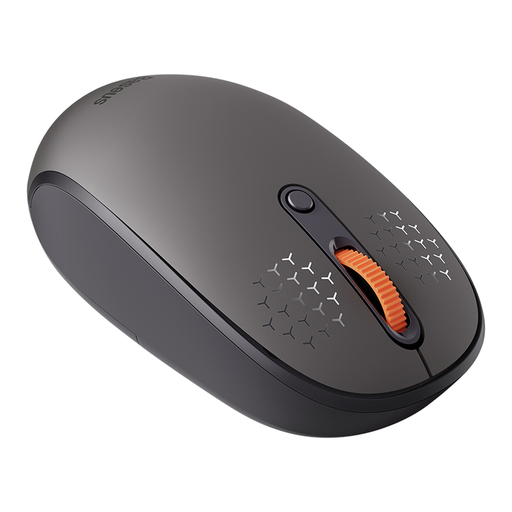
Why This Fits Their Persona: Ideal for users who need to switch seamlessly between multiple devices (e.g., work laptop, personal PC, and tablet). The tri-mode connectivity (2.4G, BT 5.0, BT 3.0) makes this possible at the push of a button.
Instead of advertising unnecessarily high DPI values, it offers a practical, adjustable range (800/1200/1600 DPI) that is optimal for office applications. The silent clicks are a tangible benefit in open-plan offices.
Multi-Device Control: Switch between up to 3 devices. Silent Buttons: Reduces click noise by 99% according to the manufacturer, which helps improve focus.
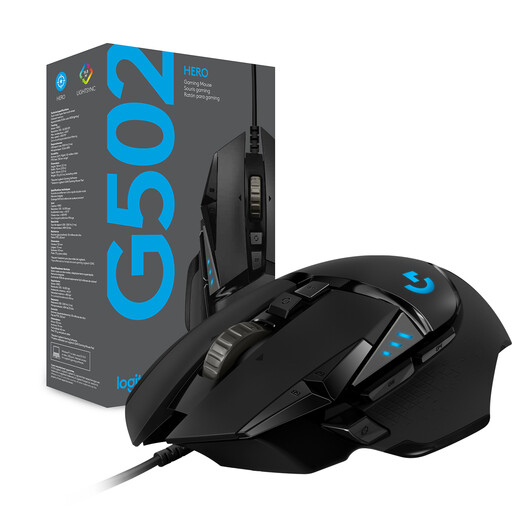
Why This Fits Their Persona: This mouse is aimed at gamers who value precision, customisation, and reliability. The wired connection ensures latency-free input, which is crucial in competitive play.
The high DPI value is justified by the HERO 25K sensor, which Logitech claims offers sub-micron accuracy. Furthermore, longevity is addressed with mechanical, spring-tensioned switches—an often overlooked but vital detail.
Adjustable Weight: Five 3.6g weights for custom weight and balance tuning. 11 Programmable Buttons: Allows for assigning macros and commands for full in-game control.
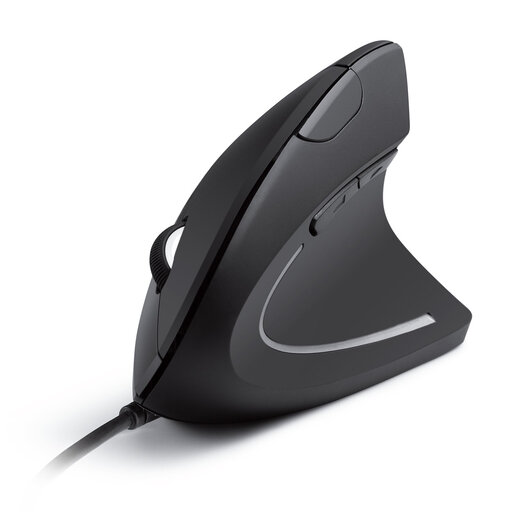
Why This Fits Their Persona: Specifically designed for users who suffer from wrist or arm discomfort during long hours of PC use. The vertical design promotes a natural posture and can reduce strain.
This mouse goes beyond the vague "ergonomics" promise by offering a fundamentally different form factor. The benefit is not subjective but based on the biomechanical relief of the wrist through the "handshake" position.
Natural Hand Posture: Reduces forearm twisting and can help alleviate RSI symptoms. Easy to Use: Plug-and-play via USB, with convenient forward/back buttons for navigation.
We have compiled a complete, up-to-date list of products that fully meet these strict selection criteria and German safety regulations.
Battery life varies greatly depending on the model, usage, and battery type. Basic models with AA batteries, like the Rapoo 1680, can last up to 12 months according to the manufacturer. Rechargeable models like the RAPOO MT760L often provide several weeks or months of use per charge. Many mice feature a power-saving mode to extend battery life.
Yes, absolutely. A gaming mouse like the Logitech G203 often offers excellent ergonomics, precise sensors, and programmable buttons that can also be useful in daily office work to automate repetitive tasks. The only potential downside might be a more conspicuous design or RGB lighting, which can be disabled on most models.
DPI (Dots Per Inch) is a measure of the mouse sensor's sensitivity. A higher DPI value means the cursor moves further across the screen for the same physical movement of the mouse. For most users, extremely high values above 3000 DPI are unnecessary. For general office and home use, 800–1600 DPI is sufficient. Gamers often prefer a range between 400 and 3200 DPI, depending on personal preference and the game. The ability to easily adjust the DPI for the task at hand is more important than a high maximum value.