What should you look for when buying?
At a shared desk, the key buying decisions depend on the learning environment you’ll use, how several people will use the computer and which components you already have.
| What matters when buying |
What to check |
Who is it most relevant to? |
| Learning software |
Check that the operating system, browser and editor work with the regex engine you want to use. For Python in Visual Studio Code, you’ll need to install the Python interpreter separately, as Microsoft documents. |
If I start by testing patterns in a browser and might move on to an editor later, I want to be able to use the right software and regex engine. That’s why around 33% of consumers put suitable learning software first. |
| Sharing the computer |
Check whether the operating system supports separate user accounts and whether important files can also be backed up. Microsoft Support describes how personal files and settings can be kept in individual accounts; accounts are no substitute for a backup. |
If several people use the same computer, I want to keep my own files and settings and back up important exercises as well. Around 27% of consumers prioritise separate accounts and data backups. |
| Space and screen |
Check the available desk space, screen connections and the mounting or placement options for the specific model. For an all-in-one, check the screen size and adjustment options too. |
If I need to fit a screen, keyboard and mouse into a small shared space, the footprint of the whole setup matters to me. Around 20% of consumers prioritise a space-saving overall setup. |
| A complete workstation |
For the exact configuration, check the operating system, RAM, SSD, screen, keyboard, mouse and cables against what’s included. A barebone PC may need extra components and installation steps. |
If I want to start learning without finding that parts are missing, I want to know in advance what’s in the box. Around 20% of consumers first look for a workstation they can plan as a complete setup. |
Mini PC with a separate monitor
A good fit if: you already have a suitable screen or want to position it separately, and need a PC that takes up little desk space.
Things to consider: a screen, keyboard and mouse aren’t necessarily included. Ports and upgrade options vary by model and configuration.
All-in-one PC
A good fit if: you want to buy the computer and screen together and keep the number of separate units on your desk to a minimum.
Things to consider: you’re tied to the screen that comes with the device. Make sure its size, adjustment options and included accessories suit everyone who’ll be using it.
Compact desktop with a monitor
A good fit if: you have enough room for the case and need specific ports or are planning future hardware changes.
Things to consider: a larger case doesn’t automatically mean more upgrade options. COMPUTER BILD describes these as limited on the MSI PRO DP80 A14G it tested.
Barebone mini PC
A good fit if: you want to choose and install the RAM, storage drive and, if necessary, operating system yourself.
Things to consider: according to COMPUTER BILD, the Intel NUC 13 NUC13ANKI7 needs additional memory and an operating system, which you’ll have to buy and install separately.
Joybuy products to explore
The following products are compact computers for setups with a separately chosen screen. Check the screen, input devices and ports against what’s included with each configuration.
 No image available
SOYO Y5Pro Mini-PC, Intel Core i5 8250U/8350U
For a learning setup with a separately chosen screen. Check which processor configuration is included in the specific offer.
The model name lists an Intel Core i5 8250U/8350U, 8 GB DDR4, a 256-GB-SATA-SSD and Windows 11.
Joybuy
 No image available
HP Z2 Mini G1a, Ryzen AI Max+ Pro 395
A compact computer option for a setup with a separately chosen screen. Check that your preferred learning software is compatible with the specific configuration.
The product name lists a Ryzen AI Max+ Pro 395, 128 GB RAM and a 2-TB-SSD.
Joybuy
 No image available
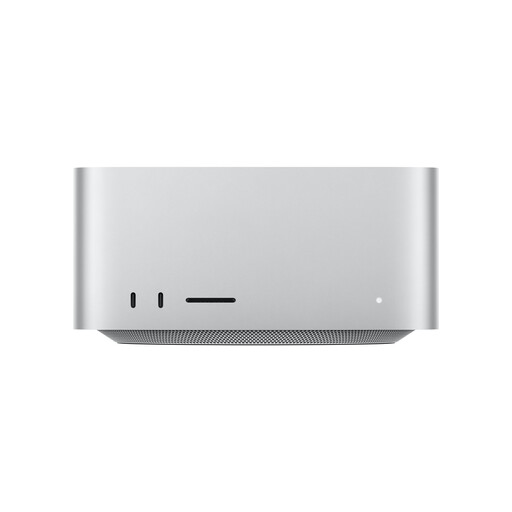
Apple Mac Studio, M5 Max, 36 GB, 512 GB SSD
If your chosen learning software is compatible with the platform you plan to use, this desktop model can be paired with a screen of your choice.
The product name lists an M5 Max, an 18-core CPU, a 32-core GPU, 36 GB Unified Memory, a 512-GB-SSD and Thunderbolt 5.
Joybuy
 No image available
ACEMAGIC AK1PLUS Mini-PC, Intel Celeron N5095
For a compact learning setup with a separately chosen screen. Check the included accessories and ports for the configuration on offer.
The product name lists 16 GB LPDDR4X, a 256-GB-M.2-2280-SATA-SSD, HDMI 2.0 and Windows 11 Pro.
Joybuy
 No image available
MaxMini B3 Mini-PC, Intel N4100
An option for a compact computer setup. Check in advance that your preferred learning software is compatible with the specific configuration.
The product name lists speeds of up to 2,4 GHz, 8 GB LPDDR4, a 256-GB-SSD and two HDMI outputs.
Joybuy
Frequently asked questions
Is a browser enough to get started with regular expressions?
Yes, if you can do the exercises using a browser-based tool such as regex101. Choose the regex engine that matches the programming language you plan to use later. The PC’s performance alone won’t determine which syntax is right for you.
How can you set up a PC for several people?
Windows lets you set up separate user accounts with their own settings and files, as Microsoft Support explains. Back up important exercise files stored locally as well; a user account isn’t a backup.
What extra components might you need?
Check whether a screen, keyboard, mouse and cables are included with the specific configuration. The Intel NUC 13 NUC13ANKI7 listed by COMPUTER BILD also needs RAM, storage and an operating system, which you’ll have to buy and install. This isn’t the case for every mini PC.
Is there a prescribed type of PC for a home learning space?
The ASR A6 doesn’t establish a general requirement for a particular type of PC in a home learning space. Germany’s Federal Institute for Occupational Safety and Health sets out requirements that apply to workplaces within its scope. If you’re setting up a workplace for business use, you’ll need to consider whether those requirements apply.
What consumer rights apply when buying a PC online?
For an online consumer contract for goods, you generally have a 14-day right to cancel, starting from the day you receive the goods, as the consumer advice centre explains. Your statutory rights if goods are faulty are separate and aren’t the same as a voluntary guarantee.


