What should you consider when choosing?
The percentages offer a rough guide to the priorities that may matter most for this type of workflow.
| Buying priority |
What to look for |
Who will this matter most to? |
| Software compatibility |
Decide which programmes and versions you’ll use, then check that the operating system and hardware requirements match the specific PC configuration. |
If I want to use a particular pattern-making or design programme, it needs to run on my computer. Around 36% of consumers would make software compatibility their top buying priority. |
| Working with images and text side by side |
Check the memory and SSD in the specific model, along with its monitor connections. If you use linked images, consider how your design software handles them. |
If I want to keep reference photos and drawings in view while I write, the right workflow is essential. Around 29% of consumers would prioritise working with images and text side by side. |
| Outputting sewing patterns |
Check the layout, export and print settings in your pattern-making software with a test print. |
If I need my pattern pieces to print at the correct scale, the whole process from layout to accurate printout matters. Around 21% of consumers would put pattern output first. |
| Space and a complete workspace |
Compare what’s included with the peripherals you already have, the connections you need and the upgrade options for the specific configuration. |
When space is limited, I want to plan for the whole workspace without overlooking any equipment I need. Around 14% of consumers would prioritise the space needed and the workspace setup. |
Joybuy products for a compact workspace
These mini PCs are intended for a space-saving workspace with pattern-making software, text and reference files. Before buying, check that the operating system, connections and specification suit your software and peripherals.
 No image available
ACEMAGIC AK1PLUS mini PC, Intel Celeron N5095, 16 GB/256 GB
Worth considering for a compact two-screen workspace, provided the connections are compatible.
16 GB LPDDR4X; 256 GB M.2 2280 SATA SSD; two HDMI 2.0 outputs with 4K/60 Hz support; Windows 11 Pro.
View at Joybuy
 No image available
SOYO S5Air mini PC, AMD Ryzen 5 7535HS, 16 GB/512 GB
A compact option if the different video connections suit your planned screen setup.
16 GB LPDDR5; 512 GB NVMe SSD; HDMI 2.0, DisplayPort 1.4 and USB-C video outputs; Windows 11 Pro; 128 × 128 × 47,6 mm.
View at Joybuy
 No image available
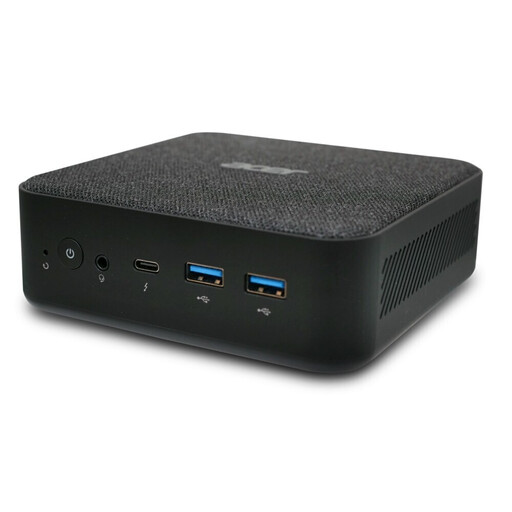
Acer Revo RB102 mini PC, Core Ultra 5 125U, 16 GB/512 GB SSD
For a space-saving desktop workspace, provided the stated configuration suits the programmes you use.
16 GB RAM; 512 GB SSD; Windows 11 Pro.
View at Joybuy
Frequently asked questions
Does a PC for sewing patterns have to run Windows?
No, not necessarily. Seamly lists Windows, macOS and Linux as supported platforms for Seamly2D. Also check the requirements for the programmes and versions you’ve actually chosen.
Why should I print a test page before my first full print?
Because Seamly treats creating a layout and then printing or exporting it as separate steps. Check the output and print settings, as well as the measurements on the printout, rather than assuming the on-screen view reflects the printed size.
Can I publish reference photos I’ve found online in a guide?
Not just because they’re available online. Check the usage rights and any legal exceptions that may apply to your planned publication. Otherwise, use your own images or obtain the appropriate permission or licence.
Does a manufacturer’s guarantee replace my rights if my PC is faulty?
No. In Germany, statutory rights against the seller are separate from a voluntary guarantee. Check the terms of any additional guarantee separately.
What should I consider when using linked reference images?
Keep your project files and images organised. Adobe says that changes to the source file for linked files in Illustrator are reflected in the document, so remember to back up your working files too.


