PC players with a specific horror game in mind
Check whether your game supports the controller and whether the model can connect to your Windows PC using the connection method you plan to use. Support can vary by game and controller.


Start by choosing a controller that suits your platform, the specific game you play and the connection it supports. “PC-compatible” on its own does not guarantee support for every game or all special features. Then consider how it feels in your hands and whether the connection works for your desk setup. For DualSense haptics on PC, Sony specifies USB and support from the game as requirements.
Check whether your game supports the controller and whether the model can connect to your Windows PC using the connection method you plan to use. Support can vary by game and controller.
Look for a shape that feels right in your hands, buttons that are easy to reach and a connection that suits where you sit. Comfort is a matter of personal preference.
If you want to feel in-game events through your controller, check that the specific game supports them and find out which connection you’ll need.
First check the platform, game and connection type. Then weigh up how the controller feels, the feedback you want and what’s included in the box.
| What matters when buying | What to check | Who is this especially important to? |
|---|---|---|
| Platform and game | Check the controller information for the specific game and the connection supported by the exact model. Steam lists full controller support for Xbox controllers in Resident Evil 4; support for other devices is listed as unknown. | If I want to avoid finding out that my controller and game don’t work together, I put compatibility first. Around 29% of consumers prioritise this. |
| Ease of use | Consider the shape of the controller and whether the buttons are easy to reach. If you’re unsure, check the returns policy too. | For longer sessions, I want a controller that feels comfortable to hold, with important buttons within easy reach. Around 23% of consumers focus mainly on ease of use. |
| Haptic feedback | Check whether the specific game supports it. According to Sony, DualSense haptics on PC require USB and support from the game. | If feeling feedback in a game matters to me, I want to know whether the game I play supports the feature I’m looking for. Around 18% of consumers put haptics first. |
| Connection at your desk | Check the wireless mode for your platform, whether you have a spare USB port and the distance between your seat and computer. | At my home-working desk, I want a connection that suits where I sit and the ports available. Around 18% of consumers prioritise a practical connection. |
| What’s included and cover | Check the accessories included with the specific version, along with the terms for cancellation and faulty goods. The Verbraucherzentrale distinguishes statutory rights from a voluntary guarantee. | If I want to factor in possible extra purchases and the protection available to me, I check the version, accessories and seller’s terms. Around 12% of consumers put this first. |
For the 8BitDo Ultimate 2C Wireless, the manufacturer lists Bluetooth for Android. For Windows, it specifies 2.4 GHz with a receiver or a wired connection.
Check the connection method for your platform and the exact version of the model, rather than relying on the word “wireless”.
You’ll need a suitable spare USB port for the receiver. Alternatively, this model can be used with a cable.
Sony says DualSense haptics and adaptive triggers require support from the game. Sony also specifies that haptics on PC require USB.
Before buying, check the information for the specific game and make sure you have a suitable USB port available if needed.
The GameSir G7 HE is listed as a standalone wired model. Its features don’t mean it is the same product as the G7 Pro.
Check the full model name and stated connection before assuming a listing refers to a different model.
If a product is faulty, you have statutory rights against the seller; a guarantee is voluntary. Cancelling an online purchase is a separate process with its own conditions.
When buying from a business seller, check the applicable cancellation terms. If the product is faulty, contact the seller.
You may have to pay return postage if you cancel. Check in advance who is responsible for the cost.
Worth considering if you want a choice of documented connection methods for a Windows PC.
The DualSense is an option if the PS5 or compatible Windows game supports the features you want.
The Ultimate 2C Wireless is a Windows option with a 2.4 GHz receiver, wired use and extra mappable shoulder buttons.
The G7 Pro is worth considering if you want extra button-mapping and adjustment options on PC.
This selection includes controllers whose product names mention PC compatibility, sometimes alongside PS4 or Nintendo Switch. For each specific model, check compatibility with your platform and game, as well as the connection you want to use.
 Image unavailable
Could be an option if you’re looking for a controller for PC or PS4. Check the specific connection and whether your game supports it.
 Image unavailable
The product name lists PC compatibility and several wireless connection options. Check that the mode you need works with your device.
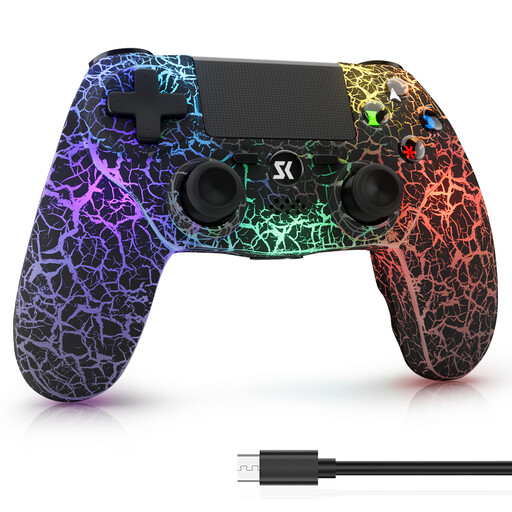 Image unavailable
The product name lists PS4, PS4 Pro and Windows PC as compatible platforms. Also check whether your game supports it.
 Image unavailable
The product name lists PC compatibility and extra programmable buttons. Check that the stated connection works with your computer.
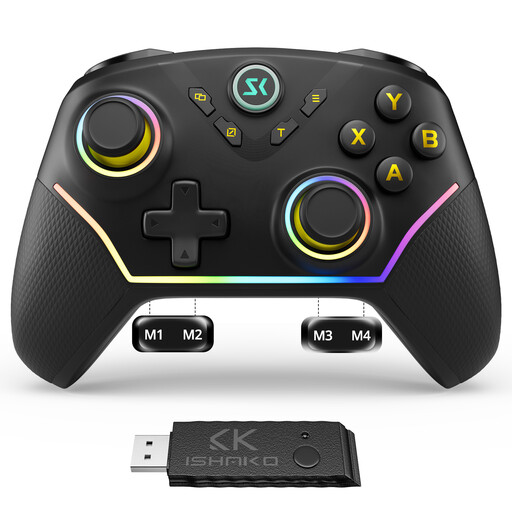 Image unavailable
Could be an option if you’re looking for a controller for Windows PC or Nintendo Switch. Check that it works with the platform your game uses.
No. Also check the controller information for the specific game and the connection supported by the exact model. The Steam page for Resident Evil 4 lists full controller support for Xbox controllers; support for other devices is listed as unknown.
It depends on the model. Microsoft lists USB, Bluetooth and Xbox Wireless for the Xbox Wireless Controller; USB requires a data-capable cable. For the Ultimate 2C Wireless on Windows, 8BitDo lists a 2.4 GHz receiver or a wired connection. Sony lists USB or Bluetooth for the DualSense on compatible devices.
First check whether the game supports the feature you want. For haptics on PC, Sony specifies a USB connection. Sony also explains how to update the controller using a Windows PC. An update can’t make up for a game that doesn’t support the feature.
When a consumer buys new goods from a business seller, they generally have statutory rights against the seller if the goods are faulty. The Verbraucherzentrale states that these rights last for two years from delivery or receipt. For ordinary online purchases, there is generally a 14-day right to cancel from the date you receive the goods; exceptions and possible return postage costs apply. Your Europe explains the cancellation rules for purchases in the EU. A voluntary guarantee is not the same as your statutory rights for faulty goods.