
Lieferung heute & morgen

Qualitätsgarantie

Willkommens-Angebote freischalten: KOSTENLOSE Lieferung | Bis zu 80 % RABATT | Kostenlose 30-Tage-JoyPlus-Testphase
App herunterladen
In an era where video conferencing from a home office and streaming are part of daily life, a clear and reliable video feed is crucial. The integrated cameras in laptops often fall short, leading to blurry images and poor audio quality. An external PC webcam is an effective solution to enhance the quality of your digital communication.
This guide offers you objective orientation. We will explain the most important technical features and present a selection of models for various applications, enabling you to make an informed decision.
Choosing the right webcam depends on your individual needs. Three key criteria will help you separate the best from the rest: resolution, microphone quality, and additional features like autofocus.
Resolution determines the sharpness and detail of the video image. Common standards include:
The frame rate, measured in frames per second (FPS), affects the smoothness of the video. 30 FPS is sufficient for most applications, while 60 FPS provides exceptionally smooth motion, which is particularly advantageous for a webcam for streaming.
A webcam with a microphone is a convenient all-in-one solution. Pay attention to the type of microphone:
The field of view indicates how much of your surroundings the camera captures. A narrower field of view (e.g., 60°-78°) is ideal if you want only yourself in the frame. A wider field of view (over 90°) is suitable for showing multiple people or a whiteboard.
The focus mechanism is also relevant:
Based on the criteria mentioned, we have compiled a selection of USB webcams for various use cases and budgets.
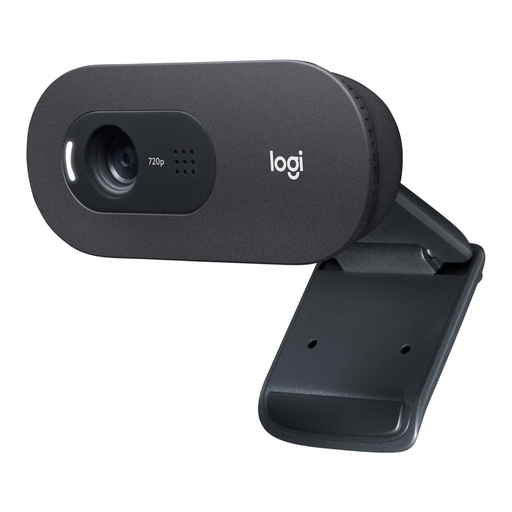
Why it stands out: The Logitech C505 is a straightforward and reliable USB webcam for everyday use. Its key feature is the omnidirectional microphone with noise reduction, which, according to the manufacturer, enables clear conversations from up to 3 metres away. The extra-long 2-metre USB cable also offers maximum flexibility in positioning.
Pros:
Who is it for? Ideal for users in the home office and students looking for a solid and affordable upgrade over their laptop camera for video conferences and online classes.
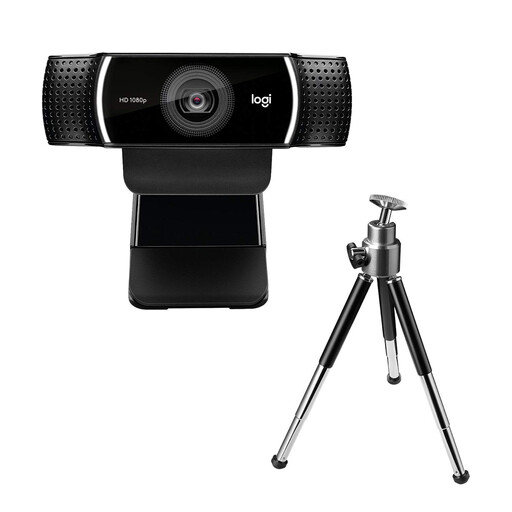
Why it stands out: The C922 Pro was specifically designed as a webcam for streaming. It offers a choice between crystal-clear 1080p at 30 FPS or ultra-smooth 720p at 60 FPS. The HD autofocus and light correction ensure a consistently high-quality image, while the two integrated microphones capture clear stereo sound.
Pros:
Who is it for? The C922 is an excellent choice for aspiring content creators and streamers who need high image and sound quality without the complexity of a professional setup.
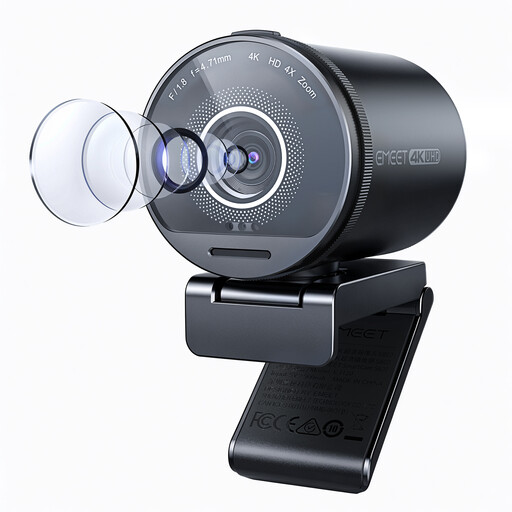
Why it stands out: This 4K webcam from EMEET focuses on maximum image quality. Equipped with a large Sony sensor and an F/1.8 aperture, it delivers a bright and detailed picture even in challenging lighting conditions. Special features include the HDR function for balanced contrast and an adjustable field of view from 40° to 73°.
Pros:
Who is it for? Perfect for professional users, streamers, and content creators who demand the highest video quality and need features like an adjustable field of view and HDR.
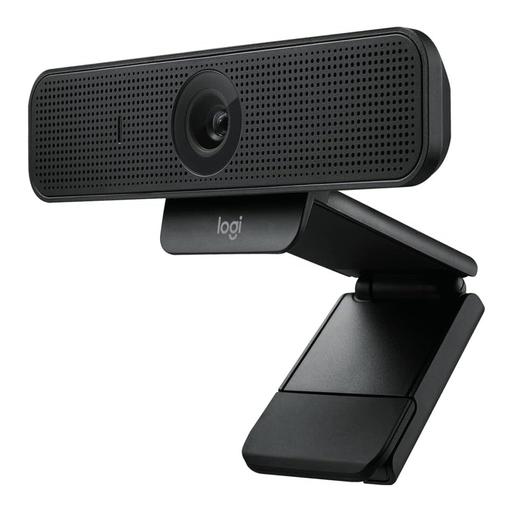
Why it stands out: The Logitech Webcam C925e is optimised for professional business environments. It delivers sharp 1080p video and features an integrated privacy shutter. According to Logitech, the RightLight 2 technology ensures a clear image even in back-lit or low-light conditions.
Pros:
Who is it for? An excellent choice for professionals who need a reliable, secure, and high-quality webcam for daily video conferences in business applications like Teams, Zoom, or Skype.
A good webcam is a key component of a productive work environment. For precise control and ergonomic work, a high-quality mouse is also essential. Discover our selection of plug-and-play mice that will further boost your efficiency.
For everyday video conferences, a resolution of 1080p (Full HD) is generally perfectly adequate and provides a sharp, clear image. A 4K webcam makes sense if you are streaming content in the highest quality, conducting detailed product presentations, or recording videos where every detail counts.
A good integrated microphone is very important for convenience. A webcam with a microphone saves you from needing an extra device on your desk and reduces cable clutter. Models with noise cancellation significantly improve intelligibility in noisy environments. However, for professional audio recordings like podcasts or music, a dedicated external microphone remains the higher-quality solution.
Yes, most modern USB webcams are "plug-and-play." This means you simply connect the camera to an available USB port on your PC or Mac. The operating system usually detects the device automatically, and you can immediately select it as a camera and audio source in your video conferencing or streaming software. Manual driver installation is only required in rare cases.