
Lieferung heute & morgen

Qualitätsgarantie

Willkommens-Angebote freischalten: KOSTENLOSE Lieferung | Bis zu 80 % RABATT | Kostenlose 30-Tage-JoyPlus-Testphase
App herunterladen
A slow or unstable wireless network can limit home office productivity and ruin an online gaming experience. Furthermore, many desktop PCs don't come with built-in Wi-Fi, and the technology in older laptops is often outdated. A PC Wi-Fi adapter is an effective and accessible solution to fix these problems.
This article serves as your guide. It explains the key criteria for selecting an adapter and presents various models for different use cases—from simple upgrades to high-performance solutions for data-intensive tasks.
To find the right component for your needs, you should consider a few technical aspects. The following points will help you make an informed decision.
The first decision concerns the adapter's form factor. Both options have specific applications:
The Wi-Fi standard defines the maximum speed and efficiency of data transmission.
Some models offer more than just a Wi-Fi connection. A Wi-Fi dongle with Bluetooth is a convenient 2-in-1 solution. It not only provides access to the wireless network but also allows you to connect to Bluetooth peripherals like mice, keyboards, headsets, or controllers without needing a separate Bluetooth dongle.
Based on different requirements, we have compiled a selection of products that cover various use cases.
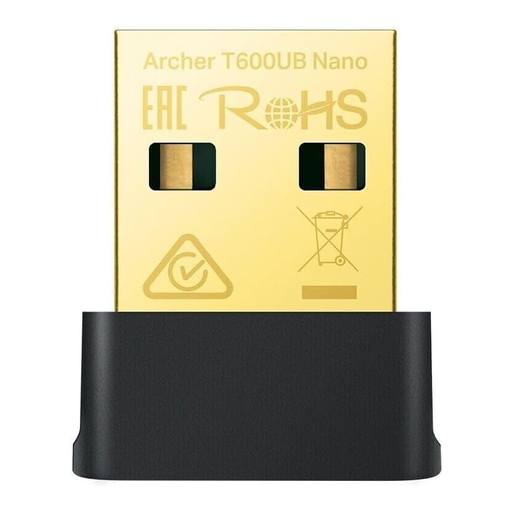
What makes it stand out: This adapter from TP-Link combines dual-band Wi-Fi 5 with Bluetooth 4.2 in an extremely compact nano form factor. According to the manufacturer, it achieves data rates of up to 433 Mbps on the 5 GHz band and 200 Mbps on the 2.4 GHz band. Its small size makes it ideal for mobile use with a laptop, as it is barely noticeable in the USB port.
Advantages:
Who is this product for? Users looking for a straightforward and portable solution to quickly and easily upgrade an older laptop or a desktop PC without integrated wireless modules. Ideal for everyday internet applications and connecting Bluetooth peripherals.
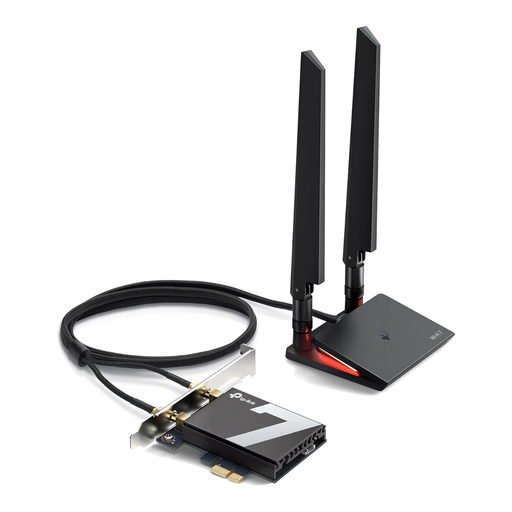
What makes it stand out: The Archer TBE550E is a PCIe card designed for maximum performance in desktop PCs. It supports the latest Wi-Fi 7 standard and is designed exclusively for Windows 11 (64-bit). According to TP-Link, it delivers tri-band speeds of up to 5760 Mbps on the 6 GHz band. Additionally, Bluetooth 5.4 is integrated, offering improved range and stability for connected devices.
Advantages:
Who is this product for? Desktop PC owners, gamers, and tech enthusiasts who want to future-proof their system and need the maximum available Wi-Fi performance for online gaming, 8K streaming, or large file transfers. A free PCIe slot and the Windows 11 operating system are required.
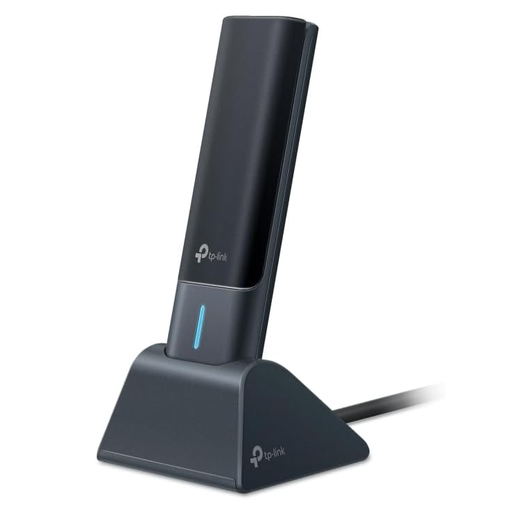
What makes it stand out: This Wi-Fi 6E adapter brings the benefits of the 6 GHz band in the form of an external USB adapter. According to the manufacturer, the Archer TXE70UH offers AXE5400 tri-band speeds and uses external, adjustable high-gain antennas to maximise range and signal quality. It connects to the PC via USB 3.0 to avoid bottlenecking the high data rates of the Wi-Fi 6E standard.
Advantages:
Who is this product for? Laptop and desktop PC users who want a high-performance Wi-Fi 6E connection without installing an internal card. It is excellently suited for demanding tasks such as online gaming, VR applications, and streaming high-resolution content.
The models presented cover common scenarios, but the market offers a variety of other specialised solutions. If you are looking for different configurations, brands, or price points, you can find a broader selection in our Wireless Adapters category to find the perfect solution for your system.
1. How do I install a Wi-Fi adapter for my PC? Installation depends on the form factor. A USB Wi-Fi dongle is plugged into a free USB port. Modern operating systems like Windows 10 or 11 often recognise the adapter automatically (Plug & Play) or require a brief driver installation from the included CD or the manufacturer's website. A PCIe Wi-Fi card is inserted into a free PCIe slot on the motherboard while the PC is turned off and disconnected from power. After starting the PC, the corresponding drivers must be installed.
2. Which Wi-Fi standard is recommended for gaming? For competitive online gaming, low latency (ping) and a stable connection are crucial. While Wi-Fi 5 (802.11ac) is sufficient for many games, Wi-Fi 6/6E and Wi-Fi 7 offer clear advantages. Technologies like OFDMA significantly reduce latency, and the 6 GHz band (on Wi-Fi 6E/7) is less congested, which minimises interference. An adapter that supports at least Wi-Fi 6 is therefore a worthwhile choice for gaming.
3. Does every Wi-Fi adapter work with Windows 11? Most current Wi-Fi adapters are compatible with Windows 11. However, it is important to check the system requirements in the product specifications before purchasing. The latest models, especially those using standards like Wi-Fi 7, may have specific requirements and, like the TP-Link Archer TBE550E, might be designed exclusively for 64-bit versions of Windows 11.