
Lieferung heute & morgen

Qualitätsgarantie

Willkommens-Angebote freischalten: KOSTENLOSE Lieferung | Bis zu 80 % RABATT | Kostenlose 30-Tage-JoyPlus-Testphase
App herunterladen
By a Joybuy Product Recommendation Officer, July 15, 2026
A desktop PC offers high performance for demanding tasks, but it traditionally connects to the internet via a LAN cable. This isn't always practical or aesthetically pleasing. If you want to free your desk from cables or use your PC in a location without a direct LAN port, upgrading with a Wi-Fi card for your PC is an effective solution.
This guide is designed to help you understand the technical features of internal Wi-Fi cards and make an informed decision. We will introduce various models suited for different use cases, such as gaming, streaming, or everyday tasks.
Choosing the right card depends on several technical factors. The following points provide a guide for your decision.
The Wi-Fi standard defines the maximum speed and efficiency of the wireless connection.
Note: To take full advantage of a new standard, your router must also support it. However, the cards are backward compatible.
Many modern PCIe Wi-Fi cards come with integrated Bluetooth functionality. A Wi-Fi card with Bluetooth allows you to connect wireless peripherals like mice, keyboards, headsets, or game controllers directly to your PC without needing an additional USB dongle. Pay attention to the Bluetooth version (e.g., Bluetooth 5.2 or Bluetooth 5.4), as newer versions offer improved range, speed, and stability.
Two compatibility aspects must be checked before purchasing:
Based on technical specifications and use cases, we have compiled a selection of models.
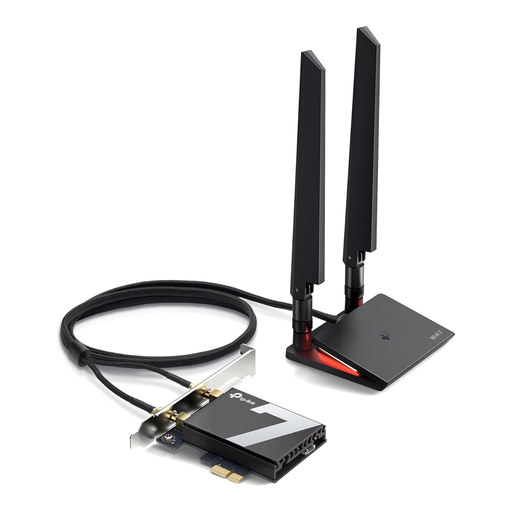
What Makes This Model Stand Out The Archer TBE550E is designed for users who want to leverage the latest network technology. As a Wi-Fi 7 card, it supports tri-band connections and, according to the manufacturer, achieves speeds of up to 9300 Gbps. The integration of Bluetooth 5.4 and its exclusive compatibility with Windows 11 (64-bit) position it as a component for modern high-end systems.
Objective Features:
Who Is This Model For? For tech enthusiasts and power users who want to equip their PC with the latest Wi-Fi and Bluetooth generation and be prepared for future bandwidth demands. A Wi-Fi 7 router is required to fully utilize its potential.
View Details for the TP-LINK Archer TBE550E
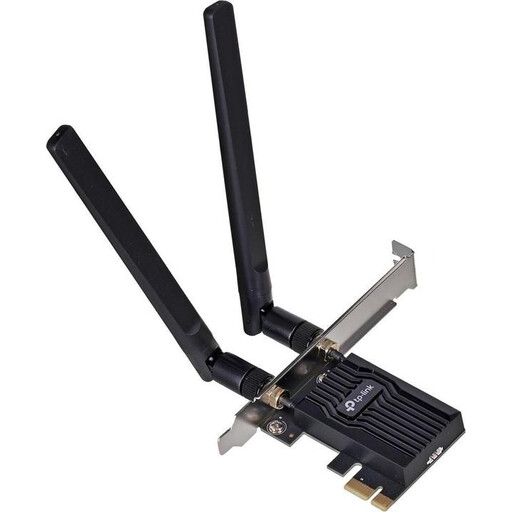
What Makes This Model Stand Out The Archer TX20E is a reliable Wi-Fi adapter for your PC that enables an upgrade to the Wi-Fi 6 standard. With AX1800 dual-band speeds and Bluetooth 5.2, it offers balanced performance for everyday applications, online gaming, and streaming. The two external antennas serve to improve signal strength and range.
Objective Features:
Who Is This Model For? For PC users and gamers who are looking for a stable and fast Wi-Fi connection and want to cost-effectively upgrade their desktop PC. A great choice for equipping an older PC with modern Wi-Fi and Bluetooth.
View Details for the TP-Link Archer TX20E
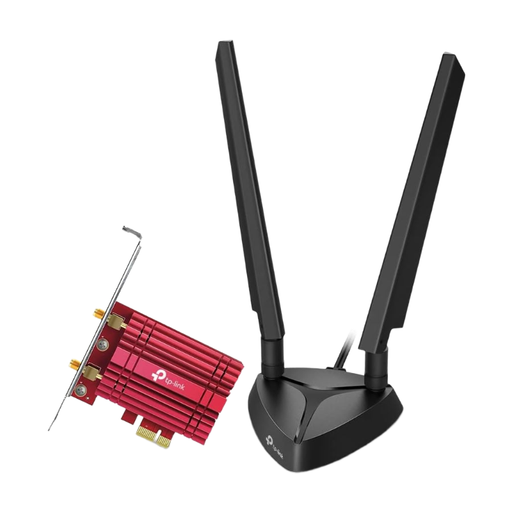
What Makes This Model Stand Out The Archer TXE75E is a Wi-Fi 6E PCIe adapter that provides access to the exclusive 6 GHz band. This can reduce latency and minimize interference, making it an appealing gaming Wi-Fi card. The built-in Intel chipset ensures stable performance, and the magnetic antenna base allows for flexible positioning for optimal reception.
Objective Features:
Who Is This Model For? For users in densely populated areas with many Wi-Fi networks, as well as for gamers who want to benefit from the low latency of the 6 GHz band. A Wi-Fi 6E router and Windows 11 are required to use the 6 GHz band.
View Details for the TP-Link Archer TXE75E
Haven't found the right model for your needs? Upgrading a PC with Wi-Fi can be done in various ways. Besides PCIe cards, other solutions are also available.
Discover more products in our Bluetooth PC Adapter category.
1. Can any desktop PC be upgraded with Wi-Fi? Most modern desktop PCs can be upgraded with an internal Wi-Fi card, provided there is a free PCIe slot (usually an x1 slot) on the motherboard. It is advisable to check the motherboard's specifications before purchasing.
2. What is the difference between a PCIe Wi-Fi card and a USB Wi-Fi adapter? A PCIe Wi-Fi card is installed directly on the motherboard and typically offers higher, more stable performance, lower latency, and often better external antennas. It is a permanent, built-in solution. A USB Wi-Fi adapter is an external device that simply plugs into a USB port. It is more flexible and portable but may not achieve the same peak performance and stability as a PCIe card.
3. Do I need a new router for a Wi-Fi 6E or Wi-Fi 7 card? To take full advantage of features like the 6 GHz band (with Wi-Fi 6E and 7) and maximum speeds, a compatible Wi-Fi 6E or Wi-Fi 7 router is required. However, the cards are backward compatible and will also work with older routers, but only at the highest common standard supported by both devices (e.g., Wi-Fi 6 or Wi-Fi 5).