
Lieferung heute & morgen

Qualitätsgarantie

Willkommens-Angebote freischalten: KOSTENLOSE Lieferung | Bis zu 80 % RABATT | Kostenlose 30-Tage-JoyPlus-Testphase
App herunterladen
A stable and fast internet connection is a fundamental requirement for most PC applications—whether for working from home, streaming high-resolution content, or online gaming. If your desktop PC lacks built-in Wi-Fi or its existing chip is outdated, a dedicated Wi-Fi card can significantly improve performance. This guide provides an overview of the available technologies and presents a selection of models to help you choose the right product.
Choosing the right component depends on your specific needs and existing hardware. Three key criteria will help guide your decision.
The most fundamental choice concerns the adapter's form factor.
The Wi-Fi standard defines the maximum speed and efficiency of the network.
Many Wi-Fi cards offer more than just an internet connection. Integrated Bluetooth is convenient for connecting wireless peripherals like mice, keyboards, or headsets without needing an extra dongle. Also, look for support for the latest WPA3 security standard, which provides enhanced protection for your network compared to older protocols.
Based on the criteria mentioned, we have compiled a selection of products for various use cases.
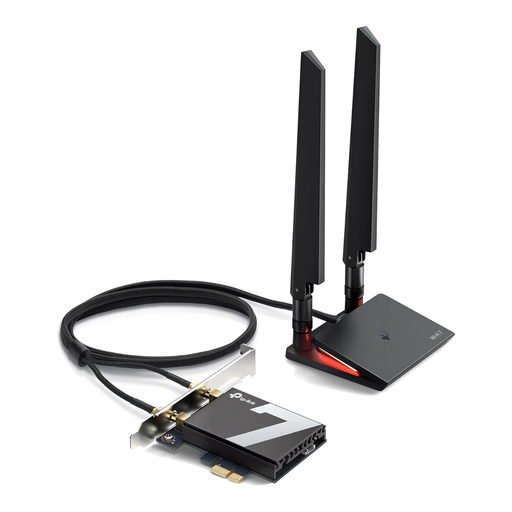
What makes this model stand out: The Archer TBE550E is a PCIe card that supports the latest Wi-Fi 7 standard. It uses three frequency bands (Tri-Band), including the 6 GHz band, to achieve data rates of up to 9300 Mbps, according to the manufacturer. The card is designed exclusively for PCs running the Windows 11 (64-bit) operating system and integrates Bluetooth 5.4 for a reliable connection with peripherals.
Pros:
Who is this model for? For PC enthusiasts, gamers, and users who want to future-proof their Windows 11 desktop and harness the maximum available Wi-Fi performance for demanding applications like 4K/8K streaming or competitive gaming.
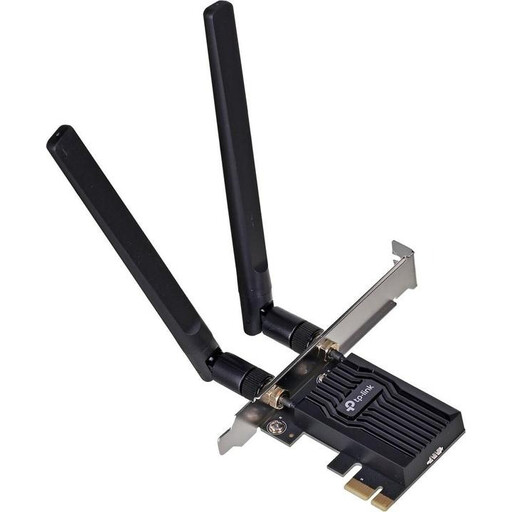
What makes this model stand out: The TP-Link Archer TX20E is a Wi-Fi 6 adapter for the PCIe slot. It offers dual-band connectivity with AX1800 speeds (up to 1201 Mbps on the 5 GHz band and 574 Mbps on the 2.4 GHz band). Two external high-gain antennas are designed to improve signal strength and range. Additionally, Bluetooth 5.2 is integrated.
Pros:
Who is this model for? For users looking to cost-effectively upgrade their desktop PC to a modern Wi-Fi standard. The model is a great choice for home offices, HD streaming, and casual gaming, offering a balanced mix of performance and functionality.
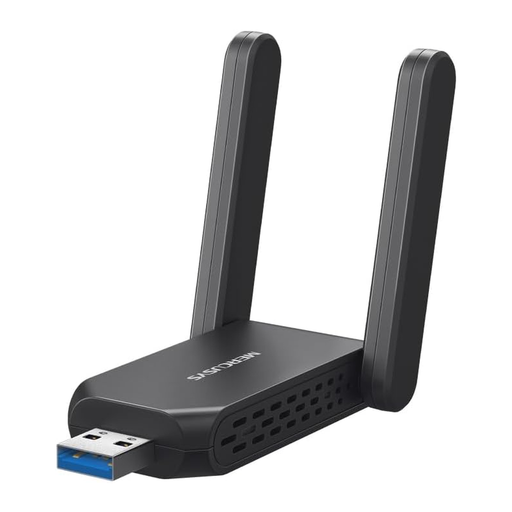
What makes this model stand out: The Mercusys MA72XH is a Wi-Fi stick for PC that delivers Wi-Fi 6 speeds via a USB 3.0 interface. Despite its compact design, it features two external, adjustable antennas intended to ensure a stable connection. Thanks to pre-installed drivers, setup is straightforward (plug-and-play).
Pros:
Who is this model for? Ideal for users looking for a simple and fast way to add Wi-Fi to a desktop PC or laptop. It is well-suited for those who need a flexible solution and want to avoid installing an internal card.
This selection covers common user profiles. If you are looking for models with different specifications or from other manufacturers, you can find a wider selection in our PC Wi-Fi Adapters category.
To add Wi-Fi to a PC, there are two primary methods. The first is to install an internal PCIe Wi-Fi card. This requires you to shut down the PC, open the case, and insert the card into a free PCIe slot on the motherboard. The second method is to use an external USB Wi-Fi adapter. This simply plugs into a free USB port and is ready to use after a brief driver installation.
A modern Wi-Fi adapter for gaming should offer low latency and a stable connection. While PCIe cards are often considered the more robust solution, high-quality USB 3.0 adapters with Wi-Fi 6 can also deliver performance sufficient for gaming. However, for competitive online gaming where every millisecond counts, a wired LAN connection or a high-performance PCIe card is often recommended.
To take full advantage of the speed and all the features of a Wi-Fi 7 card, a compatible Wi-Fi 7 router is required. However, the card is backward compatible, meaning it will also work with older routers (e.g., Wi-Fi 6 or Wi-Fi 5). In that case, the connection will be limited to the speed and features of the older standard.
Your Joybuy Product Recommendation Officer