
Lieferung heute & morgen

Qualitätsgarantie

Willkommens-Angebote freischalten: KOSTENLOSE Lieferung | Bis zu 80 % RABATT | Kostenlose 30-Tage-JoyPlus-Testphase
App herunterladen
A PC case affects more than just the look of your computer. It determines which hardware will fit, how easy it is to install and whether the cooling is sufficient for everyday use. Gaming PCs are particularly prone to buying mistakes, often not because of missing features but because of unsuitable dimensions or confusing specifications.
A mid-tower may look spacious, but that doesn’t mean it will support every motherboard. An ATX case may support ATX, Micro-ATX and Mini-ITX, but you’ll need to check separately for E-ATX support. A Micro-ATX case usually has more limited expansion slots, drive bays and cable management options.
Manufacturers often specify a maximum GPU length. However, this can change if you fit a radiator or additional fans at the front. Measure your graphics card, including its power connector, and compare the result with the actual space available inside the case.
A PC case with ARGB fans may look impressive, but lighting can’t replace well-planned airflow. Key factors include mesh panels, fan positions, dust filters and a clear path for intake and exhaust air. Fan speed alone isn’t a reliable basis for comparison.
Check these three specifications before you buy:
The CPU cooler height matters too. Depending on the model, large tower air coolers need around 160 to 185 mm of clearance.
For a well-cooled PC case, it’s the combination of intake, exhaust and radiator clearance that counts. Common configurations include:
A case for liquid cooling should clearly state the radiator size and mounting position. “Up to 360 mm” doesn’t automatically mean that every 360 mm radiator will fit alongside every motherboard, memory kit and fan.
A modern PC case with USB-C has a suitable port on the front or side panel. Also check whether your motherboard has the internal USB-C header you need. Magnetic dust filters make cleaning easier, but they still need to be removed and cleaned regularly.
A PC case with a glass window shows off your components, but it’s heavier and more delicate than a plain mesh side panel. Place tempered glass on a padded surface when assembling your PC.
The models below are matched to different needs based on compatibility, cooling options, ports and features. Specifications refer to the respective product details.
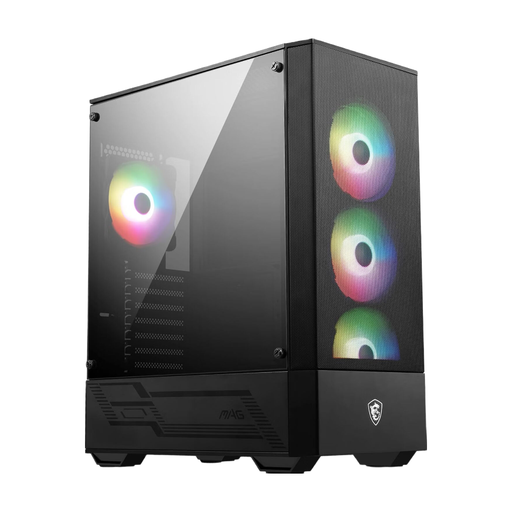
Why this product suits this profile: This ATX mid-tower case supports ATX, Micro-ATX and Mini-ITX motherboards and comes with four pre-installed 120 mm ARGB fans.
The specifications set out clear limits: GPUs up to 330 mm, CPU coolers up to 160 mm and power supplies up to 200 mm. This makes it easier to check everything will fit before you buy.
Four 120 mm ARGB fans, 7 expansion slots and support for radiators up to 240 mm.
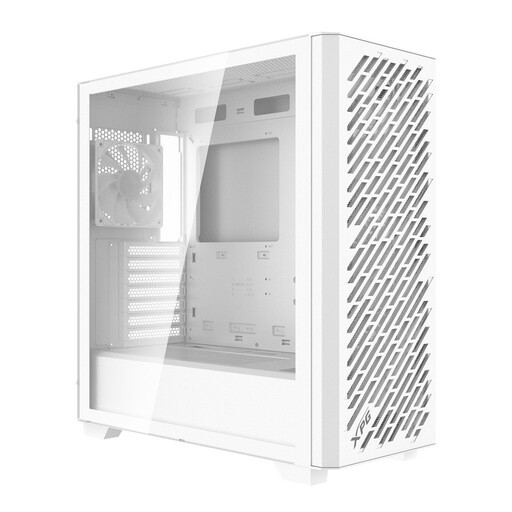
Why this product suits this profile: Its range of motherboard form factors and generous clearance make it a good fit for high-performance custom builds.
Alongside E-ATX, ATX, Micro-ATX and Mini-ITX support, the maximum GPU and cooler clearances are clearly specified as 400 mm and 167 mm respectively.
Four pre-installed 120 mm ARGB fans, support for up to nine fans in total, plus front and top radiator mounts for radiators up to 360 mm.
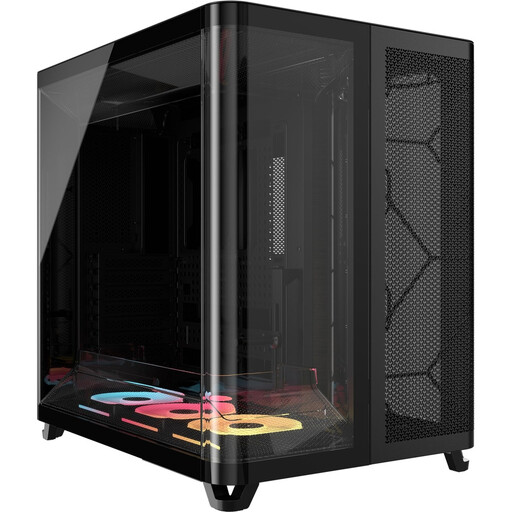
Why this product suits this profile: Its dual-chamber design separates the motherboard and cable areas, making it ideal for users with extensive hardware and high expectations for cable management.
The wide case allows for the extra space needed by a dual-chamber design. It supports GPUs up to 400 mm long and CPU coolers up to 180 mm high.
Three pre-installed 120 mm RGB fans, support for ATX, Micro-ATX and Mini-ITX motherboards, plus a separate cable compartment.
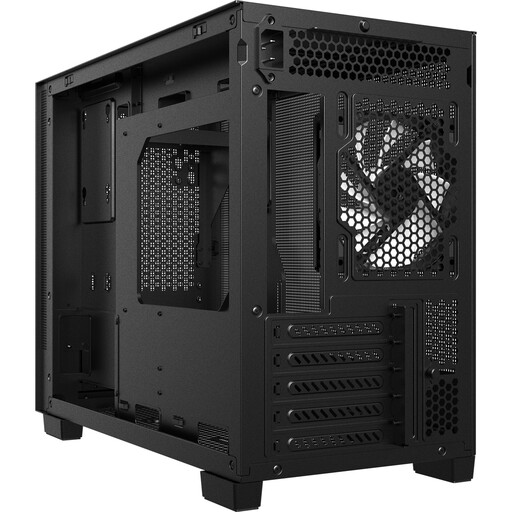
Why this product suits this profile: Its compact design suits Micro-ATX and Mini-ITX builds where desk space and front ventilation matter.
The mesh front helps draw in cool air. The case also specifies support for GPUs up to 370 mm long, CPU coolers up to 170 mm high and power supplies up to 170 mm long.
USB-C 3.2 Gen 2, support for a 360 mm radiator at the top and five PCIe expansion slots.
We’ve put together a complete, regularly updated list of products that meet these strict selection criteria and fully comply with the safety regulations in force in the EU.
A mid-tower that supports ATX or Micro-ATX is suitable for many gaming PCs. Before you buy, check the length of your graphics card, the height of your CPU cooler and the planned radiator size. For high-performance hardware, extra fan mounts and a mesh front are useful features to look for.
There’s no set number. For a typical gaming PC, one or more intake fans at the front and at least one exhaust fan at the rear are a sensible starting point. Additional fans may be useful for high-performance hardware, as long as you also consider dust filters, fan direction and noise levels.
Its lifespan depends on the materials, physical wear and tear, dust exposure and any modifications. A steel case with removable filters can last through several generations of hardware. Check the filters, fans and mounting points regularly, and handle glass panels with care.