
Lieferung heute & morgen

Qualitätsgarantie

Willkommens-Angebote freischalten: KOSTENLOSE Lieferung | Bis zu 80 % RABATT | Kostenlose 30-Tage-JoyPlus-Testphase
App herunterladen
A powerful PC needs cooling that suits the case, processor and intended use. However, when looking for PC fans and CPU coolers, some common marketing claims can lead to the wrong purchase. High speeds do not automatically mean a better solution, RGB lighting cannot replace proper airflow, and a cooler will not fit every processor socket.
This buying guide explains which technical specifications matter before you buy and which cooling solutions suit different types of users.
A high maximum speed can increase airflow or static pressure, but it often also produces more noise. For a quiet PC fan, adjustable control is therefore more important than the highest possible maximum speed. A 4-pin PWM fan can adjust its speed according to temperature. For everyday use, this is usually more practical for case fans and CPU coolers than a model that runs constantly at high speed.
A conventional RGB PC fan and an ARGB fan do not necessarily use the same connector. Addressable lighting is usually controlled via a 5 V connector with 3 pins. A 12 V RGB connector with 4 pins is not designed for this purpose. You should therefore check the motherboard manual before installation. Using the wrong connector can damage the lighting.
A 120 mm fan will only fit where the case has suitable mounting points. A 140 mm fan needs more space, but can generate greater airflow at a lower speed. With CPU coolers, the socket, cooler height and clearance around the RAM are also crucial. A tower cooler measuring 159 mm in height may be unsuitable for a compact case, even if its performance specifications look impressive.
120 mm fans are among the most common sizes. They fit many ATX, Micro-ATX and Mini-ITX cases and can often be used as case fans or CPU cooler fans. 140 mm fans require larger mounting openings, but can move more air at comparable speeds.
The diameter is not the only important factor. Static pressure plays an important role with radiators, closely spaced cooling fins and mesh fronts. For open positions in the case, the stated airflow is a useful comparison value.
A 4-pin PWM connector allows the motherboard to control the fan speed automatically. Check whether the connector is labelled CPU_FAN, SYS_FAN or CHA_FAN. Splitters or a hub may be required for multiple fans. Depending on the model, a hub may also require SATA power.
For lighting, remember that the motor power connector and the ARGB connector are separate. Particularly with an RGB PC fan, you should check compatibility with the motherboard software or a separate controller.
Intel CPU coolers and AMD CPU coolers differ in their mounting brackets. According to the product information, models such as the ARCTIC Alpine 17 are designed for LGA1700 and LGA1851. The ARCTIC Alpine 23 CO, on the other hand, is intended for AM4 and AM5.
For more demanding processors, tower coolers with heat pipes and multiple fans offer a larger heat-dissipation area than compact top-blower coolers. Before buying, you should compare the following specifications:
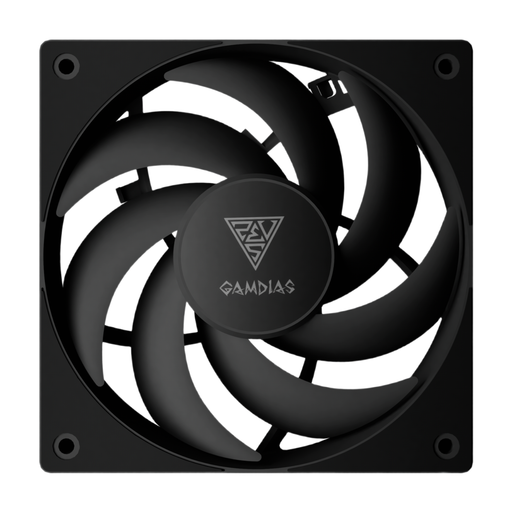
Why this product suits the profile: This 120 mm case fan is designed for widely used mounting positions and offers simple PWM control, making it suitable for upgrades with minimal installation effort.
The stated 120 mm size and 4-pin PWM connector make it easier to check compatibility. The product information does not specify any lighting.
120 mm diameter, speeds of up to 1,600 RPM and a PWM connector for temperature-dependent control.
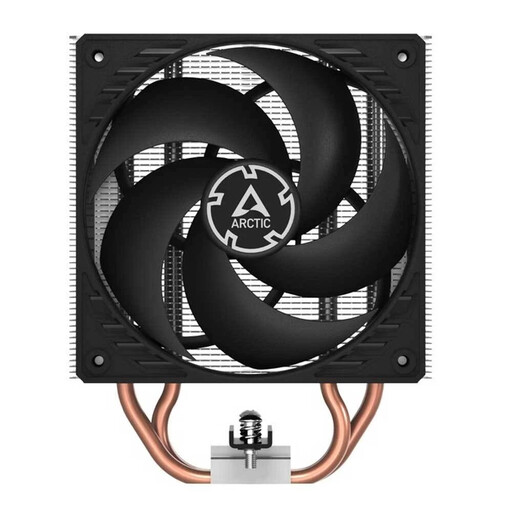
Why this product suits the profile: This single-tower air cooler is aimed at users who can accommodate a larger cooling assembly with 120 mm fans and broad socket support.
The product information lists AM4, AM5 and LGA1700, along with a cooler height of 159 mm. This makes it easy to check compatibility with the case before buying.
Four heat pipes, two 120 mm fans, a 4-pin PWM connector and a stated maximum noise level of 24,40 dB.
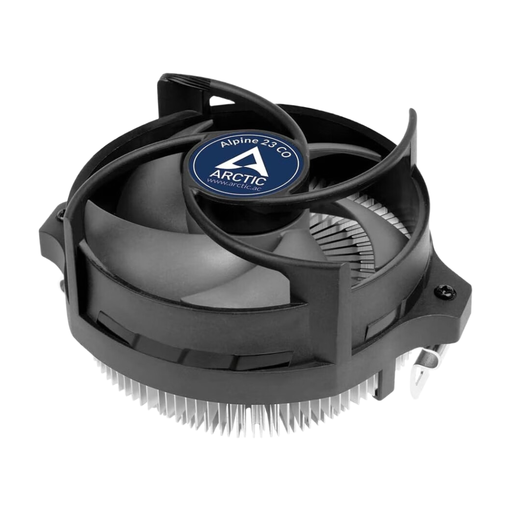
Why this product suits the profile: Its compact design and CO specification make it suitable for AMD systems with limited space or continuous operation.
Compatibility is limited to AM4 and AM5. This clear restriction prevents the cooler from being purchased accidentally for an Intel platform.
90 mm fan, 4-pin PWM connector, pre-applied MX-2 thermal paste and stated support for continuous operation.
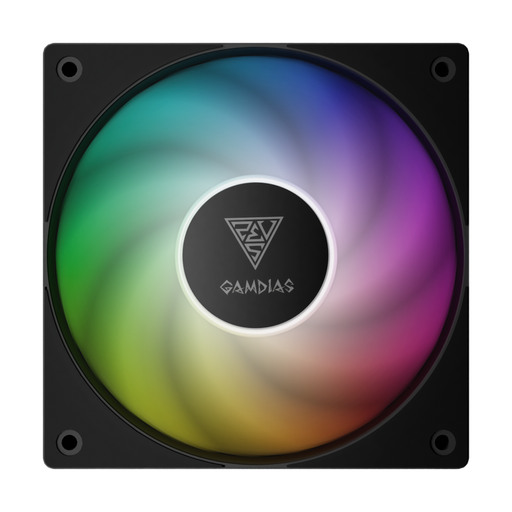
Why this product suits the profile: This 120 mm ARGB fan combines PWM control with addressable lighting, making it a good fit for builds where performance and lighting are planned together.
The product information explicitly specifies a 5 V 3-pin ARGB connector. This must not be confused with a 12 V 4-pin RGB connector.
120 mm, speeds of up to 1,600 RPM and customisable ARGB lighting for compatible motherboards or controllers.
We have put together a complete, regularly updated list of products that fully meet these strict selection criteria and the safety regulations applicable in the EU.
Switch off the PC before every installation and disconnect it from the mains. Check the arrows on the fan frame to ensure that the intake and exhaust directions match your planned airflow. As a simple basic configuration, an intake fan at the front and an exhaust fan at the rear or top is often a good starting point.
The contact surface must be clean when installing the CPU cooler. Use only the specified amount of thermal paste, or the paste that has already been applied. Fan cables must not touch the rotor blades or hot components. After installation, check the speed, temperature and any unusual noises in the BIOS or via system software.
This depends on the case, components and airflow. One intake fan and one exhaust fan provide a simple starting point. Additional fans may be useful with high-performance hardware, provided that mounting positions, noise levels and PWM connectors are taken into account.
Not necessarily. A 140 mm fan can run at a lower speed while delivering comparable airflow. Noise level, bearing type, fan curve, case decoupling and obstructions in the airflow also affect the result.
There is no single lifespan that applies to every model. Bearing type, dust exposure, temperature, operating time and mechanical stress all play a role. Regular cleaning with dry compressed air and secure mounting can improve operating conditions.