
Lieferung heute & morgen

Qualitätsgarantie

Willkommens-Angebote freischalten: KOSTENLOSE Lieferung | Bis zu 80 % RABATT | Kostenlose 30-Tage-JoyPlus-Testphase
App herunterladen
A PCIe 5.0 NVMe SSD can deliver high data transfer rates for gaming, video editing, 3D projects and AI applications. But choosing one isn’t just about the maximum speed advertised. The key factors are having the right M.2 slot, adequate cooling and enough capacity for the way you actually work.
Manufacturers usually quote sequential read and write speeds. These figures mainly apply to large, continuous files and suitable test conditions. Starting programmes or loading lots of small files also involves random access, IOPS, the controller and the operating system.
So an internal NVMe SSD rated at 14,000 MB/s won’t automatically be twice as fast as a good PCIe 4.0 model in every application. However, its higher bandwidth can be useful for large video files, databases or extensive AI datasets.
To reach the advertised peak speeds, the SSD needs a PCIe 5.0 x4 M.2 slot. It will generally still work in a PCIe 4.0 or PCIe 3.0 slot, but will operate at the speed supported by that interface.
Before buying, check your motherboard manual or laptop specifications. Some systems also share lanes between M.2 slots and graphics cards or SATA ports.
PCIe 5.0 controllers can get noticeably warm under sustained load. Without a suitable heatsink, the SSD may reduce its speed to keep temperatures in check. A motherboard heatsink, a compatible SSD heatsink or a model with integrated cooling is particularly worth considering for repeated file transfers, rendering and AI workloads.
The most common format is the M.2 2280 SSD, measuring 22 × 80 mm. Check that your PC or laptop supports this form factor and that there’s enough clearance around the installation area for your graphics card and cooling components.
For maximum performance, the SSD should use PCIe 5.0 x4 and NVMe. Backwards compatibility is useful, but it doesn’t replace a PCIe 5.0 slot.
A 1 TB PCIe 5.0 SSD is suitable for your operating system, programmes and a modest games library. However, current games, 4K video projects and local AI models can quickly fill the available space.
A 2 TB PCIe 5.0 SSD gives you more room for large project files and multiple applications. It also leaves more free space for temporary files and dynamic caches. If you regularly work with raw footage, virtual machines or datasets, you may want to consider 4 TB models too.
Look for details about DRAM cache, SLC cache, TBW and the recommended cooling. SLC cache can speed up short write operations; during very long transfers, speeds may drop once the cache is full.
TBW (Terabytes Written) indicates the write endurance specified by the manufacturer for the drive’s intended lifespan. It isn’t a guarantee against failure. Regular backups to a separate storage device are still essential for important data.
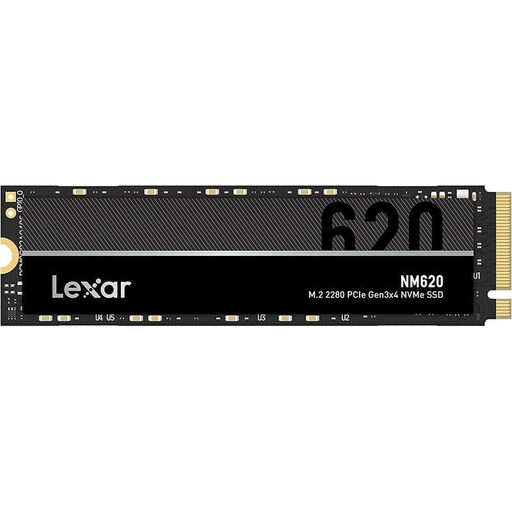
Why this product suits this profile: For a gaming PC or everyday computer, a 2 TB M.2 SSD with PCIe 3.0 can be a capacity-focused alternative to a PCIe 5.0 SSD if your motherboard doesn’t support Gen5.
The interface is clearly listed as PCIe 3.0 x4, so you won’t be paying for PCIe 5.0 performance your system may not be able to use.
2 TB capacity, M.2 2280 form factor, and read speeds of up to 3,300 MB/s and write speeds of up to 1,300 MB/s, according to the product specifications.
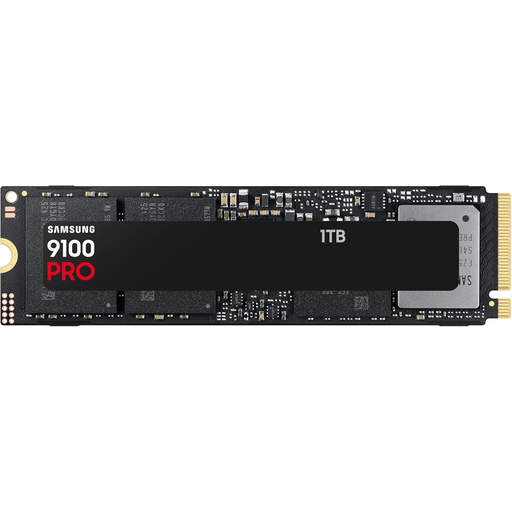
Why this product suits this profile: This 1 TB model is for anyone looking for a compact, high-speed SSD with a PCIe 5.0 connection for gaming, video editing or AI applications.
The product specifications clearly state the interface, form factor and maximum speeds. You’ll still need to check that your M.2 slot supports PCIe 5.0 before installing it.
M.2 2280, PCIe 5.0 and read speeds of up to 14,700 MB/s and write speeds of up to 13,300 MB/s, according to the product description.
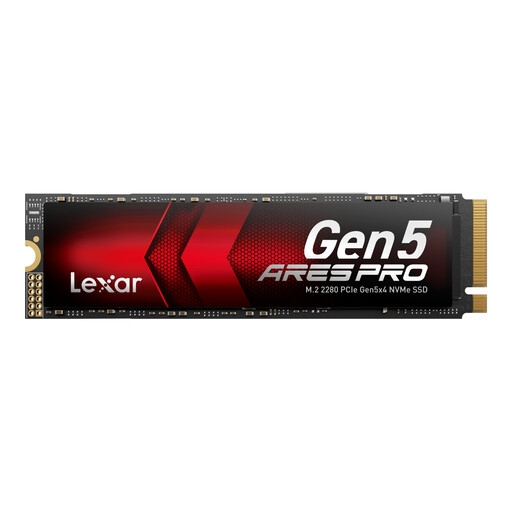
Why this product suits this profile: With 2 TB of storage, this model is aimed at content creators, developers and anyone wanting to store large games libraries, video files or local AI datasets on an internal SSD for a PC or laptop.
The specifications include Thermal-Defender cooling and also note that adequate case ventilation is required under heavy load.
PCIe 5.0 x4, 2 TB, read speeds of up to 14,000 MB/s and write speeds of up to 10,000 MB/s, plus a stated five-year limited warranty.
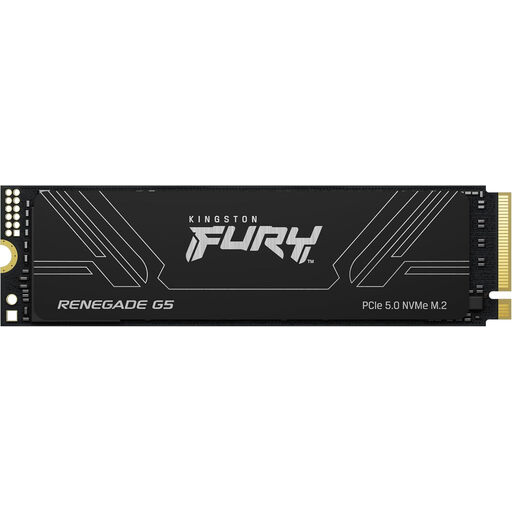
Why this product suits this profile: The 4 TB capacity is a good fit if you have a large games library, extensive media archives, virtual machines or consistently data-intensive workloads.
The specifications list PCIe 5.0 x4, M.2 2280, cooling features and backwards compatibility separately, making it easier to check your system requirements before buying.
4 TB of storage, read speeds of up to 14,800 MB/s and write speeds of up to 14,000 MB/s, plus a stated SM2508 controller with DDR4 DRAM cache.
We’ve put together a complete, regularly updated list of products that meet these strict selection criteria and the safety regulations applicable in the EU.
Before installing the SSD, shut down your PC completely and disconnect it from the mains. The SSD is usually inserted at an angle into the M.2 M-key slot, then secured with a screw or bracket. Avoid touching the gold contacts or putting pressure on the circuit board.
After starting up, you may need to initialise and format the SSD in Disk Management. UEFI settings and an up-to-date motherboard BIOS may be relevant if you’re using it as a system drive. For a PS5-compatible SSD, you’ll also need to check the dimensions, cooling requirements and minimum speed specified by Sony. PC compatibility alone doesn’t confirm that an SSD will work with every console.
It depends on your system and the games you play. PCIe 5.0 can be useful if you want maximum data rates with DirectStorage-compatible applications. However, loading times in many games still depend on the game engine, processor and random access performance. A PCIe 4.0 model may therefore be enough for a gaming PC.
There’s no guaranteed lifespan. It depends on write volume, temperature, power supply and usage. Manufacturer specifications such as TBW provide a technical guideline. You should still back up important data regularly, whatever the TBW rating.
Power consumption depends on the controller, firmware, capacity and workload. Under sustained heavy use, it may generate more heat than slower models. Good case ventilation and a suitable M.2 heatsink help keep the operating temperature within the recommended range.