Those who prefer a quiet desk environment
If you work or make calls at the same desk for long periods, you need an adjustable airflow that won’t be distracting while you’re using it.


For a desk, look for a low setting that’s easy to adjust, a suitable direction and a noise level that’s acceptable at that setting. If you want air to reach other areas too, the oscillation range and tilt become more important. A fan won’t lower the room temperature. If sunlight is making the room hot, you’ll also need to consider shading and ventilating when the air outside is cooler.
If you work or make calls at the same desk for long periods, you need an adjustable airflow that won’t be distracting while you’re using it.
If you want the fan to reach other areas as well as your desk, suitable oscillation and direction settings can help distribute the airflow around the room.
Air movement can feel pleasant where you’re sitting. If you want to reduce the temperature throughout the room, you’ll also need to consider shading and ventilation.
First decide whether you mainly want to direct the airflow towards your own seat or reach several areas. If the room gets hot, also consider whether moving the air will be enough or whether you need to take steps to prevent it warming up.
| Buying priority | What to look for when buying | Who this matters most to |
|---|---|---|
| Noise and airflow | Check which fan speed the noise figures apply to and whether the airflow can be adjusted finely enough. | If I work at my desk for long periods, I want the airflow to feel comfortable without disrupting conversations or concentration. Around 36% of consumers prioritise quiet operation at their own seat. |
| Airflow across several areas | Check the oscillation direction, tilt and height against your seating areas and furniture. | If I want the fan to reach other seating areas as well as my desk, adjustable airflow is more important than having it directed at one spot all the time. Around 29% of consumers prioritise airflow across several areas. |
| Managing room heat | First work out whether you need air movement where you’re sitting or a lower room temperature. | If the sun is heating up the whole conservatory, moving the air may not be enough to tackle the heat in the room. Around 21% of consumers prioritise managing overheating. |
| Placement and power supply | Check the available floor space, proximity to a socket and power consumption. For battery claims, check which fan speed they refer to. | If space or access to a socket is limited where I want to put the fan, I need a suitable placement and power option. Around 14% of consumers prioritise flexible placement and running costs. |
A fan moves the air that’s already there, but it won’t remove heat from the sun-warmed conservatory. The German Environment Agency and the Federation of German Consumer Organisations distinguish between moving air where you’re sitting and taking steps to prevent heat entering or building up in the room.
Before buying, consider whether you want relief at your desk or a lower room temperature. Shading and ventilating when the air outside is cooler may also help with room heat.
A figure for the lowest setting doesn’t tell you how noisy the fan will be at a stronger setting that’s useful for you.
Compare noise figures alongside the relevant fan speed, and check whether the airflow will be strong enough for the way you plan to use it.
Different model names may indicate differences in features or purchasing conditions.
Before ordering, check the full model number and compare the features that matter to you.
The features mentioned apply to the product ranges listed and aren’t a blanket recommendation for the brands as a whole.
The Sefte 10 Pedestal Pro may suit you if you need to move the fan between locations or don’t have a socket where you want to use it.
The Intrinity MFS242RDDW is an option if you want to adjust the airflow across several settings.
The 3000 Series CX3550/01 pedestal fan may suit you if you’d like to control it through an app at a fixed workstation.
The Turbo Silence Extreme VU5640F0 is a manually operated alternative with adjustable height and oscillation.
The bladeless MF10 is an alternative design if airflow direction and control features are important to you.
This selection includes pedestal fans for flexible or wider airflow, as well as compact desk and mini fans for directing air at your workspace.
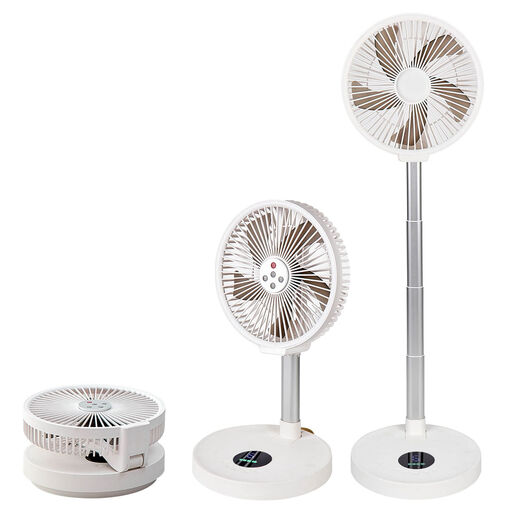 No product image available
For several seating areas, when you want airflow that can be directed flexibly.
Six speed settings, remote control and timer; adjustable height, with 90° oscillation and 180° tilt.
The stated cordless running time of up to 13.5 hours applies to the lowest setting.
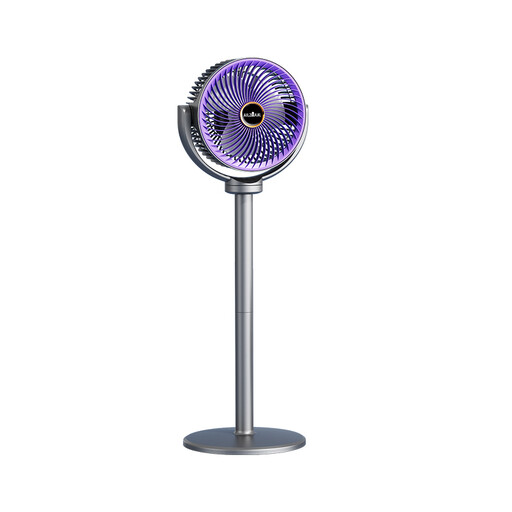 No product image available
For directed airflow at your desk, when you want to adjust the height and direction.
The head tilts by up to 90°; the description lists three adjustable height settings. With a Type-C port.
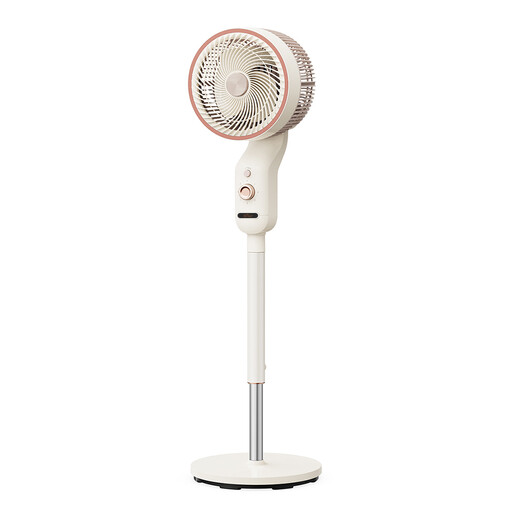 No product image available
For moving air across a wider area, if its adjustable height suits your room.
The product name lists 360° circulation, three speed settings and an adjustable height of 34 to 41 inches.
According to the product description, don’t use it in direct sunlight or rain. Follow the instructions for the intended location.
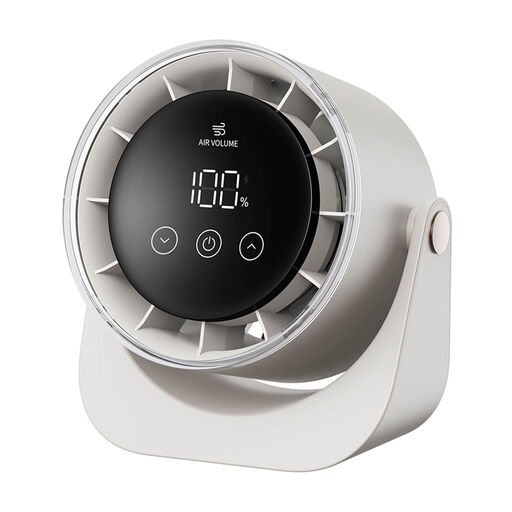 No product image available
For directed airflow at your desk, if a compact desk fan suits you better than a pedestal fan.
The title lists 100 speed settings and 90° tilt; the description lists an LED display and up to ten hours of battery life on the low setting.
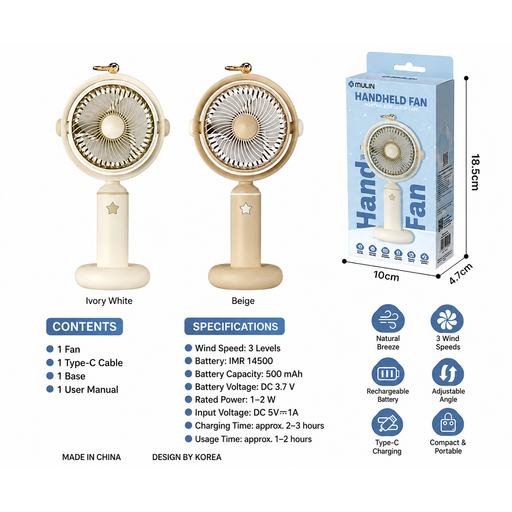 No product image available
For a little airflow at your desk or for handheld use; this isn’t a pedestal fan.
With a removable stand, Type-C charging cable and three speed settings. The stated battery life is around 1–2 hours.
A pedestal fan can make you feel more comfortable by moving the air around where you’re sitting, but it won’t lower the room temperature. Shading and ventilation can help prevent heat building up when the air outside is cooler. Cooling the room with an appliance requires a different type of device.
Adjust the height and tilt to suit where you’re sitting, and leave a clear path for the airflow. Follow the instructions for cleaning and positioning the specific model. For the TurboPoly Fan 513S, Dreo recommends cleaning about once a month with regular use; this isn’t a general recommendation for all fans.
To calculate electricity use in kWh, multiply the power consumption in watts by the actual hours of use, then divide by 1,000. The cost also depends on your electricity tariff. If you buy from a trader in the EU, you have a legal guarantee of at least two years from receiving the goods, as explained by the European Commission on its consumer website. An additional manufacturer’s guarantee doesn’t replace these rights.
CE marking is required for products covered by the relevant EU harmonisation rules; it isn’t an independent quality mark. For electrical appliances covered by the rules, Germany’s Federal Network Agency checks matters including labelling, manufacturer details and German-language instructions. A fan that’s reached the end of its life shouldn’t go in household waste; take it to an authorised collection or return point instead.