What to look for when buying
First, check the noise and airflow at the setting you plan to use while working. Then consider the fan’s direction and how much space it takes up. According to IMTEST, you can’t judge airflow from wattage alone.
| What matters |
What to check before buying |
Who it matters most to |
| Noise while working |
Check the noise figures for each setting and look for a low setting that still provides enough airflow. Manufacturers’ figures apply only to the operating conditions specified. |
If I’m on calls or need to concentrate, I want a comfortable breeze at my usual working setting without the fan noise becoming a distraction. Around 36% of consumers say noise is their main consideration at their desk. |
| Airflow at your chair |
Check the lowest setting, tilt and height adjustment. If the fan oscillates, see whether you can switch this off. |
If I sit in one place for long periods, I want to be able to direct a comfortable airflow towards me rather than having it feel too strong at my chair. Around 29% of consumers pay particular attention to being able to adjust the airflow at their seat. |
| Space and cable routing |
Check the base dimensions and cable length of the specific model against the space available. Place the fan on a stable, level surface. |
If the fan is going beside an office chair, its base shouldn’t get in the way and its cable shouldn’t trail into the chair’s path. For around 21% of consumers, footprint and cable routing come first. |
| Power use and controls |
Consider the power consumption of the specific model and how long you plan to run it. You can work out energy use in kWh by multiplying power in kW by the number of hours it runs. |
If I use the fan often, I want to estimate its energy use and operate it easily, without paying for features I won’t use. Around 14% of consumers pay particular attention to running costs and ease of use. |
Joybuy products for your workspace
This selection includes pedestal and desk fans with adjustable settings, as well as models that are easy to position flexibly. A tower fan is also included as an alternative design.
 No image available
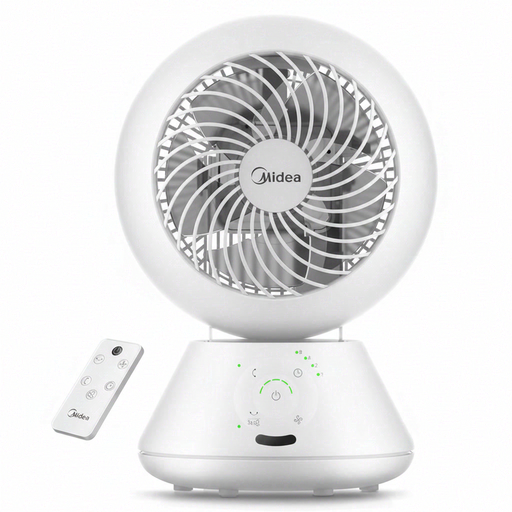
Midea MDF24JRW pedestal and desk fan
Five speed settings give you a choice of airflow levels when you want to adjust the breeze at your workspace.
30 W; five speed settings; oscillation; remote control; white.
View at Joybuy
 No image available
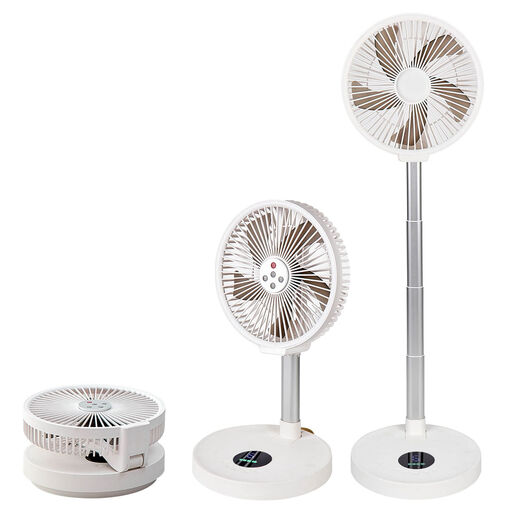
Foldable battery-powered pedestal fan, 7200 mAh
Battery power and a foldable design make this a handy option if you want to move the fan around your workspace from time to time.
7200 mAh; six speeds; timer; height adjustable; remote control.
View at Joybuy
 No image available
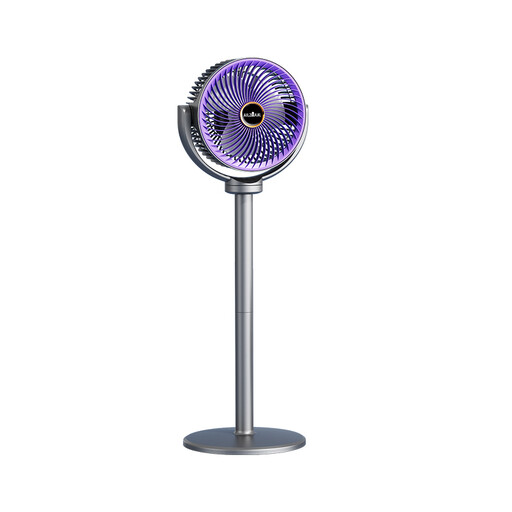
3-in-1 height-adjustable pedestal fan
Adjustable height and battery power make this a useful option if you move between workspaces or need to set the fan at different heights.
2400 mAh; five speeds; Type C; head tilts by 90°.
View at Joybuy
 No image available
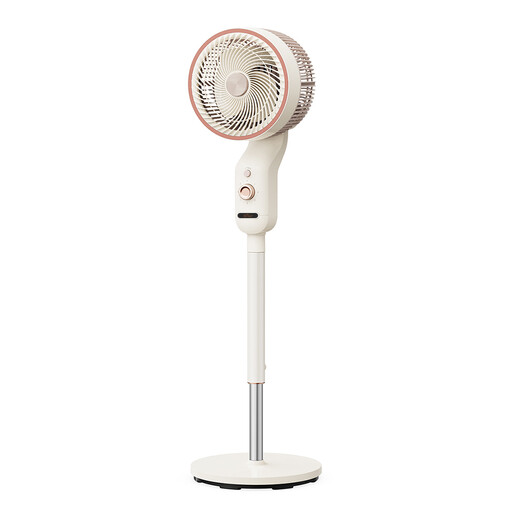
Bear height-adjustable air circulation fan
The adjustable height can help you direct the airflow towards your seat.
Three speeds; adjustable height from 34 to 41 inches; 360° air circulation.
View at Joybuy
 No image available
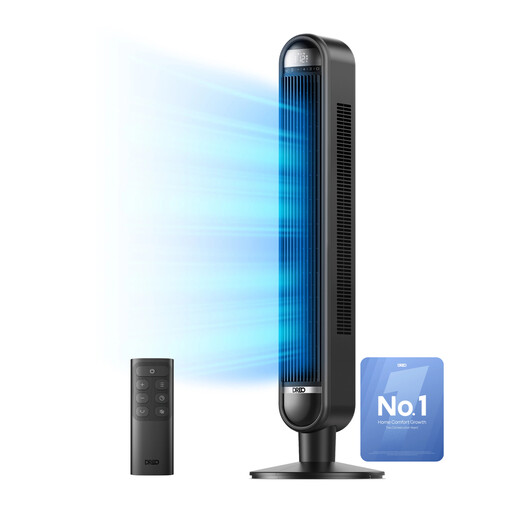
DREO 42-inch tower fan
This tower fan has a different design from a traditional pedestal fan, so bear that in mind if you’re specifically looking for one.
Six speeds; four modes; 90° oscillation; 12-hour timer; remote and touch controls.
View at Joybuy
Frequently asked questions
Will a pedestal fan cool down your home office?
No. The airflow can make you feel more comfortable, but it won’t lower the room temperature. For protection from summer heat, the Umweltbundesamt also recommends measures to keep heat out of your room.
How can I place a fan safely beside my office chair?
Place the fan on a stable, level surface and keep its cable out of the way of your chair and walking route. Follow the instructions for your specific model when assembling and cleaning it. The advice about stable surfaces and electrical components here comes from Meaco’s instructions.
How do I work out its energy use, and what are my rights if it develops a fault?
Multiply the power consumption in kilowatts by the number of hours the fan runs to calculate energy use in kilowatt-hours. To work out the cost, you’ll also need your electricity price per kilowatt-hour. Under the EU rules explained by Your Europe, when you buy from a business seller you’re entitled to a legal guarantee of at least two years from the date you receive the goods. This is separate from any voluntary manufacturer’s warranty.
What should I check about labelling and disposal in Germany?
For relevant electrical products, the Bundesnetzagentur lists checks including the CE marking, identifiable manufacturer details and German-language instructions with any required warnings. The CE mark is not an independent test certificate. Old electrical appliances shouldn’t go in household rubbish; the Umweltbundesamt recommends recycling centres and appropriate take-back points.


