Lettering at a hot desk
If you share a desk and regularly set up and pack away your display, stylus and cables, the overall setup and connection route matter just as much as the screen size.


If you often need to clear your shared workspace, a compact pen display is easier to fit into your space plan. If you want to see your comic page, lettering and toolbars at the same time, a larger drawing area may matter more. Before deciding, also check how it connects, how it’s powered, what’s included and where you plan to set it up – screen size alone won’t answer these questions.
If you share a desk and regularly set up and pack away your display, stylus and cables, the overall setup and connection route matter just as much as the screen size.
If you want to keep your comic page, speech bubbles, lettering and tools in view at the same time, and have a permanent space for your setup, the visible working area is an important factor in your choice.
If you draw letters or speech-bubble outlines with a stylus, check the stylus controls and software. For typeset text, the text features in your chosen software are also essential.
A good fit if: you regularly pack the device away and the smaller visible working area is enough for your comic page.
The trade-off: On a smaller display, you may need to zoom in more often or rearrange your palettes.
A good fit if: you need more working area for your comic page, lettering and controls, and the complete device will fit in your allocated space.
The trade-off: The casing, stand position and cable route all take up space, so plan for them together.
| What matters | What to check before buying | Who is it important to? |
|---|---|---|
| Setting up and packing away | Compare the casing dimensions, weight, space for cables and stylus, and setup angle against the desk space available. | If I need to clear the space after work, I want to be able to put the entire setup away easily. Around 31% of consumers prioritise moving and setting up their equipment. |
| Freehand lines | Test the stylus and driver with typical strokes; check that your software edition has the speech-bubble and text features you need. | If I draw letters and speech-bubble outlines myself, the stylus and software need to suit my workflow. Freehand lettering strokes are a priority for around 25% of consumers. |
| Visible working area | Display a typical comic page with the palettes you actually use, at your intended scaling; distinguish between the drawing area and the space the device takes up. | If I want to see lettering, speech bubbles and tools at the same time, I need enough visible working area. Around 25% of consumers prioritise this. |
| Video connection and cables | Check the video output, data interface, power supply and included cables for the exact model against the office computer. | If I want to connect the display to my existing computer, the connection route needs to work with its capabilities and my setup. A suitable connection is the top priority for around 19% of consumers. |
The active drawing area doesn’t tell you the full size of the setup. At a shared desk, you also need space for the casing, stand and cables.
Measure the available area and check the dimensions and cable route for the specific model separately.
Allow extra room for the stand and cables.
For direct USB-C connection to the Huion Kamvas 13 (Gen 3), Huion says you need a suitable computer port with DP mode.
Check your computer’s video output against the connection requirements documented for the exact model. Huion also describes connecting this model using the included 3-in-1 cable.
The full-featured USB-C cable described by Huion isn’t included with the Kamvas 13 (Gen 3); check whether you’ll need to buy one separately for your connection setup.
Stylus specifications won’t tell you whether your software edition has the text and speech-bubble features you need.
Check hand-drawn strokes and typeset text separately, then test the features against a typical comic panel using your software edition. The CLIP STUDIO PAINT manual notes that the speech-bubble tool isn’t available in DEBUT.
The Kamvas 13 (Gen 3) and 16 (Gen 3) models come in different display sizes to suit changing space and viewing needs.
The Artist Pro 16 (Gen 2) is a larger option, with a built-in folding stand according to XPPen.
The Cintiq 16 DTK168K0B is a 16-inch option for a workspace with room for a larger device.
The following products are Android tablets with a stylus. They may suit you if you’re looking for a standalone tablet rather than an external pen display for your computer.
 No image available
Could be worth considering for freehand lettering if you’d prefer a standalone Android tablet to an external pen display.
13.4-inch 2K display; according to the product name, 4.096 pressure levels and T-Pen drawing. Android 15, 256 GB storage and 20 GB RAM (8 GB + 12 GB virtual).
 No image available
Could be worth considering for freehand lettering if you’d prefer a standalone Android tablet to an external pen display.
12.7-inch 2K display; according to the product name, 4.096 pressure levels and T-Pen drawing. Android 15, 256 GB storage and 20 GB RAM (8 GB + 12 GB virtual); includes a protective case and English-language Bluetooth keyboard.
 No image available
Could be worth considering for freehand lettering if you’d prefer a standalone Android tablet to an external pen display.
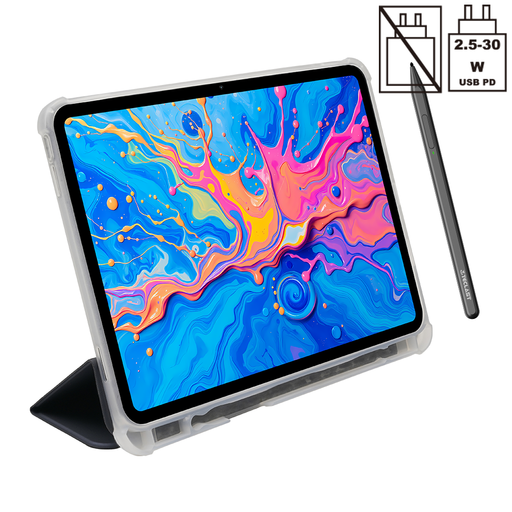
12.7-inch 2K display; according to the product name, 4.096 pressure levels and T-Pen drawing. Android 15, 256 GB storage and 20 GB RAM (8 GB + 12 GB virtual); includes a protective case.
Not on its own: you’ll use your software’s features to work with lettering and speech bubbles. The CLIP STUDIO PAINT manual describes a text tool and speech-bubble tools; the speech-bubble tool isn’t available in the DEBUT edition. So check the exact edition and make sure it suits your workflow.
No. For a direct USB-C connection to the Kamvas 13 (Gen 3), Huion specifies, among other things, a computer port with DP mode, and lists USB 3.1 Gen 1 and DP 1.2 as requirements. Huion also describes connecting this model using the included 3-in-1 cable. Check the connection requirements for other models separately.
Choose a position and text size that make the task at hand easy to see, and allow enough room for the display and your other work equipment. The ASR A6 from the Federal Institute for Occupational Safety and Health covers regular screen work within its defined workplace scope; it doesn’t set a general minimum size for pen displays bought for private use.
Check which cables and stand are included for the specific model: Huion says the full-featured USB-C cable described for the Kamvas 13 (Gen 3) isn’t included; Wacom sells an adjustable stand for the Cintiq 16 DTK168K0B as a separate accessory. For consumer purchases in Germany, your statutory rights against the seller and a voluntary guarantee are two different things. Online purchases generally come with a 14-day right of withdrawal; check the specific terms of your contract and any possible exceptions. Verbraucherzentrale explains the difference.
Products sold in the EU must comply with product safety regulations. The European Union lists electrical and electronic equipment as a product group that may require CE marking; check the requirements that apply to the specific device. CE marking isn’t an independent quality certification.