Note-takers without a spare socket
If you want to use your laptop to annotate slides without plugging in another power adapter at your lecture seat, your laptop, cable and pen display all need to support video, pen input and sufficient power.


If you want to use your existing laptop to make notes on lecture slides, choose a compact pen display based on how it connects only after confirming that your laptop supports the required video and data transfer, as well as providing enough power. A USB-C connector alone doesn’t guarantee that it will work without a mains adapter. Also check the usable drawing area and what’s included with the specific offer, as a missing cable or the need for an additional power supply could change your set-up.
If you want to use your laptop to annotate slides without plugging in another power adapter at your lecture seat, your laptop, cable and pen display all need to support video, pen input and sufficient power.
If you use different laptops, check video output, available USB ports and power supply for each device. The same connector shape doesn’t automatically mean it’s suitable for connecting a display.
If you need to leave room for handwritten notes on slides alongside your laptop and other materials, display size is an important consideration. A compact display takes up less space, while a larger one needs more room on your desk.
First check the power supply and laptop compatibility, then choose a suitable drawing area, and finally make sure the right cables and accessories are included for your connection set-up.
| Consideration | What to check before buying | Who is it important to? |
|---|---|---|
| Working without an additional socket | Check the exact model’s power requirements and the power output of the laptop port you plan to use. | If there isn’t a spare socket at my lecture seat, I want to know whether my laptop can provide enough power to the display. Around 36% of consumers prioritise working without an additional socket. |
| Connecting to an existing laptop | Check the manual and display instructions for video output, data connectivity and the cable required. | If I want to use the display with existing or different laptops, a compatible video and data connection matters most to me. Around 29% of consumers prioritise connection compatibility. |
| Drawing area when space is limited | Compare the display’s diagonal measurement and dimensions with your available desk space and a typical slide. | If there’s little room left alongside my laptop and other materials, I want to find a drawing area that works for slide notes. Around 21% of consumers prioritise balancing drawing area with the space it takes up. |
| What’s included and accessories | Check whether the pen, the right video or USB-C cable and, if needed, power accessories are suitable for your planned connection set-up. | If I want to connect the display without having to look for additional accessories, the contents of the specific offer are crucial. Around 14% of consumers mainly look for the parts they need to be included. |
Video output and sufficient power are separate requirements. For the Kamvas 13 (Gen 3), Huion’s instructions also specify a connection to a power supply.
Check the exact port on your laptop against the instructions for the model version you’ve chosen.
Depending on how you connect it, you may need an additional cable or a power adapter.
Huion’s information about powering the original Kamvas 13 from a compatible laptop doesn’t confirm that the Kamvas 13 (Gen 3) uses the same connection set-up.
Check the full model name and the instructions for the exact version on offer.
Huion lists a USB-C to USB-C cable as optional for the original Kamvas 13. For Gen 3, the specific USB-C instructions also describe a power cable connecting to a power adapter.
What’s included and which cables you get can vary by model, connection set-up and offer. Manufacturer details for a particular bundle don’t automatically apply to other offers.
Compare what’s included with the specific item against the parts you need for your connection set-up.
Depending on the offer, you may need to buy a pen, a compatible cable or power accessories separately.
The Wacom One 12 is a compact option for taking notes directly on the display. Wacom describes a single-cable USB-C connection, depending on the computer’s port.
The original Kamvas 13 and the Kamvas 13 (Gen 3) are different model versions. Check the connection and power details for the specific version you’re considering.
With a choice of USB-C or 3-in-1 connection, the Artist 12 (2nd Generation) is a compact option for making notes on slides.
The Joybuy products below are Android tablets with a pen, not pen displays connected to a laptop. They’re therefore an alternative type of device, rather than another example of the connection solutions described above.
 No image available
An Android tablet with a built-in pen: a different type of device from a pen display powered by a laptop.
Listed in the product title: 13.4-inch 2K TDDI display, T-Pen with 4096 pressure levels, 10,000-mAh battery, Android 15 and 256 GB storage.
 No image available
An Android tablet with a built-in pen: a different type of device from a pen display powered by a laptop.
Listed in the product title: 12.7-inch 2K TDDI display, T-Pen with 4096 pressure levels, 10,000-mAh battery, Android 15 and 256 GB storage. This offer also includes a protective case and an English-language Bluetooth keyboard.
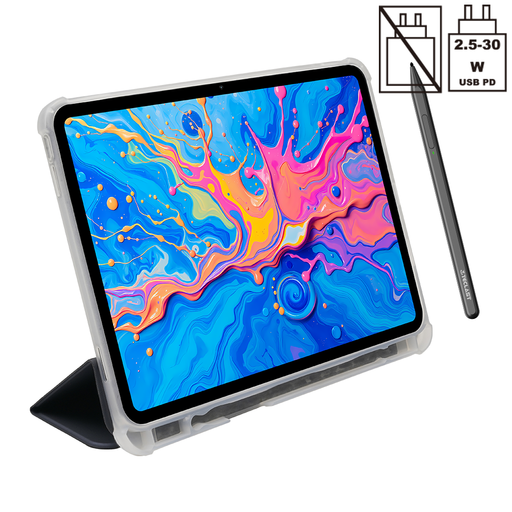 No image available
An Android tablet with a built-in pen: a different type of device from a pen display powered by a laptop.
Listed in the product title: 12.7-inch 2K TDDI display, T-Pen with 4096 pressure levels, 10,000-mAh battery, Android 15 and 256 GB storage. This offer also includes a protective case.
No. The port must support the required video and data transfer, and your laptop must supply enough power. Check the technical specifications for both devices and make sure you have the right cable. For the Kamvas 13 (Gen 3), Huion’s connection instructions also specify a power connection to a power adapter when using USB-C.
In the PowerPoint versions described by Microsoft, you can draw with a pen during a slide show. When you finish, choose ‘Keep’ to save your ink annotations on the slides. Before your lecture, check that your presentation software and view support the same process.
First check the video connection and power supply required for your exact model. For the Artist 12 (2nd Generation), XPPen describes a flickering display when the power supply is insufficient, and suggests another USB port or a power adapter as possible solutions. Other models may use different connection set-ups.
According to consumer information from the European Union, purchases from a business seller are generally covered by a legal guarantee of at least two years from the date you receive the goods. This is separate from any voluntary manufacturer’s warranty. For a standard distance sale, you generally have a 14-day right to cancel from delivery, subject to legal exceptions.
No. Germany’s Federal Environment Agency notes that old electrical equipment must be collected separately from unsorted household waste. Find out where your local collection point is.