Who is a pen display suitable for?

Artists who trace fine details

If you want to work on the outlines of a scan on a separate layer, it helps to be able to see both the reference image and your pen position clearly. Krita documents how to use reference images and layers with adjustable opacity.

People with a small desk

If your display, computer and paper drawing all need to fit on the same surface, or you’ll need to put the device away afterwards, its overall dimensions and the space required for the stand and cables matter. Huion’s Kamvas 13 manual lists its dimensions as 366.5 × 217.4 × 11.8 mm.

People with limited ports

If you want to use the ports already available on your computer, check in advance whether they can provide a video signal and enough power for the specific display. Wacom lists DisplayPort Alt Mode and 15 W Power Delivery as requirements for using the One 13 touch with a single cable.

What should you look for when buying?

What matters to you What to check Who is it important for?
Checking scans and lines Check the resolution and active area of the exact model. Also make sure your software supports reference images and separate layers. Krita explains both ways of working. If I want to check my scanned image and new lines at the same time, I need a clear reference image and strokes I can edit separately. Around 36% of consumers put this detailed work first.
Drawing area and desk space Measure the available space, including room for cables and the stand. Compare the device’s dimensions and active drawing area, not just the screen diagonal. If I need to fit a computer, keyboard or paper drawing on the desk as well as the display, the whole setup matters. Around 21% of consumers prioritise limited desk space.
Video signal and power Check your computer’s video output and power supply, as well as the connection type and cable for the specific model. For single-cable use of the Wacom One 13 touch, Wacom lists DisplayPort Alt Mode and 15 W Power Delivery. If my computer has only a few ports, I want to know before buying whether it can provide both a video signal and power to the display. Around 29% of consumers prioritise checking the connections.
What’s included and accessories Check whether the specific package includes the cables, power adapter and stand you need. Huion lists the ST300 stand and USB-C to USB-C cable as optional for the Kamvas 13. If I want to use the display at my workstation straight away, I don’t want to have to track down the accessories I need afterwards. Around 14% of consumers focus first on what’s included and the total cost.

Common buying misconceptions

  • USB-C guarantees a single-cable connection

    A USB-C port alone doesn’t guarantee video output or sufficient power. For the single-cable setup described by Wacom for the One 13 touch, your computer must support DisplayPort Alt Mode and 15 W Power Delivery.

    Before relying on a single-cable connection, check your computer’s port, the exact display model and what’s included in the package.

    Key brands at a glance

    Huion

    Huion’s specifications for the Kamvas 13 and Kamvas 16 (Gen 3) provide useful points of comparison for desk space, resolution and connections.

    • According to its manual, the Kamvas 13 has a 13.3-inch screen and a resolution of 1920 × 1080 pixels.
    • The ST300 stand and USB-C to USB-C cable are listed as optional for the Kamvas 13. Specifications for the Kamvas 16 (Gen 3) don’t automatically apply to older Kamvas models.

    Wacom

    The Wacom One 13 touch is a compact option with touch controls, while the Cintiq 16 DTK168K0B has a larger active drawing area.

    • For a single-cable connection to the One 13 touch, Wacom requires the computer to support DisplayPort Alt Mode and 15 W Power Delivery.
    • Wacom offers different connection and package variants of the One 13 touch, so check the exact model and what’s included.

    XPPen

    The Artist 13 (2nd Generation) and Artist Pro 16 (Gen 2) are pen display models with distinct names.

    • XPPen lists a built-in foldable stand for the Artist Pro 16 (Gen 2).
    • Specifications for the Artist Pro 16 (Gen 2) shouldn’t be assumed to apply to the differently named Artist Pro 16.

    ugee

    The UE12 and UE16 drawing monitors differ, among other things, in their screen sizes as stated by the manufacturer.

    • ugee lists the UE12 as 11.6 inches and the UE16 as 15.4 inches.
    • For the UE16, the manufacturer lists a stand and a 3-in-1 cable as included. Check the details for the specific package on offer.

Related products at Joybuy

The products below are portable secondary monitors that can display a scan as a separate image. They are not listed as pen displays. If you want to trace directly on the screen with a pen, be sure to check that the specific device supports pen input before buying.

KEFEYA 16-inch FHD 1200P monitor with rotating magnetic stand

KEFEYA 16-inch FHD 1200P portable monitor

Described as a secondary screen for displaying a scan; the product details don’t list pen input.

16-inch IPS display with 1200P resolution; weighs 0.76 kg according to the description. The title specifies a magnetic stand that rotates through 360°.

View at Joybuy

Portable wireless 16-inch monitor with 2.5K resolution

Portable wireless 16-inch monitor with 2.5K

Described as a portable screen for displaying a scan; the product details don’t list pen input.

2.5K IPS display, built-in 8000 mAh battery, and AirPlay and Miracast support according to the description.

View at Joybuy

Blackview TABLE 9 portable 16-inch monitor in 16:10 format

Blackview TABLE 9 16-inch monitor, 16:10

Can be used as an extra screen for displaying a scan; the product details don’t list pen input.

IPS display with 1920 × 1200 pixels in 16:10 format. The description lists USB-C and Mini-HDMI, and a weight of 1.27 kg including the stand.

View at Joybuy
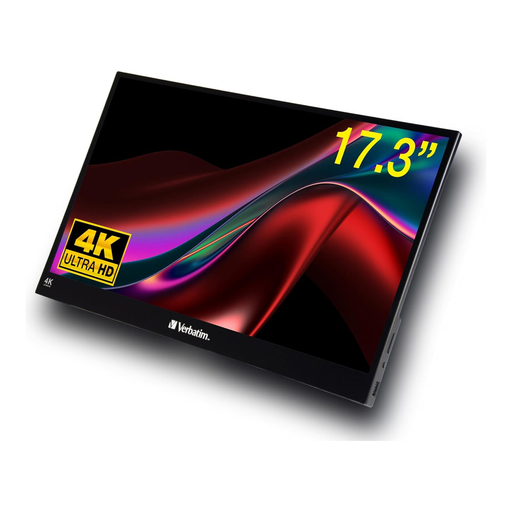
Verbatim portable 17.3-inch 4K touchscreen monitor

Verbatim portable 17.3-inch 4K touchscreen monitor

Described as an extra screen for viewing a scan; the product details don’t list pen input for tracing.

4K UHD resolution of 3840 × 2160 pixels. The title lists HDMI and USB-C, while the description specifies a 10-point touchscreen.

View at Joybuy

UPERFECT portable 16-inch 2K monitor with QLED display

UPERFECT 16-inch 2K 144 Hz portable monitor

Described as a portable screen for displaying a scan; the product details don’t list pen input.

2560 × 1600 pixels in 16:10 format; the title specifies a QLED display with 450 nits. The description lists Mini-HDMI and Type-C.

View at Joybuy

Frequently asked questions

How can I trace a scan without drawing over the original?

Import the scan into suitable drawing software as a reference image or on its own layer, then draw new lines on a separate layer. Krita’s documentation explains reference images, layers and adjustable opacity. These are software features, not automatic functions of the display.

Is my computer’s USB-C port enough for a single-cable connection?

Not necessarily. For the single-cable setup described by Wacom for the Wacom One 13 touch, your computer must support DisplayPort Alt Mode and 15 W Power Delivery. Check the requirements for your chosen model and your computer’s port.

Do I need to buy a stand, pen or cables separately?

It depends on the specific model and package. Huion lists the ST300 stand and USB-C to USB-C cable as optional for the Kamvas 13. Wacom offers different connection and package variants of the One 13 touch, so compare the details of the product actually on offer with your planned setup.

What rights do I have when buying online as a private consumer in Germany?

Where the statutory right of withdrawal applies, the period is generally 14 days under section 355 of the German Civil Code (BGB); for goods, the start of the period under section 356 of the BGB is also relevant. For ordinary claims relating to defects in goods, section 438 of the BGB generally provides for a period of two years from delivery. Statutory rights are separate from a voluntary guarantee; specific exceptions and contractual circumstances should be considered separately.

What should I check about the safety of a display sold in Germany?

EU product safety rules also apply to goods sold online. When checking electrical and electronic products, the German Federal Network Agency (Bundesnetzagentur) lists factors including CE marking, manufacturer details, instructions in German and a declaration of conformity. Check the information for the specific device on offer rather than relying on a logo in an advert alone.