Readers who make notes in the margins
If you want to annotate philosophy PDFs or books as you read, check that your own files support writing, finding notes again and exporting them. Rakuten Kobo outlines some restrictions for certain PDF files.


For longer, focused reading, an E-Ink device with a suitable book and PDF workflow is an obvious choice. If you want to research as you read or use other apps, an iPad or Android tablet may be a better fit. The right option depends on the files you use, the annotation and export features available, and factors such as lighting, weight and the space on your table. Rakuten Kobo, for example, notes that handwritten annotations may be restricted in protected or locked PDFs.
If you want to annotate philosophy PDFs or books as you read, check that your own files support writing, finding notes again and exporting them. Rakuten Kobo outlines some restrictions for certain PDF files.
If you read longer passages at a café table and value a focused reading experience over a wide range of apps, E-Ink devices are worth considering. reMarkable describes its Paper Pro as an E-Ink device for reading and writing.
If you want to switch between texts, reference works and other apps as you read, check which apps are supported by the device’s operating system. Apple and Samsung list stylus features for specific tablet models.
| What matters to you | What to look for | Who it matters most to |
|---|---|---|
| Notes in the margins and files | Check the format, import method, writing features and export using a sample file of your own that you can access. | If I want to jot down thoughts beside a passage and find them again later, the file needs to support that exact workflow. Around 40% of readers prioritise notes in the margins and file compatibility. |
| Readability at a café table | Compare display types, front lights and any explicitly stated anti-reflective coating in similar lighting conditions. | If you want to read longer passages by a window, readability in your own lighting conditions may matter more than extra features. Around 30% of readers prioritise the display and reading comfort. |
| Research and other apps | Check the operating system, the apps you need and their offline features. | If I want to look up terms or open other documents alongside the text, the apps actually available are what matter. Around 20% of readers prioritise research and using apps side by side. |
| Space and portability | Compare the dimensions and weight of the exact version, and allow for a case, bag and table space. | If you often take your device with you and read at a small café table, you’ll need to balance screen size against ease of use. Around 10% of readers put size and portability first. |
On Kobo, DRM-protected PDFs or PDFs locked against annotations may not allow handwritten notes. Also, highlighting text in a PDF is different from the usual way of highlighting a book.
Try a sample file of your own that you can access: import it, write a note, open it again and, if needed, check that you can export it.
Some details about the display size and weight on Joybuy’s Galaxy Tab S10 FE listing differ from Samsung’s specifications. This could lead you to expect a different version or weight.
Check the model code, exact version and what’s included against the manufacturer’s information.
Apple lists specific compatible Pencil models for the iPad (A16); the first-generation Pencil needs an adapter for pairing and charging. reMarkable distinguishes between device features and additional Connect features.
Before buying, check which stylus is included in the specific offer and whether the extra features you need require a subscription.
Depending on the device you choose, you may need to buy a compatible stylus or an optional cloud subscription.
The iPad (A16) is an option for general tablet use with a compatible Pencil accessory. Don’t assume the anti-reflective coating on the iPad Air is also available on this model.
The Galaxy Tab S10 FE range combines tablet features with S Pen support. The FE+ has a larger display than the FE, but also takes up more space.
The Elipsa 2E is an e-reader with a Kobo Stylus 2, for readers whose books and PDFs suit the Kobo workflow.
The Paper Pro is designed for working with PDFs and EPUBs on an E-Ink device with writing features.
The devices below include versatile tablets for reading and research, as well as E-Ink devices for longer reading sessions and handwritten notes.
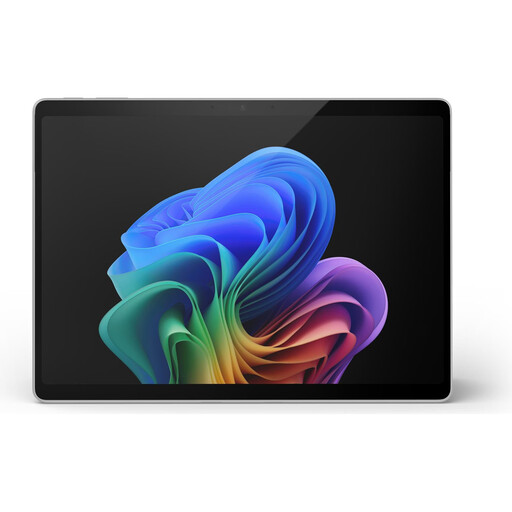 No image available
An option if you want to combine reading and research on a Windows device.
The description lists a 13-inch touchscreen, Windows 11 Pro and a weight of 0.90 kg. It also lists two USB-C 4 ports.
 No image available
Worth considering if you’re looking for a large display and a stylus for reading and work.
The listing specifies a 13.4-inch IPS display with a resolution of 1920 × 1200, Android 16 and 20 GB RAM, comprising 8 GB plus 12 GB of virtual RAM. A keyboard, mouse and stylus are listed for this version.
 No image available
An option if you want to use other apps as you read and make handwritten notes with a compatible Apple Pencil.
The listing describes an anti-reflective coating, 500 nits and a weight of 464 g. Apple Pencil Pro and Apple Pencil (USB-C) are listed as supported. The stated contents include the iPad Air and a USB-C charging cable, but no Pencil.
 No image available
A good fit for longer reading sessions if you’re after a compact E-Ink device with a front light.
The listing specifies a 6-inch E-Ink display with 300 PPI, a front light with 36 brightness levels and Android 14.
 No image available
A good fit if you want to read and make handwritten notes on an E-Ink device.
The listing describes an E-Ink display and an included stylus; a protective case is also listed. According to the product description, the device has no front light, so you’ll need ambient light to read.
No. This depends, among other things, on file protection and annotation settings. Rakuten Kobo notes that the Kobo Stylus can’t be used to write notes in DRM-protected PDFs or PDFs locked against annotations. Check your own file and the export method you want to use.
Import and open the files you need on the device before you go, and check that you can still access the text and notes in the app you use when you’re offline. If you want to write directly in a PDF, test the import method too.
According to reMarkable, basic features are available without Connect. Unlimited cloud storage and certain extra features require a subscription; check the current terms before deciding.
The Verbraucherzentrale explains that online purchases generally come with a 14-day right of withdrawal; conditions and exceptions may apply in individual cases. Your statutory rights against the seller are separate and are not the same as a voluntary guarantee.
Since 28 December 2024, EU charging rules have also applied to tablets and e-readers with a built-in or removable rechargeable battery that can be charged by cable. According to the European Commission and its official interpretation, you can’t infer that an older device already placed on the market broke the rules just because you buy it today.