
Lieferung heute & morgen

Qualitätsgarantie

Willkommens-Angebote freischalten: KOSTENLOSE Lieferung | Bis zu 80 % RABATT | Kostenlose 30-Tage-JoyPlus-Testphase
App herunterladen
If you’re looking for Phomemo label maker labels, you probably want to print labels quickly for prices, barcodes, parcels or general organisation. The choice may seem straightforward at first, but a few differences can make a big difference in practice. A low-priced option can prove inconvenient if the roll doesn’t fit your device, the size isn’t right for the job or the print doesn’t remain legible over time.
“Phomemo” on its own isn’t enough information. A label for the Phomemo D30 won’t necessarily fit the M110 or M220. The key factors are the printer format, roll width and design of the holder.
Before ordering, check:
A small label may be fine for a short filing reference, but it might not leave enough room for a barcode, product name and price. Conversely, large parcel labels can look cluttered on small containers.
So, before choosing price labels, barcode labels or parcel labels, work out how much information you need to include. For round containers or jars, 50 x 50 mm round labels may be a better fit than rectangular ones.
Many Phomemo label makers use direct thermal printing, which requires suitable white thermal labels. You generally won’t need ink cartridges, toner or ribbons. A4 labels, on the other hand, are typically designed for inkjet or laser printers and aren’t automatically suitable for a portable label maker.
The adhesive matters too. Removable adhesive can be useful for labels that need to be changed, while parcel labels and warehouse labels often need a stronger hold.
The dimensions need to suit both the machine and the information you want to print. For example, a 0.55 × 1.57-inch label is suitable for short notes or small organisational tasks. Phomemo M110 labels and Phomemo M220 labels are also available in larger sizes for product details, barcodes and prices.
A practical guide:
Thermal labels use heat to create the print, so their surface needs to be suitable for thermal printing. White labels provide a neutral background and make black text easy to read. Coloured options, such as yellow labels, are useful for visual sorting, notices or colour-coded filing.
Self-adhesive A4 labels are a separate product category for A4 printers. One example is Herma Yellow Labels, 45.7 × 21.2 mm. According to the product description, they’re suitable for laser and inkjet printers, copiers and colour devices. Each pack contains 20 sheets with 48 labels per sheet, giving 960 labels in total. Other stated features include a matt paper surface, rounded corners, removable adhesive and FSC Mix Credit. Check these details against your own printer and intended use.
The number of labels per roll affects how often you’ll need to reorder and the cost per label. A roll of 230 labels may be enough for a small stockroom or occasional pricing. If you send parcels regularly or label a large number of products, a larger format with 100 labels per roll may be more practical when each label needs more room for text.
So, don’t compare pack prices alone. Also consider:
The products below mainly differ in size, compatibility and quantity. Before buying, make sure you check the exact model of your label maker.
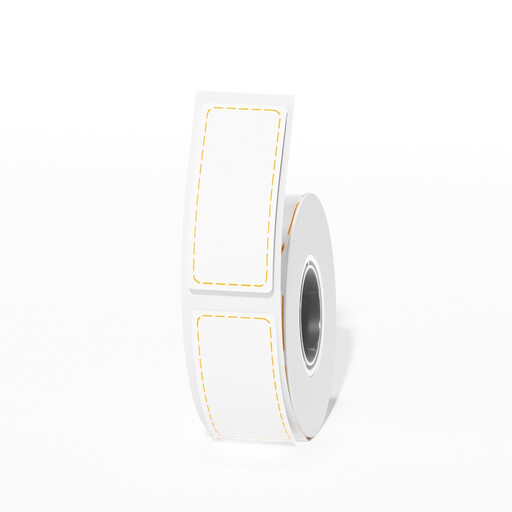
Why this product suits this need: The small size and pack of three rolls make these labels a good choice if you’re just starting to use your D30 for short labels, storage compartments or cable identification.
The model name specifically identifies the D30, making it easier to check compatibility than with a vague claim of universal compatibility.
Three rolls per pack; white, narrow format measuring 0.55 × 1.57 inches.
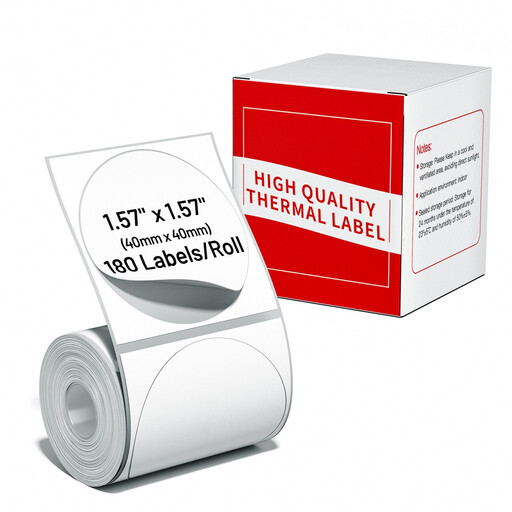
Why this product suits this need: The 50 × 50 mm round shape is designed for uses where the label’s shape complements the design or the container itself.
The product details list several compatible models and the exact dimensions. This reduces the risk of choosing a rectangular label for a round surface.
Round 50 × 50 mm format; listed in the product name as suitable for M110, M220 and PM241BT.
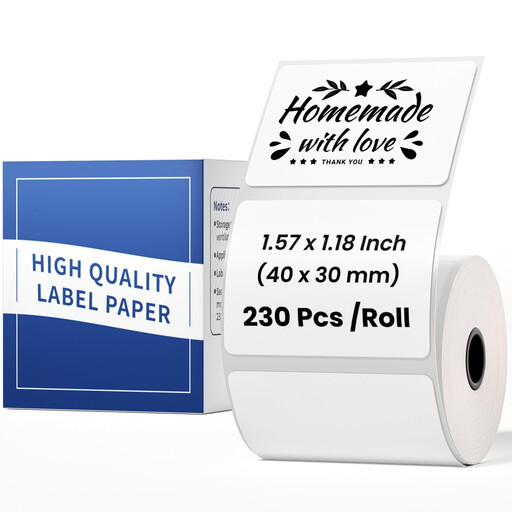
Why this product suits this need: The medium size and 230 labels per roll make these a good choice for regular labelling in small shops, offices or dispatch areas.
The details specify both the M110 and M220, as well as the intended uses. This makes it easier to check the labels are right for you before buying.
230 labels per roll; rectangular format measuring 1.57 × 1.18 inches.
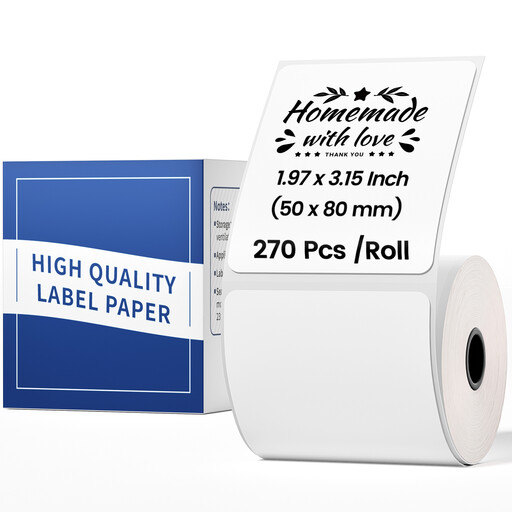
Why this product suits this need: The larger size gives you more room for longer product details, delivery information or a barcode with extra text.
The stated dimensions make it clear that this isn’t a small, standard-size label. This helps you gauge how much space you’ll need before buying.
1.96 × 3.14-inch area; listed in the product name as suitable for M110 and M220.
We’ve put together a complete, regularly updated list of products that meet these strict selection criteria and the safety regulations applicable in the EU.
For the D30, choose labels whose product details specifically mention this model. The 0.55 × 1.57-inch size featured here is listed as a D30 label. You should also check that the roll width, shape and printing technology are suitable for your device.
Their lifespan depends on the paper quality, how they’re stored and the surrounding conditions. Direct sunlight, high temperatures, moisture and friction can affect the legibility of thermal prints. For important archive or delivery information, follow the manufacturer’s storage guidance and try a small quantity in the intended environment first.
They’re generally suitable as long as the size and printable area can accommodate the information you need. A medium size is often enough for short price details. A larger format may be more suitable for longer product information or a barcode with additional text. Also check that your label maker supports the label width you need.