
Lieferung heute & morgen

Qualitätsgarantie

Willkommens-Angebote freischalten: KOSTENLOSE Lieferung | Bis zu 80 % RABATT | Kostenlose 30-Tage-JoyPlus-Testphase
App herunterladen
A Phomemo label printer can bring practical organisation to your home, DIY projects or small business. However, before you buy, it's worth taking a close look at print format, app support and ongoing costs. Not every compact device is automatically suitable for product labels, barcodes or gift ribbon.
A mini thermal printer doesn't need ink cartridges or toner cartridges. This reduces maintenance. However, running costs still arise from label rolls, sticker paper or thermal tape. So check before you buy:
A cheap base unit can actually work out more expensive in the long run if you print frequently, due to specialised consumables.
A Bluetooth label printer usually requires a compatible app or software. What really matters is whether it works with your smartphone, tablet or computer, and what features are actually offered. For the Phomemo models described here, the "Print Master" app is used.
Look out for:
A wireless connection is especially handy for markets, pop-up stores and mobile inventory management. But it doesn't replace checking which devices and formats are supported.
For study notes or decorative stickers, a small device with narrow paper is often enough. A printer for product labels, on the other hand, needs to meet different requirements. For prices, sizes, item numbers or warehouse labelling, you need the right width, legible text and, ideally, a batch or serial printing function.
For commercial users, manufacturer details, safety information and the responsible person in the EU should also be clearly traceable. For all Phomemo products mentioned here, the manufacturer is given as Zhuhai Quin Technology Co., Ltd.; the EU responsible person is listed as Jingdong Retail Germany GmbH in Buseck.
The models featured use inkless thermal printing technology. This means no ink and no toner are needed. However, the device still relies on compatible rolls or tapes. For occasional home use, a small sticker printer may be sufficient. For regular label printing, a cheap and readily available roll standard is more important.
The width you need depends on the application:
According to the product description, the Phomemo M110 supports label widths from 20 to 50 mm. This is relevant for various price, address, jewellery and inventory labels. The P15 is additionally designed for custom gift ribbon.
A mobile label printer should be usable without complicated setup. For the M110, the "Print Master" app reportedly offers more than 100 templates, batch printing, Excel import, OCR text recognition, and the creation of barcodes, QR codes and logos. These features are particularly relevant for boutiques, bakeries and online shop owners.
For private users and students, on the other hand, a smaller device with simple templates may be sufficient. What matters is that the model matches your actual print volume.
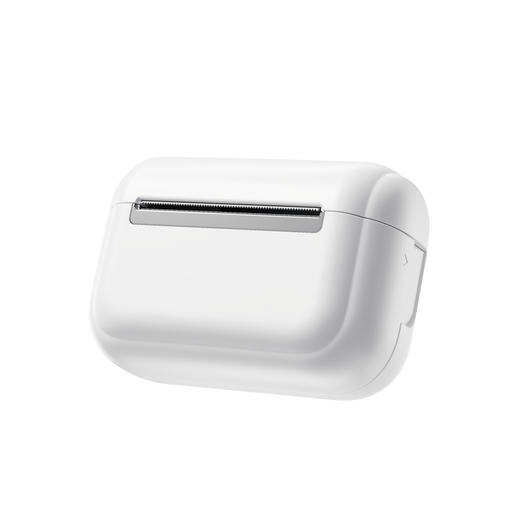
Why this product fits the profile: This compact, wireless sticker printer is designed for small DIY projects, gifts and personal labelling.
The inkless technology avoids buying cartridges. However, you should still check the compatibility of your intended sticker paper before ordering.
Pocket format, wireless use and inkless printing for small labelling and DIY tasks.
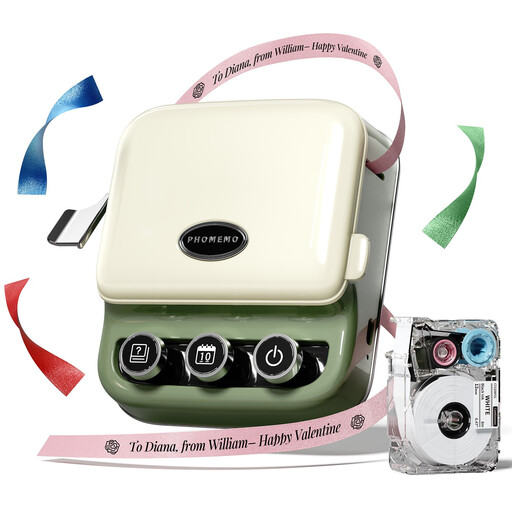
Why this product fits the profile: This 2-in-1 model combines label printing with custom-printable gift ribbon and comes with a gift box.
The product description clearly states that one label tape is included, while gift ribbon is sold separately. This allows you to plan for ongoing costs in advance.
Bluetooth connection, support for smartphone, tablet and PC, plus two printing functions in one device.

Why this product fits the profile: The M110 is aimed at retailers, boutiques, bakeries and online shops that frequently create product, price or inventory labels.
The supported 20 to 50 mm widths and batch printing help you avoid a device with too narrow a scope. You should still check the correct roll width before buying.
Built-in battery, Bluetooth via the Print Master app, Excel import, OCR, plus barcode, QR code and logo printing.
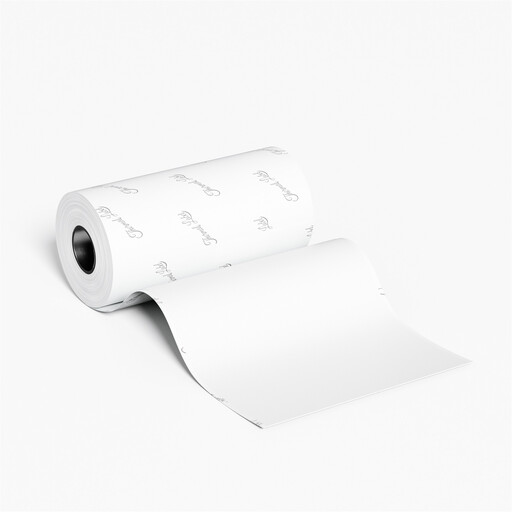
Why this product fits the profile: This refill pack is designed for users who need compatible sticker paper for selected Phomemo mini printers.
The product name specifies the intended models and the 50 mm × 3.5 m format. These details should be checked against your existing printer.
Three rolls in coloured, transparent or similar finish for study notes, photos and DIY labelling.
We've put together a complete, regularly updated list of products that fully meet these strict selection criteria and the safety regulations in force in the EU.
For compatible models, first download the Print Master app onto a supported smartphone, tablet or PC. Then connect the printer via Bluetooth. Next, insert the correct label roll or the intended sticker paper. You should follow the exact steps in the manufacturer's instructions.
The durability depends on the material used and the environmental conditions. Light, heat and moisture can affect legibility. So with refill paper, you should pay attention not only to colour and format, but also to the details of the specific product.
Since the models mentioned print inklessly, there are no costs for ink or toner. The running costs mainly come from label rolls, sticker paper or gift ribbon. Before you buy, compare the roll length, format and availability of the Phomemo printer accessories you need.