
Lieferung heute & morgen

Qualitätsgarantie

Willkommens-Angebote freischalten: KOSTENLOSE Lieferung | Bis zu 80 % RABATT | Kostenlose 30-Tage-JoyPlus-Testphase
App herunterladen
Phomemo labels can be used for barcodes, pricing, parcels, notes, photos or creative projects. At first glance, the selection seems straightforward, but small differences in printer model, roll width and adhesive surface determine whether the label actually works in everyday use.
Not every Phomemo label tape fits every printer. Labels for the Phomemo M110 or M220, for example, differ from labels for the D30 Label Maker. The T02 sticker paper is also designed for specific mini printers.
Before you buy, you should therefore check the following details:
A visually similar format is not a reliable indicator of compatibility.
Thermal labels are described either by roll length or by the number of individual labels. A continuous Phomemo sticker paper roll of 3.5 m is calculated differently from a roll with 230 pre-cut labels.
For shipping, warehousing and retail, the number of labels is what matters. For photos, study notes or scrapbooking, however, the total length of paper may be more important.
Self-adhesive labels do not stick equally well to every surface. Dust, grease, moisture and uneven materials can affect adhesion. For cardboard boxes, plastic containers, glass jars or paper, you should first check whether you need a permanent or removable adhesive.
Hand-written paper labels also have different requirements to thermal labels. Herma, for instance, points out that certain labels are intended for hand-writing and not for laser or inkjet printers.
Matching the model is the most important criterion. Different formats are available for the different printer families:
Check the model number directly on your printer or in the accompanying app before ordering a refill roll.
The size determines what information can be read clearly on the label. A small label is ideal for short names or narrow drawer compartments. Barcodes, price labels and parcel information require more space.
Pay attention to details such as 50 × 50 mm, 1.57 × 1.18 inches or 1.96 × 3.14 inches. Round labels can be useful for product marking, colour coding or creative projects, while rectangular formats generally offer more space for text.
Many Phomemo labels use thermal paper. This usually means you do not need to buy ink or toner. However, print quality depends on the paper, the print resolution and storage conditions. Direct sunlight, strong heat or moisture can affect the durability of printed thermal labels.
For colour-coded organisation, coloured stickers or transparent variants are interesting. If you want to print labels with a conventional printer, you should explicitly check suitability for laser or inkjet printers. Thermal labels are not automatically compatible with these devices.
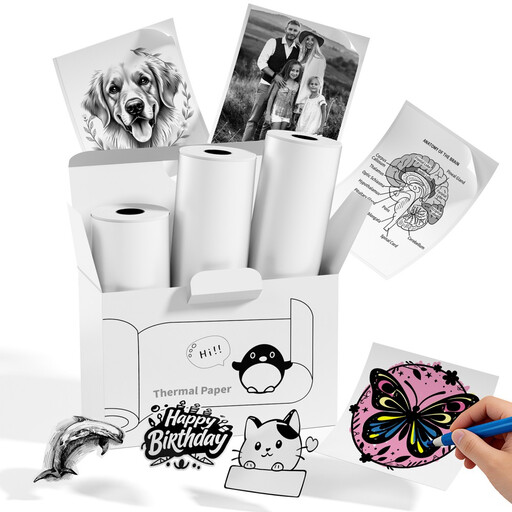
Why this product fits the profile: Three rolls of white self-adhesive thermal paper for compatible T02, Q02E, M02X and M02L mini printers cover everyday labelling and creative tasks.
The product name clearly states the printer families, roll length and number of rolls. This makes it easier to check compatibility with your own device before buying.
50 mm width, 3.5 m per roll and three rolls in total; according to Phomemo's product information, it is intended for photos, notes, labels and scrapbooking.
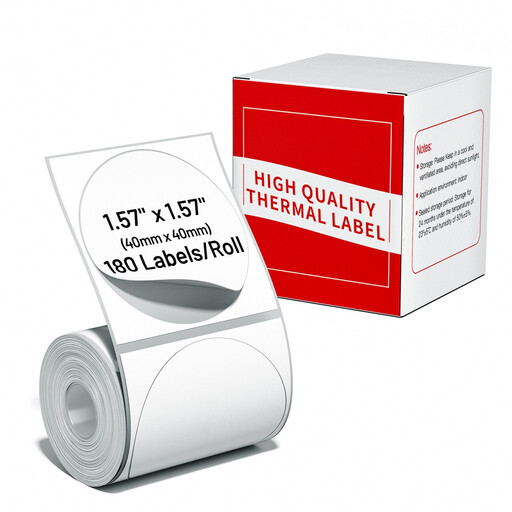
Why this product fits the profile: The round format is ideal for product labelling, packaging and visually distinct notices, provided your printer model is compatible.
The dimensions of 50 × 50 mm and the supported models are stated in the product name. This reduces the risk of choosing a rectangular format for a round application.
Round format, white finish and compatibility with M110, M220 and PM241BT according to the product information.
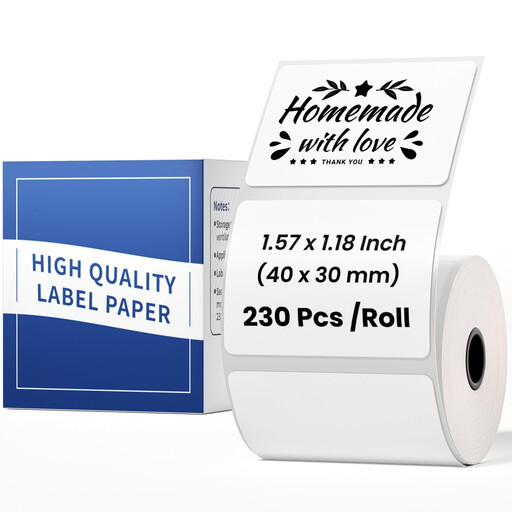
Why this product fits the profile: This format is designed for barcode labels, price labels and parcel labels, and is aimed at retailers, small businesses and warehousing or shipping tasks.
The stated quantity of 230 labels per roll makes consumption planning easier and prevents the roll length from being confused with the usable number of labels.
230 pre-cut labels per roll, white material and compatibility information for M110 and M220.
Why this product fits the profile: The coloured and transparent options support scrapbooking, DIY projects, study notes and colour-coded sorting around the home or office.
The product information lists the compatible mini printers as well as the coloured or transparent finish. This provides a clearer basis than general statements such as "fits many devices".
Three rolls, 50 mm × 3.5 m per roll and a choice of coloured and transparent materials according to the product name.
We have put together a complete, regularly updated list of products that fully meet these strict selection criteria and the safety regulations in force in the EU.
For reliable processing, insert the roll correctly and adjust the printer settings to match the format you are using. With pre-cut labels, the printer's sensor must be able to detect the gaps between the labels.
Store spare rolls in a dry, clean place, ideally away from direct sunlight. Only label cardboard boxes or plastic containers once the surface is free of dust and grease. For important shipping or warehouse labels, we recommend a quick adhesion test on the intended surface.
Only rolls that are explicitly stated as compatible with the M110, M220 or the respective printer model are suitable. In addition, the width, label shape and individual cut must match. One example is the 1.57 × 1.18 inch rolls with 230 labels per roll. For larger amounts of information, formats of 1.96 × 3.14 inches are also available.
Durability depends on the paper type, print quality, light, heat, moisture and friction. Thermal prints do not require ink, but can be affected by unfavourable storage conditions. According to Phomemo's product information, the coloured T02 variant has a stated storage life of up to 20 years. This information should be understood as a product-specific manufacturer's claim and assumes suitable storage conditions.
Formats designed for this purpose can be used for barcode, price and parcel labels. What matters is sufficient print area, good readable contrast and the correct label size. Before regular use, carry out a test print with your scanner or the inventory management system you use.